

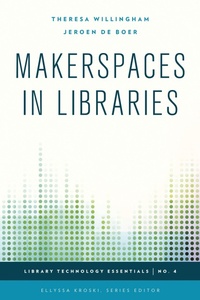
Makerspaces in Libraries
1st Edition
Published on 20. August 2015
1 pages
979-8-216-28559-5 (ISBN)
Description

Makerspaces, sometimes also referred to as hackerspaces, hackspaces, and fablabs are creative, DIY spaces where people can gather to create, invent, and learn. In libraries they often have 3D printers, software, electronics, craft and hardware supplies and tools, and more. Makerspaces are becoming increasingly popular in both public and academic libraries as a new way to engage patrons and add value to traditional library services. Discover how you can create a makerspace within your own library though this step-by-step guidebook. From planning your innovation center to hosting hack-a-thons, guest lectures, and social events in your new lab, Makerspaces in Libraries provides detailed guidance and best practices for creating an enduring, community driven space for all to enjoy and from which both staff and patrons will benefit.
This well researched, in-depth guide will serve libraries of all sizes seeking to implement the latest technologies and bring fresh life and engaging programming to their libraries. Highlights and best practices include:
budgeting and business planning for a librarymakerspace,creating operational documents,tools and resources overviews,national and international case studies,becoming familiar with 3D printers through practical printing projects (seed bombs),how to get started with Arduino (illuminate your library with a LED ambient mood light),how to host a FIRST Robotics Team at the library,how to develop hands-on engagement for senior makers (Squishy Circuits), andhow to host a Hackathon and build a coding community.
This well researched, in-depth guide will serve libraries of all sizes seeking to implement the latest technologies and bring fresh life and engaging programming to their libraries. Highlights and best practices include:
budgeting and business planning for a librarymakerspace,creating operational documents,tools and resources overviews,national and international case studies,becoming familiar with 3D printers through practical printing projects (seed bombs),how to get started with Arduino (illuminate your library with a LED ambient mood light),how to host a FIRST Robotics Team at the library,how to develop hands-on engagement for senior makers (Squishy Circuits), andhow to host a Hackathon and build a coding community.
More details
Series
Edition
1. Auflage
Language
English
Place of publication
United States
Publishing group
Bloomsbury Publishing Plc
ISBN-13
979-8-216-28559-5 (9798216285595)
Copyright in bibliographic data and cover images is held by Nielsen Book Services Limited or by the publishers or by their respective licensors: all rights reserved.
Schweitzer Classification
Other editions
Additional editions
Theresa Willingham | Jeroen de Boer
Makerspaces in Libraries
Book
08/2015
Rowman & Littlefield Publishers
€127.20
Shipment within 10-20 days
Persons
Theresa Willingham is a professional writer and the author of two books on health, with more than thirty years' experience across a diverse spectrum of fields and interests, all focused on doing work she's passionate about, in a way she hopes helps make her corner of the world a better place. She believes strongly in the value of collaboration and the strength of mentor-based learning. Theresa is Regional Director for FIRST STEM education programs in central Florida, and a Creative Partner with Eureka! Factory, working as a consultant and creative space designer with her husband, Steve, helping libraries and other organizations develop makerspaces and creative programming. They are the designers of the 10,000 sq. ft. Hive, Community Innovation Center, at the John F. Germany Library, the main branch of the Tampa-Hillsborough Public Library System in Tampa, Florida. They annually produce Gulf Coast MakerCon, Tampa Bay's signature maker festival, Celebrating the DIY Inventive Spirit, and ROBOTICON Tampa Bay, a FIRST Robotics Showcase.
Jeroen de Boer works at Bibliotheekservice Fryslân (BSF, Leeuwarden, The Netherlands) as new media specialist. He's a strong believer in open technologies and the way libraries can and should learn from maker culture. This is one of the main reasons why he's on the board of the FabLab Benelux Foundation. One of the projects Jeroen is currently working on is FryskLab, a Mobile Library FabLab. He writes regularly on his personal blog and in professional magazines.
He gives presentations about libraries, innovation and makerspaces at (international) library conferences. In 2012 and 2014 Jeroen was awarded with the BibliotheekInitiatiefPrijs (Library Initiative Award). In 2012 for SocialMediaCaster, an interactive kiosk with a touchscreen and RFID reader that bridges the physical library collections to the digital realm of social media. In 2014 for FryskLab, together with my two project members at BSF.
He is on the Advisory Committee of Internet Librarian International and a member of the Programming Committee of the 2015 Conference of the International Association of School Librarianship (IASL). In 2015 Jeroen is nominated for Librarian of the Year in the Netherlands.
Jeroen de Boer works at Bibliotheekservice Fryslân (BSF, Leeuwarden, The Netherlands) as new media specialist. He's a strong believer in open technologies and the way libraries can and should learn from maker culture. This is one of the main reasons why he's on the board of the FabLab Benelux Foundation. One of the projects Jeroen is currently working on is FryskLab, a Mobile Library FabLab. He writes regularly on his personal blog and in professional magazines.
He gives presentations about libraries, innovation and makerspaces at (international) library conferences. In 2012 and 2014 Jeroen was awarded with the BibliotheekInitiatiefPrijs (Library Initiative Award). In 2012 for SocialMediaCaster, an interactive kiosk with a touchscreen and RFID reader that bridges the physical library collections to the digital realm of social media. In 2014 for FryskLab, together with my two project members at BSF.
He is on the Advisory Committee of Internet Librarian International and a member of the Programming Committee of the 2015 Conference of the International Association of School Librarianship (IASL). In 2015 Jeroen is nominated for Librarian of the Year in the Netherlands.
Content
Foreword by Ellyssa Kroski
Preface
Acknowledgments
Chapter One: An Introduction to Makerspaces
Chapter Two: Getting Started with Makerspaces
Chapter Three: Tools and Applications
Chapter Four: Library Examples and Case Studies
Chapter Five: Step-by-Step Library Projects for Makerspaces
Chapter Six: Tips and Tricks
Chapter Seven: Future Trends
Chapter Eight: Recommended Reading
Index
About the Author
Preface
Acknowledgments
Chapter One: An Introduction to Makerspaces
Chapter Two: Getting Started with Makerspaces
Chapter Three: Tools and Applications
Chapter Four: Library Examples and Case Studies
Chapter Five: Step-by-Step Library Projects for Makerspaces
Chapter Six: Tips and Tricks
Chapter Seven: Future Trends
Chapter Eight: Recommended Reading
Index
About the Author
