

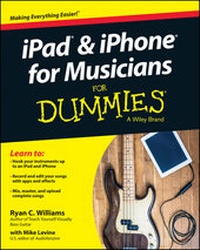
iPad and iPhone For Musicians For Dummies
Description

More details
Other editions
Additional editions
Persons
Content
Chapter 1
Digging into iOS
In This Chapter
Understanding the iOS operating system
Learning how iOS and apps evolved
Making iOS work as a music production tool
Before you can make music using your iPhone or iPad, you should understand the basics of the software that makes it tick (or, more appropriately, sing). This chapter introduces you to iOS and explores the ways you can interact with the device you're probably holding in your hand right now. (Consider putting it down somewhere nearby - it might be hard to hold both your phone and this book at the same time.) Here you learn the basic functionality of iOS, how your apps work with iOS, and why iOS can be a practical and inexpensive music production tool.
What Is iOS?
iOS is the operating system that powers all the iPhones, iPads, and iPod touches ever produced. iOS does the same job OS X does for Macs and Windows or Linux does for other computers, but Apple designers specifically programmed iOS to handle mobile devices. The operating system handles the basic functionality of every aspect of your device. It determines everything from the apps you see when you first log in to your device to the notifications you receive when you're overwhelmed with texts, phone calls, or messages. Anything your device does, it does because iOS told your device to do it. (See Figure 1-1.)
Figure 1-1: A typical iPhone home screen - look at all those folders!
iOS is an Apple creation that's available only on Apple devices. Although this limits the available choices for iOS fans, and maybe costs a bit more, it also allows Apple to fine-tune the operating system. By restricting iOS to a specific stable of devices, Apple can tailor iOS to work better. As Apple likes to say, "It just works." You may not experience this level of satisfaction all the time (Why does this app keep crashing?!), but, generally speaking, iOS provides a smooth and quick performance, at least for Apple's latest generation of devices.
Understanding the History of iOS
To understand how iOS progressed since its birth, we must part the mists of time and go back all the way to 2007, when the world first learned of the Apple's new device - the iPhone. When Apple first introduced the device that would revolutionize the mobile phone world, it also introduced the world to iOS, the software that would run it. Compared to the latest iteration of iOS (8, as of this writing), the first generation seems a little . . . limited. Back then, Apple didn't even call it iOS - they just referred to it as a version of the OS X software Apple uses to run larger devices like the MacBook Pro or iMac. Although the fledgling iPhone's operating system basically existed only to power the device and make it functional, it also introduced a formidable touchscreen-based interface that would soon take over the mobile device world. No more keyboards, just a few buttons - everything else took place on the screen.
From that auspicious beginning, Apple began creating more versions of iOS, ones that included additional features and access to improved iPhone hardware. These features included:
- Access to the iTunes and Apps Stores
- Messaging improvements
- Newer and better cameras
- Accelerometers and gyroscopic capabilities (basically, iOS could track your phone's movements and how fast those movements occurred)
- Better audio and MIDI (Musical Instrument Digital Interface) capabilities
. . . and so much more, really. You can't always differentiate the evolution of software and hardware, because iOS and the iPhone/iPad/iPod touch are so tied together, but the key takeaway from the history of iOS is that a simple phone operating system evolved from a small device you hold in your hand into a full-fledged platform that allows you to imagine, create, and distribute music.
When the iPhone first came to the market, it was tied to a computer. You plugged it in to sync your information, to update apps and the operating system, and to transfer any songs or other files. As iOS and the hardware progressed, the iPhone and iPad became more autonomous. They became their own platform, and not just peripheral devices to a home computer. Nowadays you can perform any action, including syncing your information to a cloud server for instantaneous access as needed, on the iPhone or iPad itself.
These devices left the nest and flew on their own. That's pretty amazing.
Exploring the Possibilities
There are so many possibilities to explore! The iOS operating system may not cover the entire mobile world, but it does provide the most robust option for musicians wishing to create music on a mobile device. Because Apple made iOS specifically for a limited set of devices, the company can better handle issues like touch response and interactions with external hardware (such as keyboards or other MIDI controllers, as described in Chapter 5). The App Store provides the largest marketplace for mobile-device music apps, a great many of which are available for free. Although buying an iPhone or iPad may be expensive, the cost of making that device a music workstation is relatively low. Let's take a look at a broad overview of everything you can accomplish with your iPhone or iPad.
Playing music anywhere
Obviously, Apple designed the iPhone and iPad to go along with you wherever you go. With powerful onboard memory and Wi-Fi/wireless data connections, your devices travel easily and provide near-instantaneous access to your data, allowing you to carry the following devices in your pocket:
- Piano
- Modular synthesizer
- Sampler
- Drum machine/sequencer
- Guitar/bass amp
- Effects pedals
- DJ equipment
- Strange and wonderful sound generation devices
- Your entire sheet music collection
This list is only a sample. Your only limitation is the size of your device's storage, your screen size (especially if you're older and need a screen larger than an iPhone's for reading music), and your data connection. It's all so convenient: Carrying these items on your phone certainly beats carting them around in a generously sized motor vehicle!
Apps that use a lot of small controls (such as knobs or switches) will benefit from the larger screen size of a full-sized iPad versus an iPad Mini. For example, large virtual mixers or synthesizers with a lot of controls may need a larger screen size so you can better access these controls (especially if you're performing live and don't get a shot at fixing any mistakes).
For practical reasons, we recommend you buy a sturdy case to go along with your iPhone or iPad. Make sure the case will protect the device in case of an accidental fall, a fractured screen, an accidental spill of liquid, or other traumatic events that can occur while you're lost in playing or composing music. Musicians don't often work in sterile or clean environments, so protect your investment! Be sure that any case you buy also allows you to connect the hardware you need to make your music. We discuss that hardware more in Chapters 6 and 7.
Be careful when connecting external devices to your iOS device if you put that device in a large or bulky case. And definitely take your iPhone or iPad out of any case you normally put on it before you try to insert it in a dock. Not only will some cases block usage of external connections, but you could also damage the data connector by trying to force that connection.
Storing your sounds
There's no shortage of opinions among musicians and audiophiles, but keep in mind that opinions are always subjective. The iPhone and iPad may not have the "mojo" factor of vintage tube amps or studio-quality recording consoles, but you can still get great audio sounds out of them.
For music playback, the iPhone and iPad can handle mp3, AAC, ALAC, WAV, and AIFF files at different levels of audio quality. Apple recommends sticking with AAC and ALAC files, probably because Apple itself created the formats, but also because you get better audio quality at the same file size over other formats. You'll fill up your phone quickly with high resolution audio files (especially in ALAC, WAV, and AIFF formats), but the choice is yours. Connect a good pair of headphones (not the earbuds that come with the phone, please - it's worth investing in a better pair after you initially buy the device) and you're set. And keep the earbuds in a safe place as a backup. Just in case.
Lossy vs. lossless
The AAC vs. ALAC file formats belong to Apple, and thus work really well on an iPhone or iPad. But the main difference between these files is lossy vs. lossless data compression. When you convert an audio file to an AAC format, you retain most of the data but lose a little here and there to keep the file size down. The iTunes Store sells music files at 256 Mbps, which most listeners agree is an acceptable resolution for everyday listening.. The standard before 256 Mbps was 128 Mbps, regarded by many experts as the minimum listenable size (although some will turn their nose up at that). Anything lower than that rate and things start to get ugly: You'll hear a distorted high end (think cymbals and other high-pitched noises), and the music...
