

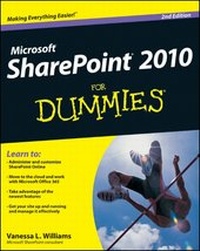
SharePoint 2010 For Dummies
2nd Edition
Published on 4. June 2012
504 pages
978-1-118-28733-0 (ISBN)
Description

Here's the bestselling guide on SharePoint 2010, updated tocover Office 365
SharePoint Portal Server is an essential part of the enterpriseinfrastructure for many businesses. The Office 365 version includessignificantly enhanced cloud capabilities. This second edition ofthe bestselling guide to SharePoint covers getting a SharePointsite up and running, branded, populated with content, and more. Itexplains ongoing site management and offers plenty of advice foradministrators who want to leverage SharePoint and Office 365 invarious ways.
* Many businesses today rely on SharePoint Portal Server toaggregate SharePoint sites, information, and applications into asingle portal
* This updated edition covers the enhanced cloud capacities ofOffice 365 and Microsoft SharePoint Online
* Shows how to use SharePoint to leverage data centers andcollaborate with both internal and external customers, includingpartners and clients
* Covers getting a site up and running, populating it withcontent, branding it, and managing the site long term
Administrators and small-business website managers will findSharePoint 2010 For Dummies, 2nd Edition gives them theinformation they need to make the most of this technology.
SharePoint Portal Server is an essential part of the enterpriseinfrastructure for many businesses. The Office 365 version includessignificantly enhanced cloud capabilities. This second edition ofthe bestselling guide to SharePoint covers getting a SharePointsite up and running, branded, populated with content, and more. Itexplains ongoing site management and offers plenty of advice foradministrators who want to leverage SharePoint and Office 365 invarious ways.
* Many businesses today rely on SharePoint Portal Server toaggregate SharePoint sites, information, and applications into asingle portal
* This updated edition covers the enhanced cloud capacities ofOffice 365 and Microsoft SharePoint Online
* Shows how to use SharePoint to leverage data centers andcollaborate with both internal and external customers, includingpartners and clients
* Covers getting a site up and running, populating it withcontent, branding it, and managing the site long term
Administrators and small-business website managers will findSharePoint 2010 For Dummies, 2nd Edition gives them theinformation they need to make the most of this technology.
All prices
More details
Other editions
Additional editions
Vanessa L. Williams
SharePoint 2010 For Dummies
Book
07/2012
2nd Edition
Wiley
€28.90
Article exhausted; check different version
Person
Vanessa L. Williams has more than a decade of experience in information technology and information systems. As a freelance consultant, she helps clients ranging from small companies with 20 users to Fortune 200 enterprises using SharePoint to solve business problems.
Content
Introduction 1
Part I: Collaborating with Team Sites 9
Chapter 1: Getting to Know Your Team Site 11
Chapter 2: Sharing Your Documents 25
Chapter 3: Working with Lists 45
Chapter 4: Getting a New View 61
Chapter 5: Subscribing to Feeds and Alerts 81
Chapter 6: Working Offline with SharePoint Workspace 91
Part II: Taking Your Team Site to the Next Level 103
Chapter 7: Creating New Sites 105
Chapter 8: Working with Web Pages 119
Chapter 9: Working with Web Parts 131
Chapter 10: Configuring Libraries and Lists 147
Chapter 11: Creating Custom Lists 165
Chapter 12: Creating Forms and Workflows 181
Chapter 13: Securing Your Team Site 193
Chapter 14: Changing the Look and Feel of Your Site 211
Part III: Building Communities 233
Chapter 15: Managing Your User Profile 235
Chapter 16: Using My Site Effectively 241
Chapter 17: Yours, Mine, and Ours: Social Networking 249
Part IV: Portals and Extranets 267
Chapter 18: Getting Started with Portals and Web Sites 269
Chapter 19: Approving Content for Publication 283
Chapter 20: Creating Page Layouts with SharePoint Designer 299
Chapter 21: Rolling Up Content to the Home Page 321
Chapter 22: Configuring Site Navigation 335
Chapter 23: Creating a Public Web Site in SharePoint Online 347
Chapter 24: Creating a Client Portal in SharePoint Online 359
Part V: Managing Enterprise Content 371
Chapter 25: Content Types and Metadata 373
Chapter 26: Exploring Enterprise Search 391
Chapter 27: Archiving Documents and Records 403
Part VI: Exploring Enterprise Services 415
Chapter 28: Business Intelligence in SharePoint 417
Chapter 29: Business Connectivity Services 427
Chapter 30: Deciding Between On-Premise and Office 365 437
Part VII: The Part of Tens 449
Chapter 31: Ten Governance Items 451
Chapter 32: Ten Ways to Master SharePoint 457
Index 463
Bonus Chapter 1: Managing Site Assets On the Web
Bonus Chapter 2: Branding Your SharePoint Site On the Web
Bonus Chapter 3: Access Services On the Web
Part I: Collaborating with Team Sites 9
Chapter 1: Getting to Know Your Team Site 11
Chapter 2: Sharing Your Documents 25
Chapter 3: Working with Lists 45
Chapter 4: Getting a New View 61
Chapter 5: Subscribing to Feeds and Alerts 81
Chapter 6: Working Offline with SharePoint Workspace 91
Part II: Taking Your Team Site to the Next Level 103
Chapter 7: Creating New Sites 105
Chapter 8: Working with Web Pages 119
Chapter 9: Working with Web Parts 131
Chapter 10: Configuring Libraries and Lists 147
Chapter 11: Creating Custom Lists 165
Chapter 12: Creating Forms and Workflows 181
Chapter 13: Securing Your Team Site 193
Chapter 14: Changing the Look and Feel of Your Site 211
Part III: Building Communities 233
Chapter 15: Managing Your User Profile 235
Chapter 16: Using My Site Effectively 241
Chapter 17: Yours, Mine, and Ours: Social Networking 249
Part IV: Portals and Extranets 267
Chapter 18: Getting Started with Portals and Web Sites 269
Chapter 19: Approving Content for Publication 283
Chapter 20: Creating Page Layouts with SharePoint Designer 299
Chapter 21: Rolling Up Content to the Home Page 321
Chapter 22: Configuring Site Navigation 335
Chapter 23: Creating a Public Web Site in SharePoint Online 347
Chapter 24: Creating a Client Portal in SharePoint Online 359
Part V: Managing Enterprise Content 371
Chapter 25: Content Types and Metadata 373
Chapter 26: Exploring Enterprise Search 391
Chapter 27: Archiving Documents and Records 403
Part VI: Exploring Enterprise Services 415
Chapter 28: Business Intelligence in SharePoint 417
Chapter 29: Business Connectivity Services 427
Chapter 30: Deciding Between On-Premise and Office 365 437
Part VII: The Part of Tens 449
Chapter 31: Ten Governance Items 451
Chapter 32: Ten Ways to Master SharePoint 457
Index 463
Bonus Chapter 1: Managing Site Assets On the Web
Bonus Chapter 2: Branding Your SharePoint Site On the Web
Bonus Chapter 3: Access Services On the Web
