

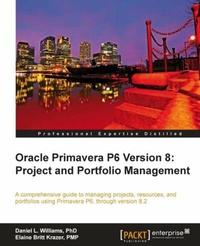
Oracle Primavera P6 Version 8: Project and Portfolio Management
For project managers and consultants, this book will help you master the main elements of Primavera P6, together with the new features in Version 8. Lots of screenshots and clear explanations make for an easy ride.
1st Edition
Published on 13. January 2025
348 pages
978-1-84968-469-9 (ISBN)
Description

For project managers and consultants, this book will help you master the main elements of Primavera P6, together with the new features in Version 8. Lots of screenshots and clear explanations make for an easy ride.Key Features - Get a detailed overview of Oracle Primavera P6 Enterprise Project Portfolio Management.
- Manage your projects from just anywhere using simple e-mail and the P6 iPhone app.
- Learn to create a new project in the P6 Professional Client
- Integrate Primavera P6 with three main ERP systems: Oracle EBS, JD Edwards, and PeopleSoft.
Book DescriptionIn 2008 Oracle acquired Primavera Software, Inc., a leading provider of Project Portfolio Management (PPM) solutions for project-intensive industries.Primavera P6 Enterprise Project Portfolio Management is an integrated project portfolio management (PPM) solution comprising role-specific functionality to satisfy each team member's needs, responsibilities, and skills. It provides a single solution for managing projects of any size, adapts to various levels of complexities within a project, and intelligently scales to meet the needs of various roles, functions, or skill levels in your organization and on your project team.Oracle Primavera P6 Version 8: Project and Portfolio Management aims to show you all the features and functionality of the software thoroughly and clearly.With Oracle Primavera P6 Version 8: Project and Portfolio Management, readers will master the core concepts of Primavera P6 and the new features associated with version 8.This book is divided into two sections, in the first section we learn the fundamental concepts behind managing projects which include organizing projects, adding activities and relationships, assigning roles and resources, scheduling a project, and much more. In the second section we cover portfolio management and how to make the best use of the web client that includes working with portfolios, portfolio analysis, portfolio capacity planning, ROI, tracking performance, and lots more.What you will learn - Learn the powerful calculations behind a P6 CPM schedule
- Master the real-time reporting features of Project Dashboards and the data behind them
- Create Portfolio Scenarios to capture data for comparison and analysis
- Learn how to use P6 features as well as best practice Project Management using P6
- Make effective use of calculated User Defi ned Fields
- Master organizational features of P6 such as the EPS, OBS, WBS, Roles, and Resources
Who this book is forIf you are a Project manager or a consultant, who wants to master the core concepts of Primavera P6 and the new features associated with version 8, then this is the best guide for you. This book assumes that you have a fundamental knowledge of working in the Primavera P6 environment.
- Manage your projects from just anywhere using simple e-mail and the P6 iPhone app.
- Learn to create a new project in the P6 Professional Client
- Integrate Primavera P6 with three main ERP systems: Oracle EBS, JD Edwards, and PeopleSoft.
Book DescriptionIn 2008 Oracle acquired Primavera Software, Inc., a leading provider of Project Portfolio Management (PPM) solutions for project-intensive industries.Primavera P6 Enterprise Project Portfolio Management is an integrated project portfolio management (PPM) solution comprising role-specific functionality to satisfy each team member's needs, responsibilities, and skills. It provides a single solution for managing projects of any size, adapts to various levels of complexities within a project, and intelligently scales to meet the needs of various roles, functions, or skill levels in your organization and on your project team.Oracle Primavera P6 Version 8: Project and Portfolio Management aims to show you all the features and functionality of the software thoroughly and clearly.With Oracle Primavera P6 Version 8: Project and Portfolio Management, readers will master the core concepts of Primavera P6 and the new features associated with version 8.This book is divided into two sections, in the first section we learn the fundamental concepts behind managing projects which include organizing projects, adding activities and relationships, assigning roles and resources, scheduling a project, and much more. In the second section we cover portfolio management and how to make the best use of the web client that includes working with portfolios, portfolio analysis, portfolio capacity planning, ROI, tracking performance, and lots more.What you will learn - Learn the powerful calculations behind a P6 CPM schedule
- Master the real-time reporting features of Project Dashboards and the data behind them
- Create Portfolio Scenarios to capture data for comparison and analysis
- Learn how to use P6 features as well as best practice Project Management using P6
- Make effective use of calculated User Defi ned Fields
- Master organizational features of P6 such as the EPS, OBS, WBS, Roles, and Resources
Who this book is forIf you are a Project manager or a consultant, who wants to master the core concepts of Primavera P6 and the new features associated with version 8, then this is the best guide for you. This book assumes that you have a fundamental knowledge of working in the Primavera P6 environment.
All prices
More details
Other editions
Additional editions
Daniel Williams | Daniel L. Williams | Elaine Britt Krazer
Oracle Primavera P6 Version 8
Project and Portfolio Management
Book
06/2012
Packt Publishing
€74.40
Shipment within 3-4 weeks
Content
- Intro
- Oracle Primavera P6 Version 8: Project and Portfolio Management
- Table of Contents
- Oracle Primavera P6 Version 8: Project and Portfolio Management
- Credits
- About the Authors
- About the Reviewers
- www.PacktPub.com
- Support files, eBooks, discount offers and more
- Why Subscribe?
- Free Access for Packt account holders
- Instant Updates on New Packt Books
- Preface
- What this book covers
- What you need for this book
- Who this book is for
- Conventions
- Reader feedback
- Customer support
- Errata
- Piracy
- Questions
- 1. Getting Started with Oracle Primavera P6
- Product history
- Enter Oracle
- P3 and SureTrak
- What's in the name?
- P6 core concepts
- Project Management Life Cycle
- Activities
- Resources
- What's new in P6 Release 8
- New in Release 8.2
- Summary
- 2. Getting Around: Understanding and Customizing the P6 Interface
- EPPM Web Client overview
- Application menus
- Tabs
- Modules
- Main screen
- Logging into the P6 Client
- Screen overview
- Main menus
- File menu
- Edit menu
- View menu
- Project menu
- Enterprise
- Tools
- Admin
- Help
- Customizing screens and saving layouts
- Summary
- 3. Organizing your Projects with EPS, OBS, and WBS
- Enterprise versus project data
- Organizational Breakdown Structure (OBS)
- Enterprise Project Structure (EPS)
- Work Breakdown Structure (WBS)
- A simple example
- Summary
- 4. Creating a New Project and Work Breakdown Structure
- Creating a new project using the New Project Wizard
- Setting project properties
- General
- Notebook
- Budget Log
- Spending Plan
- Budget Summary
- Dates
- Funding
- Codes (project level)
- Defaults
- Resources
- Settings
- Calculations
- Structuring the WBS of the project
- General
- Notebook
- WBS Milestones
- WPs & Docs
- Earned value
- Importing projects in the web client
- General
- Activity
- Resources
- Notebooks
- Custom Field Mapping
- Importing in the Professional Client
- Exporting projects
- Summary
- 5. Adding Activities and Relationships
- Activities
- Oracle Primavera P6 compared to other tools
- Oracle Primavera and scheduling best practices
- Activity details
- General
- Codes
- Expenses
- Assignments
- Documents
- Feedback
- Issues
- Notebooks
- Predecessors/Successors
- Trace Logic
- Risks
- Activity types
- Start milestone
- Finish milestone
- Task dependent
- Resource dependent
- Level of Effort
- WBS summary
- Relationships
- Finish to Start
- Start to Start
- Finish to Finish
- Start to Finish
- Lag and float
- Working with Activities
- Gantt chart
- Table
- Activity network
- Summary
- 6. Resources
- Resources
- Resources: General
- Resources: Codes
- Resources: Details
- Resources: Units and Prices
- Resources: Roles
- Roles
- Roles: General
- Roles: Resources
- Roles: Prices
- Roles: Limits
- Teams
- Resource assignments
- Resource curves
- Calendars
- Modifying calendars
- Calendar priority
- Summary
- 7. Scheduling and Constraints
- Scheduling activities
- Understanding scheduling algorithms
- Scheduling using CPM and P6
- The scheduling algorithm
- The formula for start and finish
- Settings at the user level
- Settings at the project level
- Calculations
- Scheduling (F9) options
- Settings at the global level
- Settings at the activity level
- Activity types
- Summary
- 8. Issues and Risks
- Thresholds
- Issues
- Risks: P6 Professional
- Risks: P6 Enterprise
- Summary
- 9. Baselines and Statusing
- Maintaining baselines
- Updating a baseline
- Baseline assignment
- Updating project status
- Auto compute actuals
- Percent complete
- Entering hours
- Actual dates
- Actual costs
- Resources
- Summary
- 10. Project Templates
- Creating a new project template
- Creating a template from an existing project
- Creating a new project from a template
- Inserting a WBS into an existing project
- Summary
- 11. Portfolios
- Managing portfolios
- Creating a portfolio
- Portfolio Views
- Scenarios
- User Defined Fields (UDFs)
- Summary
- 12. Portfolio Analysis
- The Portfolio Analysis screen
- Scorecards
- Choosing data to display
- Columns
- Waterline
- Graphical displays
- Pie charts
- Histograms
- Side-by-side histogram
- Stacked histogram
- Bubble charts
- Summary
- 13. Measuring and Scoring Projects
- Scoring projects
- Creating and using scenarios
- Waterline Analysis
- Summary
- 14. Capacity Planning and ROI
- Capacity Planning
- Frame A-scorecard
- Frame B-Gantt chart
- Frame C-resources and roles
- Frame D-Resource and Role Usage
- Putting it all together
- Return on Investment (ROI)
- Summary
- 15. Dashboards
- Dashboard examples:
- Managing dashboards
- Customizing a dashboard
- Content tab
- General
- Portfolio Views
- Project Performance
- Resources
- Personal Information
- Custom Portlets
- Dashboard Layout
- Access
- Summary
- 16. Resource Management
- Planning
- Planning by project
- Planning by resource
- Splitting
- Assignments
- Resource analysis
- Summary
- A. Integrations
- Integration overview
- Integration benefits
- Enforcing best practices
- Ensuring data integrity
- Fewer people handling more projects
- Integration pitfalls
- Over-analysis
- Imposing external culture
- Underestimating technical skillset
- Integration possibilities
- Integration technology
- JD Edwards
- E-Business Suite
- PeopleSoft
- Summary
- B. Reporting
- Reporting from Professional
- Screen printing
- Reports
- Editing reports
- Reporting from the web client
- Screen printing
- BI Publisher
- Summary
- Index

