

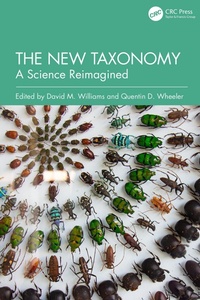
The New Taxonomy
A Science Reimagined
1st Edition
Published on 27. June 2025
262 pages
978-1-040-36460-4 (ISBN)
Description

Today molecular data is part of many biological studies, including taxonomic works. Such data is embraced by taxonomists for good reasons. When combined with comparative morphology, palaeontology, and embryology, it creates a rich, integrated overview of the history of life. This book is intended as a clear articulation of the mission, goals, and needs of fundamental taxonomists and a planetary-scale inventory of species by revisiting the idea of taxonomy as a fusion of the traditional questions asked by taxonomists and the latest technologies. It is a clear roadmap to a taxonomic renaissance and world species inventory.
Key Features:
Establishes the role and responsibilities of natural history museums to baseline taxonomic studies
Emphasizes the potential of 'descriptive' taxonomy
Proposes a cyberinfrastructure specifically designed to meet the needs of taxonomists to do taxonomy
Provides a clear statement of taxonomy's mission, goals, and prospects
Reviews taxonomic philosophies and codes of nomenclature from an historical perspective
Key Features:
Establishes the role and responsibilities of natural history museums to baseline taxonomic studies
Emphasizes the potential of 'descriptive' taxonomy
Proposes a cyberinfrastructure specifically designed to meet the needs of taxonomists to do taxonomy
Provides a clear statement of taxonomy's mission, goals, and prospects
Reviews taxonomic philosophies and codes of nomenclature from an historical perspective
More details
Edition
1. Auflage
Language
English
Place of publication
London
United Kingdom
Publishing group
Taylor & Francis Ltd
Target group
College/higher education
Professional and scholarly
Illustrations
2 Tables, black and white; 2 Line drawings, color; 11 Line drawings, black and white; 1 Halftones, color; 2 Halftones, black and white; 3 Illustrations, color; 13 Illustrations, black and white
File size
15,56 MB
ISBN-13
978-1-040-36460-4 (9781040364604)
Copyright in bibliographic data and cover images is held by Nielsen Book Services Limited or by the publishers or by their respective licensors: all rights reserved.
Schweitzer Classification
Other editions
Additional editions
Book
06/2025
1st Edition
CRC Press
€251.20
Shipment within 10-20 days
Persons
David M. Williams is a diatom systematist-taxonomist. His research is divided between empirical studies on the systematics and biogeography of diatoms and theoretical studies related to advances in systematic theory, especially as it relates to cladistics. In addition to his work on diatom phylogeny, systematics, and biogeography, he has focused on the role fossils have in determining evolutionary relationships in diatoms.
Quentin D. Wheeler is an insect taxonomist, author, columnist, and podcaster. He was professor of entomology in Cornell University, Dean of the College of Liberal Arts and Sciences in Arizona State University, Keeper and Head of Entomology at the Natural History Museum in London, Director of the Division of Environmental Biology of the U.S. National Science Foundation, and President of the State University of New York College of Environmental Science and Forestry.
Quentin D. Wheeler is an insect taxonomist, author, columnist, and podcaster. He was professor of entomology in Cornell University, Dean of the College of Liberal Arts and Sciences in Arizona State University, Keeper and Head of Entomology at the Natural History Museum in London, Director of the Division of Environmental Biology of the U.S. National Science Foundation, and President of the State University of New York College of Environmental Science and Forestry.
Content
1. Introduction-Toward a New Taxonomy: Means, Motives and Opportunities. 2. Norman Platnick, the Development of Cladistics, 'Integrative' Taxonomy and Modern Monography. 3. Minimalist Species Descriptions: Are They the Answer? And if so, What Was the Question?. 4. The Old, the New, and Lots of People: How Taxonomy Will Thrive. 5. Databases: Juggling Nomenclature and Taxonomy. 6. Zootaxonomy in the Century of Extinctions: Time is for Field Work and Collections. 7. Bringing Taxonomy Back into the Spotlight. 8. Systematics and Biogeography, Ontology and Vicariance. 9. Nomenclatural Problems in Zoological Taxonomy. 10. The Survival of Taxonomy and the Digitization of Natural History Collections. 11. Taxonomy Positive. 12. A Single Authoritative List of the World's Species - Background and Road Map. 13. Species Descriptions Go Digital. 14. Saving Systematics: Identity, Traditions and Great Expectations
