

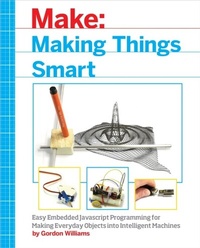
Making Things Smart
Easy Embedded JavaScript Programming for Making Everyday Objects into Intelligent Machines
1st Edition
Published on 6. July 2017
352 pages
978-1-68045-187-0 (ISBN)
Description

Making Things Smart teaches the fundamentals of the powerful ARM microcontroller by walking beginners and experienced users alike through easily assembled projects comprised of inexpensive, hardware-store parts.Current ARM programming books take a bland, textbook approach focused on complex, beginner-unfriendly languages like C or ARM Assembler. Making Things Smart uses Espruino (JavaScript for Hardware), flattening the learning curve.
More details
Other editions
Additional editions
Gordon F. Williams
Making Things Smart
Easy Embedded JavaScript Programming for Making Everyday Objects Into Intelligent Machines
Book
08/2017
Make Community, LLC
€33.00
Article not available at the moment
Content
- Intro
- Copyright
- Table of Contents
- Preface
- Conventions Used in This Book
- Using Code Examples
- O'Reilly Safari
- How to Contact Us
- Acknowledgments
- Chapter 1. Introduction
- Why Make Things Smart?
- Learning through Making
- Making in JavaScript
- Tools and Materials
- Part I. Microcontrollers
- Chapter 2. What Is a Microcontroller?
- ARM History
- Programming a Microcontroller
- Chapter 3. Getting Started with Espruino
- Getting Ready
- Mac and Chromebook
- Windows
- Linux (Including Raspberry Pi)
- Plugging In
- Installing Software
- Connecting
- Updating Firmware
- First Commands
- The Editor
- Chapter 4. Getting Started with JavaScript
- Getting Ready
- Comments
- Data Types
- Undefined
- Numbers
- Strings
- Booleans
- Math
- Math with Numbers
- Math with Strings
- Math with Strings and Numbers
- The Helpful Language
- Variables
- Increment and Decrement
- Objects
- Functions
- parseInt
- Functions in Objects (Methods)
- console.log
- Defining Functions
- Inline Functions
- Arrays
- Object Orientation
- Bitwise Arithmetic
- Bitwise Operators
- Bit Shifting
- If Statements
- && and ||
- Ternary Operators
- for Loops
- Exceptions
- Part II. Motors
- Chapter 5. What Is an Electric Motor?
- Experiment 1: Faraday's Motor
- Experiment 2: Motor with Commutator
- Brushless DC Motors
- Experiment 3: Stepper Motor
- Experiment 4: Stepper Motor Control
- Experiment 5: More Stepper Motor Control
- Chapter 6. Stroboscope Tachometer
- Finding a Fan
- Experiment 6: Detecting Speed
- Experiment 7: Stroboscope
- Experiment 8: Brighter Stroboscope
- Chapter 7. John Logie Baird's TV
- Experiment 9: Persistence of Vision
- Experiment 10: John Logie Baird's TV
- Part III. Electromechanics
- Chapter 8. Make a Simple Robot
- Experiment 11: Try Out a Servo Motor
- Experiment 12: Make a Simple Robot
- Experiment 13: Following Light
- Chapter 9. Pen Plotter
- Experiment 14: Pen Plotter
- Software
- Chapter 10. Digital Pinhole Camera
- Experiment 15: Making a Digital Camera
- Complete Listing
- Chapter 11. Printer
- Experiment 16: Making a Printer
- Software
- Complete Listing
- Part IV. Communication
- Chapter 12. Wired Communication
- Clocking
- Experiment 17: Making an Oscilloscope
- Using the Oscilloscope
- Chapter 13. Cutting the Cord: Infrared
- Experiment 18: Making the IR Receiver
- Experiment 19: Decoding IR Signals
- Experiment 20: Using Our Decoded Signal
- Experiment 21: Using Our Remote Control on the Net, with dweet.io
- Experiment 22: Using Our Remote Control on the Net, with IFTTT
- Chapter 14. Cutting the Cord: Radio Signals
- Experiment 23: Wiring Up the Receiver
- Experiment 24: Wiring Up a Transmitter
- Experiment 25: Transmitting from Espruino
- Experiment 26: Decoding the Received Data
- Chapter 15. Connecting with WiFi
- Experiment 27: Adding WiFi to Your Pico
- Making This Tidier
- Experiment 28: Testing Your Wiring
- Experiment 29: Connecting to WiFi
- Experiment 30: Sending Data to the Internet
- Experiment 31: Getting Data from the Internet
- Experiment 32: Creating a Server
- Controlling Things
- Chapter 16. Bluetooth Low Energy
- So, How Does Bluetooth Low Energy Work?
- How Can We Use Bluetooth LE Ourselves?
- Web Bluetooth
- Experiment 33: Using Puck.js
- Experiment 34: Making a Door Opening Counter
- Experiment 35: Advertising Door Openings
- Experiment 36: Receiving Door Openings with Eddystone
- Part V. Putting It All Together
- Chapter 17. XY Plotter
- Experiment 37: Making an XY Table
- Experiment 38: Controlling the XY Table
- Chapter 18. Internet-Connected Plotter
- Experiment 39: Internet-Connected Plotter
- Part VI. Conclusion
- Chapter 19. So What Now?
- Appendix A. Parts and Materials
- Common Parts
- General
- Espruino Boards
- Breadboard
- Patch Wires/Jumper Leads
- Resistors, Capacitors, LEDs, Light-Dependent Resistors
- Neodynium Magnets
- Single Core Wire
- Wood
- Motors Section
- General
- A Source of DC Power (Around 6-12v)
- L293D Motor Driver IC
- Brushless Fan
- P36NF06L FET
- Electromechanics Section
- General
- Servo Motors and Extension Wire
- Lobster Bands
- A Small Corkboard (Roughly 30cm×40cm)
- Threaded Rod and Nut
- Communication Section
- A Headphone Lead with a 3.5mm Jack Plug
- IR Receiver (HX1838, VS1838, TSOP348, or TSOP344) and Remote Control
- A 315Mhz (USA) or 433Mhz (Europe) Radio Transmitter/Receiver
- ESP8266 ESP01
- Putting It All Together
- 2x Springs
- Smooth Aluminum Bar and 30mm×30mm×30mm Cube of Solid Wood or Plastic
- 10×40mm Diameter Pulleys
- 5M of Fishing Line
- Two Small Geared Stepper Motors
- Appendix B. Common Espruino Commands and Variables
- print(text) or console.log(text)
- LED1 and LED2
- BTN1 or BTN
- digitalWrite(pin[s], value)
- digitalRead(pin[s])
- Pin.read(), Pin.write(value), Pin.set(), and Pin.reset()
- analogWrite(pin, value[, options])
- analogRead(pin)
- digitalPulse(pin, polarity, time[s])
- pinMode(pin, mode)
- reset()
- save()
- load()
- onInit()
- Appendix C. Espruino Assembler
- So How Do We Run This Code?
- Registers
- Instructions
- Getting More Complex
- Index
- About the Author
