

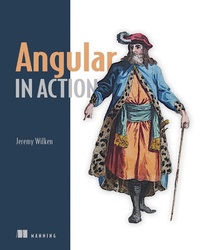
Angular in Action
Published on 7. March 2018
320 pages
978-1-63835-600-4 (ISBN)
Description

Summary
Angular in Action teaches you everything you need to build production-ready Angular applications.Thoroughly practical and packed with tricks and tips, this hands-on tutorial is perfect for web devs ready to build web applications that can handle whatever you throw at them.
Purchase of the print book includes a free eBook in PDF, Kindle, and ePub formats from Manning Publications.
About the Technology
Angular makes it easy to deliver amazing web apps. This powerful JavaScript platform provides the tooling to man- age your project, libraries to help handle most common tasks, and a rich ecosystem full of third-party capabilities to add as needed. Built with developer productivity in mind, Angular boosts your efficiency with a modern component architecture, well-constructed APIs, and a rich community.
About the Book
Angular in Action teaches you everything you need to build production-ready Angular applications. You'll start coding immediately, as you move from the basics to advanced techniques like testing, dependency injection, and performance tuning. Along the way, you'll take advantage of TypeScript and ES2015 features to write clear, well-architected code. Thoroughly practical and packed with tricks and tips, this hands-on tutorial is perfect for web devs ready to build web applications that can handle whatever you throw at them.
What's Inside
About the Reader
Written for web developers comfortable with JavaScript, HTML, and CSS.
About the Author
Jeremy Wilken is a Google Developer Expert in Angular, Web Technologies, and Google Assistant. He has many years of experience building web applications and libraries for eBay, Teradata, and VMware.
Table of Contents
Angular in Action teaches you everything you need to build production-ready Angular applications.Thoroughly practical and packed with tricks and tips, this hands-on tutorial is perfect for web devs ready to build web applications that can handle whatever you throw at them.
Purchase of the print book includes a free eBook in PDF, Kindle, and ePub formats from Manning Publications.
About the Technology
Angular makes it easy to deliver amazing web apps. This powerful JavaScript platform provides the tooling to man- age your project, libraries to help handle most common tasks, and a rich ecosystem full of third-party capabilities to add as needed. Built with developer productivity in mind, Angular boosts your efficiency with a modern component architecture, well-constructed APIs, and a rich community.
About the Book
Angular in Action teaches you everything you need to build production-ready Angular applications. You'll start coding immediately, as you move from the basics to advanced techniques like testing, dependency injection, and performance tuning. Along the way, you'll take advantage of TypeScript and ES2015 features to write clear, well-architected code. Thoroughly practical and packed with tricks and tips, this hands-on tutorial is perfect for web devs ready to build web applications that can handle whatever you throw at them.
What's Inside
- Spinning up your first Angular application
- A complete tour of Angular's features
- Comprehensive example projects
- Testing and debugging
- Managing large applications
About the Reader
Written for web developers comfortable with JavaScript, HTML, and CSS.
About the Author
Jeremy Wilken is a Google Developer Expert in Angular, Web Technologies, and Google Assistant. He has many years of experience building web applications and libraries for eBay, Teradata, and VMware.
Table of Contents
- Angular: a modern web platform
- Building your first Angular app
- App essentials
- Component basics
- Advanced components
- Services
- Routing
- Building custom directives and pipes
- Forms
- Testing your application
- Angular in production
More details
Other editions
Additional editions
Jeremy Wilken | David Aden | Jason Aden
Angular in Action
Book
02/2019
Manning Publications
€64.63
Shipment within 10-20 days
Person
Jeremy Wilken is a Google Developer Expert in Angular, Web Technologies, and Google Assistant. He has many years of experience building web applications and libraries for eBay, Teradata, and VMware.
Content
- Intro
- Copyright
- Dedication
- preface
- acknowledgments
- about this book
- about the author
- about the cover illustration
- Chapter 1: Angular: a modern web platform
- 1.1 Why choose Angular?
- 1.2 What you'll learn
- 1.3 The journey from AngularJS to Angular
- 1.4 Angular: a platform, not a framework
- 1.4.1 Angular CLI
- 1.4.2 Server rendering and the compiler
- 1.4.3 Mobile and desktop capabilities
- 1.4.4 UI libraries
- 1.5 Component architecture
- 1.5.1 Components' key characteristics
- 1.5.2 Shadow DOM
- 1.5.3 Templates
- 1.5.3 JavaScript modules
- 1.6 Modern JavaScript and Angular
- 1.6.1 Observables
- 1.7 TypeScript and Angular
- Summary
- Chapter 2: Building your first Angular app
- 2.1 Previewing the chapter project
- 2.2 Setting up the project
- 2.3 The basic app scaffolding
- 2.4 How Angular renders the base application
- 2.4.1 App component
- 2.4.2 App module
- 2.4.3 Bootstrapping the app
- 2.5 Building services
- 2.6 Creating your first component
- 2.7 Components that use components and services
- 2.8 Components with forms and events
- 2.9 Application routing
- Summary
- Chapter 3: App essentials
- 3.1 Entities in Angular
- 3.1.1 Modules
- 3.1.2 Components
- 3.1.3 Directives
- 3.1.4 Pipes
- 3.1.5 Services
- 3.2 How Angular begins to render an app
- 3.3 Types of compilers
- 3.4 Dependency injection
- 3.5 Change detection
- 3.6 Template expressions and bindings
- 3.6.1 Interpolation
- 3.6.2 Property bindings
- 3.6.3 Special property bindings
- 3.6.4 Attribute bindings
- 3.6.5 Event bindings
- Summary
- Chapter 4: Component basics
- 4.1 Setting up the chapter example
- 4.1.1 Getting the code
- 4.2 Composition and lifecycle of a component
- 4.2.1 Component lifecycle
- 4.2.2 Lifecycle hooks
- 4.2.3 Nesting components
- 4.3 Types of components
- 4.4 Creating a Data component
- 4.5 Using inputs with components
- 4.5.1 Input basics
- 4.5.2 Intercepting inputs
- 4.6 Content projection
- Summary
- Chapter 5: Advanced components
- 5.1 Change detection and optimizations
- 5.2 Communicating between components
- 5.2.1 Output events and template variables
- 5.2.2 View Child to reference components
- 5.3 Styling components and encapsulation modes
- 5.3.1 Adding styles to a component
- 5.3.2 Encapsulation modes
- 5.4 Dynamically rendering components
- 5.4.1 Using the Ng-bootstrap modal for dynamic components
- 5.4.2 Dynamically creating a component and rendering it
- Summary
- Chapter 6: Services
- 6.1 Setting up the chapter example
- 6.1.1 Getting the chapter files
- 6.1.2 Sample data
- 6.2 Creating Angular services
- 6.3 Dependency injection and injector trees
- 6.4 Services without dependency injection
- 6.5 Using the HttpClient service
- 6.5.1 HttpInterceptor
- 6.6 Helper services
- 6.7 Services for sharing
- 6.8 Additional services
- Summary
- Chapter 7: Routing
- 7.1 Setting up the chapter example
- 7.2 Route definitions and router setup
- 7.3 Feature modules and routing
- 7.4 Route parameters
- 7.4.1 Creating links in templates with routerLink
- 7.4.2 Accessing the route parameters in a component
- 7.5 Child routes
- 7.6 Secondary routes
- 7.6.1 Defining a secondary route
- 7.6.2 Navigating between secondary routes
- 7.6.3 Closing a secondary route and programmatic routing
- 7.7 Route guards to limit access
- 7.8 Lazy loading
- 7.9 Routing best practices
- Summary
- Chapter 8: Building custom directives and pipes
- 8.1 Setting up the chapter example
- 8.2 Crafting custom directives
- 8.2.1 Creating an attribute directive
- 8.2.2 Modifying a component with a directive with events
- 8.2.3 Creating a structural directive
- 8.3 Crafting custom pipes
- 8.3.1 Creating a pure pipe
- 8.3.2 Creating an impure pipe
- Summary
- Chapter 9: Forms
- 9.1 Setting up the chapter example
- 9.1.1 Review the app before starting
- 9.2 Template-driven forms
- 9.2.1 Binding model data to inputs with NgModel
- 9.2.2 Validating form controls with NgModel
- 9.2.3 Custom validation with directives
- 9.2.4 Handling submit or cancel events
- 9.3 Reactive forms
- 9.3.1 Defining your form
- 9.3.2 Implementing the template
- 9.3.3 Watching changes
- 9.3.4 Custom validators with reactive forms
- 9.3.5 Handling submit or cancel events
- 9.3.6 Which form approach is better?
- 9.4 Custom form controls
- Summary
- Chapter 10: Testing your application
- 10.1 Testing tools and setting up the chapter example
- 10.1.1 Testing tools
- 10.2 Unit testing
- 10.2.1 Anatomy of unit tests
- 10.2.2 Testing pipes
- 10.2.3 Testing services, stubs, and mocking HTTP requests
- 10.2.4 Testing components and using testing modules
- 10.2.5 Testing directives
- 10.3 e2e testing
- 10.4 Additional testing strategies
- 10.4.1 How much testing is enough?
- 10.4.2 When do I write tests?
- 10.4.3 What do I write, e2e or unit tests?
- 10.4.4 What if I don't have time to write tests?
- 10.4.5 What about other types of testing?
- Summary
- Chapter 11: Angular in production
- 11.1 Building Angular for production
- 11.1.1 Production build
- 11.1.2 Optimizing for target browsers
- 11.1.3 Progressive Web Apps
- 11.1.4 Internationalization (i18n)
- 11.1.5 Using alternative build tooling
- 11.1.6 Server-side rendering or pre-rendering
- 11.1.7 Build pipelines
- 11.2 Angular architecture choices
- 11.2.1 Lazy load routes
- 11.2.2 Reduce external dependencies
- 11.2.3 Stay up-to-date
- 11.3 Deployment
- Summary
- Appendix A: Upgrading from AngularJS to Angular
- A.1 Option 1: Don't upgrade
- A.2 Option 2: Rewrite from scratch
- A.3 Option 3: Incrementally upgrade
- Summary
- Index
