

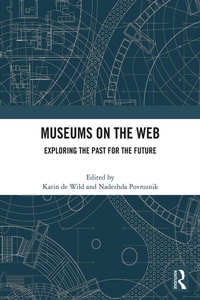
Museums on the Web
Exploring the Past for the Future
Published on 11. March 2025
236 pages
978-1-040-32768-5 (ISBN)
Description

This book gathers insights from leading experts to explore the field of virtual museums. It delves into pioneering initiatives from the past, deepens our understanding of current museum practices on the Web, and examines emerging possibilities for future developments.
The first virtual museums appeared on the World Wide Web in the early 1990s; today, digital collections and online activities are integral to museum practice. In a remarkably short time, online technologies have transformed how museums manage collections, design exhibitions, and interact with audiences. As the digital landscape evolves with advancements like AI and the Semantic Web, museums will continue to face new challenges. How did we reach this point? This book examines the legacies and rapid advancements of virtual museums to provide a deeper understanding of and better leverage for digital technologies.
This insightful volume is intended for scholars, museum professionals, and anyone interested in the digital transformation of museums. It was originally published as a special issue of the journal Internet Histories.
The first virtual museums appeared on the World Wide Web in the early 1990s; today, digital collections and online activities are integral to museum practice. In a remarkably short time, online technologies have transformed how museums manage collections, design exhibitions, and interact with audiences. As the digital landscape evolves with advancements like AI and the Semantic Web, museums will continue to face new challenges. How did we reach this point? This book examines the legacies and rapid advancements of virtual museums to provide a deeper understanding of and better leverage for digital technologies.
This insightful volume is intended for scholars, museum professionals, and anyone interested in the digital transformation of museums. It was originally published as a special issue of the journal Internet Histories.
More details
Language
English
Place of publication
London
United Kingdom
Publishing group
Taylor & Francis Ltd
Target group
College/higher education
Professional and scholarly
File size
3,64 MB
ISBN-13
978-1-040-32768-5 (9781040327685)
Copyright in bibliographic data and cover images is held by Nielsen Book Services Limited or by the publishers or by their respective licensors: all rights reserved.
Schweitzer Classification
Other editions
Additional editions
Book
approx. 07/2026
1st Edition
Routledge
€57.50
Not yet published
Book
03/2025
1st Edition
Routledge
€207.60
Shipment within 10-20 days
Persons
Karin de Wild is Assistant Professor of Contemporary Museum and Collection Studies at Leiden University in the Netherlands. Her research focuses on virtual museology, digital arts, and culture.
Nadezhda Povroznik is Research Associate at the Institute for History at the Technical University of Darmstadt, Germany. Her research specializes in virtual museology and web history.
Nadezhda Povroznik is Research Associate at the Institute for History at the Technical University of Darmstadt, Germany. Her research specializes in virtual museology and web history.
Content
Introduction PART 1 Pioneering virtual museums 1. Early virtual science museums: when the technology is not mature 2. Preserving the international museum of women: an interview with Marie Williams Chant Part 2 Digital initiatives during the COVID-19 pandemic 3. Accessing the artwork in COVID-19: loss, recovery and reimagination 4. An analysis of the role of digital technology in the online exhibition of the art museum in the Guangdong-Hong Kong-Macao Greater Bay Area during the COVID-19 pandemic Part 3 Curation in virtual museums 5. Header/footer gallery: creating and sustaining an online only art gallery 6. Digital Pierrot Museum from Pristina to the Moon: an interview with Willred Dallto Part 4 Embracing open standards 7. Rethinking openness: a social constructivist approach to the promises of the new museology 8. How "open" are Australian museums? A review through the lens of copyright governance Part 5 Museums' digital identities 9. Museums' digital identity: key components 10. Framing digital identities through social media in museums 11. A diachronic cluster analysis of Danish museum websites
