
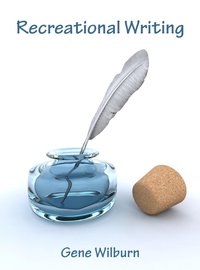
Recreational Writing
Description
Alles über E-Books | Antworten auf Fragen rund um E-Books, Kopierschutz und Dateiformate finden Sie in unserem Info- & Hilfebereich.
Recreational Writing is a minibook about writing for fun and insight. It explores journals and diaries, memoir, blogs, poetry and fiction, and nonfiction. In addition, it explains how to turn your recreational writing into an ebook or printed book. If you've ever felt the itch to write, Recreational Writing will help you find the type of writing best suited to your personality.
More details
Person
Gene Wilburn is a Canadian writer, photographer, and computer specialist residing in Port Credit, Ontario, near Toronto. His work has appeared in Small Print Magazine, PC Week, Shutterbug, Infoworld, InfoAge, Toronto Star, Quill & Quire, Computing Canada, Computer Paper, Access, Here's How! and Photo Life.
He is the author of Northern Journey: A Guide to Canadian Folk Music on CD, Recreational Writing, and Markdown for Writers. He is a co-author of Red Hat Linux System Administration Unleashed, and he wrote the popular Linux for Newbies and Linux Inside columns for The Computer Paper (Canada). He is co-author of Shift Happens: Essays on Technology.

System requirements
File format: ePUB
Copy protection: Adobe-DRM (Digital Rights Management)
System requirements:
- Computer (Windows; MacOS X; Linux): Install the free reader Adobe Digital Editions prior to download (see eBook Help).
- Tablet/smartphone (Android; iOS): Install the free app Adobe Digital Editions or the app PocketBook before downloading (see eBook Help).
- E-reader: Bookeen, Kobo, Pocketbook, Sony, Tolino and many more (not Kindle).
The file format ePub works well for novels and non-fiction books – i.e., „flowing” text without complex layout. On an e-reader or smartphone, line and page breaks automatically adjust to fit the small displays.
This eBook uses Adobe-DRM, a „hard” copy protection. If the necessary requirements are not met, unfortunately you will not be able to open the eBook. You will therefore need to prepare your reading hardware before downloading.
Please note: We strongly recommend that you authorise using your personal Adobe ID after installation of any reading software.
For more information, see our ebook Help page.