

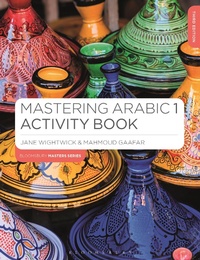
Mastering Arabic 1 Activity Book
3rd Edition
Published on 22. January 2024
96 pages
978-1-350-37070-8 (ISBN)
Description

A practice book in developing Arabic skills in reading and writing through engaging and highly illustrated exercises, designed to increase confidence in and understanding of basic Arabic. Written by bestselling authors, this book is suited for all beginners in Arabic, whether for self-study or classroom use. The book teaches Modern Standard Arabic. The Activity Book works perfectly as a companion to Mastering Arabic 1, but can equally well be used alongside any introductory course. It is aimed at beginners who are currently working through or who have completed an introductory course and wish to practice vocabulary and grammar and build their competence through a lively, diverse range of exercises.
New to this edition:
· Strengthened cross referencing between Mastering Arabic 1 Activity Book, the main Mastering Arabic 1 text and the accompanying Grammar book.
· A refreshed design with updated activities to reflect changes in the new edition of Mastering Arabic 1.
· Expanded companion website video selection.
New to this edition:
· Strengthened cross referencing between Mastering Arabic 1 Activity Book, the main Mastering Arabic 1 text and the accompanying Grammar book.
· A refreshed design with updated activities to reflect changes in the new edition of Mastering Arabic 1.
· Expanded companion website video selection.
More details
Series
Edition
3rd edition
Language
English
Place of publication
London
United Kingdom
Publishing group
Bloomsbury Publishing PLC
ISBN-13
978-1-350-37070-8 (9781350370708)
Copyright in bibliographic data and cover images is held by Nielsen Book Services Limited or by the publishers or by their respective licensors: all rights reserved.
Schweitzer Classification
Other editions
Additional editions
Jane Wightwick | Mahmoud Gaafar
Mastering Arabic 1 Activity Book
Book
01/2024
3rd Edition
Bloomsbury Academic
€30.00
Shipment within 15-20 days
Persons
Jane Wightwick and Mahmoud Gaafar share many years' experience in a combination of teaching, educational publishing and commerce in the Arab world.
Content
Unit 1: Getting Started
Unit 2: Putting Words Together
Unit 3: The Family
Unit 4: Jobs
Unit 5: Describing Things
Unit 6: Where Is It?
Unit 7: Describing Places
Unit 8: Review
Unit 9: Countries and People
Unit 10: Counting Things
Unit 11: Plurals and Colours
Unit 12: Eating and Drinking
Unit 13: What Happened Yesterday?
Unit 14: Trips and Journeys
Unit 15: Review
Unit 16: Every Day
Unit 17: Comparing Things
Unit 18: Education and Business
Unit 19: Future Plans
Unit 20: Review
Unit 2: Putting Words Together
Unit 3: The Family
Unit 4: Jobs
Unit 5: Describing Things
Unit 6: Where Is It?
Unit 7: Describing Places
Unit 8: Review
Unit 9: Countries and People
Unit 10: Counting Things
Unit 11: Plurals and Colours
Unit 12: Eating and Drinking
Unit 13: What Happened Yesterday?
Unit 14: Trips and Journeys
Unit 15: Review
Unit 16: Every Day
Unit 17: Comparing Things
Unit 18: Education and Business
Unit 19: Future Plans
Unit 20: Review
