

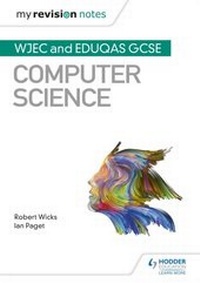
My Revision Notes: WJEC and Eduqas GCSE Computer Science
Published on 29. April 2019
96 pages
978-1-5104-5505-4 (ISBN)
Description

Exam board: WJEC
Level: GCSE
Subject: Computer Science
First teaching: September 2017
First exams: Summer 2019
Strengthen your students' understanding and upgrade their confidence with My Revision Notes: WJEC Eduqas GCSE (9-1) Computer Science.
Written by leading Computer Science experts this is the only revision guide aimed specifically at helping students prepare for the WJEC or Eduqas exam - a new title in the top-selling revision guide series, loved by students and recommended by teachers.
? Let students take control of their revision - plan and focus on the areas where they need to improve their knowledge and understanding with advice and summaries from the experts.
? Help them achieve their potential - exam tips on computer science terms and concepts highlighted throughout the book
? Improve their exam skills - a range of exam practice questions and 'test yourself questions' with answers at the back of the book.
Level: GCSE
Subject: Computer Science
First teaching: September 2017
First exams: Summer 2019
Strengthen your students' understanding and upgrade their confidence with My Revision Notes: WJEC Eduqas GCSE (9-1) Computer Science.
Written by leading Computer Science experts this is the only revision guide aimed specifically at helping students prepare for the WJEC or Eduqas exam - a new title in the top-selling revision guide series, loved by students and recommended by teachers.
? Let students take control of their revision - plan and focus on the areas where they need to improve their knowledge and understanding with advice and summaries from the experts.
? Help them achieve their potential - exam tips on computer science terms and concepts highlighted throughout the book
? Improve their exam skills - a range of exam practice questions and 'test yourself questions' with answers at the back of the book.
More details
Series
Edition
Digital original
Language
English
Place of publication
London
United Kingdom
Publishing group
Hachette Learning
Target group
Primary & secondary/elementary & high school
Interest Age: From 14 to 16 years
Edition type
Digital original
File size
2,07 MB
ISBN-13
978-1-5104-5505-4 (9781510455054)
Copyright in bibliographic data and cover images is held by Nielsen Book Services Limited or by the publishers or by their respective licensors: all rights reserved.
Schweitzer Classification
Other editions
Additional editions
Robert Wicks | Ian Paget
My Revision Notes: WJEC and Eduqas GCSE Computer Science
Book
03/2019
Hodder Education
€16.00
Shipment within 10-20 days
Persons
Ian Paget,Robert Wicks
