
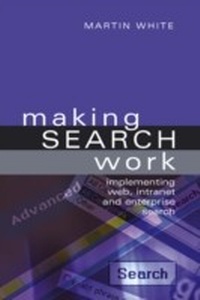
Making Search Work
Description
Alles über E-Books | Antworten auf Fragen rund um E-Books, Kopierschutz und Dateiformate finden Sie in unserem Info- & Hilfebereich.
Enterprise search engines locate information from internal servers and external information services and provide solutions for all organisations (including not-for-profit).
This unique book is designed to help organizations to understand, specify and implement desktop, website, intranet and enterprise search applications, focusing on the practical aspects, rather than the theory of information retrieval. It will enable you to understand the benefits and issues with each solution whether from the traditional high-end range or the newer plug-and-play solutions.
The book covers:
- the technology of searching
- defining search requirements
- usability of the search interface
- developing the business case
- selecting a search engine
- implementing a search engine.
Readership: If you are responsible for implementing your organization's internal search strategy this book will give you crucial guidance to be found nowhere else. It also provides essential awareness of the issues for all those on information science courses around the world.
All prices
More details
Other editions
Additional editions
Person
Martin White BSc HonFCLIP FRSC FRSA is Managing Director of Intranet Focus Ltd (www.intranetfocus.com) which he founded in 1999. He has carried out over 100 intranet projects in the UK, Europe, North America and the Middle East, run workshops on intranet management and enterprise search management and keynoted at many conferences around the world. He has been a Visiting Professor in the Information School, University of Sheffield since 2002, serves on the e-Content Committee of the Royal Society of Chemistry and is Chairman of the UK e-Information Group of CILIP.
Content
Foreword - Tony Byrne 1. Search must work 2. How search works 3. The search business 4. Making a business case for search 5. Specifying and selecting a search engine 6. Optimizing search performance 7. Search usability 8. Desktop search 9. Implementing web search 10. Implementing search for an intranet 11. Enterprise search 12. Multilingual search 13. Future directions Appendix. Search software vendors

System requirements
File format: PDF
Copy-Protection: Adobe-DRM (Digital Rights Management)
System requirements:
- Computer (Windows; MacOS X; Linux): Install the free reader Adobe Digital Editions prior to download (see eBook Help).
- Tablet/smartphone (Android; iOS): Install the free app Adobe Digital Editions or the app PocketBook before downloading (see eBook Help).
- E-reader: Bookeen, Kobo, Pocketbook, Sony, Tolino and many more (only limited: Kindle).
The file format PDF always displays a book page identically on any hardware. This makes PDF suitable for complex layouts such as those used in textbooks and reference books (images, tables, columns, footnotes). Unfortunately, on the small screens of e-readers or smartphones, PDFs are rather annoying, requiring too much scrolling.
This eBook uses Adobe-DRM, a „hard” copy protection. If the necessary requirements are not met, unfortunately you will not be able to open the eBook. You will therefore need to prepare your reading hardware before downloading.
Please note: We strongly recommend that you authorise using your personal Adobe ID after installation of any reading software.
For more information, see our eBook Help page.
File format: PDF
Copy protection: without DRM (Digital Rights Management)
System requirements:
- Computer (Windows; MacOS X; Linux): Use the free software Adobe Reader, Adobe Digital Editions, or any other PDF viewer of your choice (see eBook Help).
- Tablet/Smartphone (Android; iOS): Install the free app Adobe Digital Editions or another reading app for eBooks, e.g., PocketBook (see eBook Help).
- E-reader: Bookeen, Kobo, Pocketbook, Sony, Tolino and many more (only limited: Kindle).
The file format PDF always displays a book page identically on any hardware. This makes PDF suitable for complex layouts such as those used in textbooks and reference books (images, tables, columns, footnotes). Unfortunately, on the small screens of e-readers or smartphones, PDFs are rather annoying, requiring too much scrolling.
This eBook does not use copy protection or Digital Rights Management.
For more information, see our eBook Help page.