

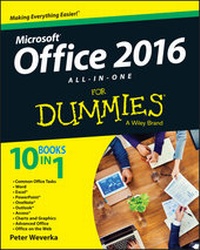
Office 2016 All-In-One For Dummies
Published on 12. October 2015
792 pages
978-1-119-08321-4 (ISBN)
Description

Microsoft Office is the leading productivity tool in the world. Thediverse array of tools ranging from word processing to businesscommunication to data crunching requires a lot of knowledge tooperate let alone master. Office All-in-One For Dummiesdelivers the breadth of information you need to complete basictasks and drill down into Office's advanced features. Clocking inat over 800 pages, this book is perfect to have on your deskwhenever confronted with an Office task that leaves you looking forclues. The content includes:
- Common Office Tasks: an overview of the basics you see in allOffice applications including opening and saving files,manipulating text, and changing views of your data
- Word: a drill-down into Word including creating customizeddocuments, adding graphic elements, proofing, and addingcitations.
- Excel: an examination of Office's business tool includingbuilding a worksheet, creating formulas, and doing basic dataanalysis
- PowerPoint: building a presentation including working withtemplates, adding animation, and delivering the presentation
- OneNote: covers Office's note taking app including creating anotebook and organizing notes.
- Outlook: insight into Office's communications tool with emphasison managing messages, tasks, contacts, and calendars
- Access: demystifies Office's database tool including buildingtables and reports as well as creating queries
- Charts and Graphics: a cross-application look at conveying datain a visual manner
- Advanced Office: includes information on customizing theinterface and using Publisher
- Office on the Web: an overview of Office tools on the web forcreating or collaborating
More details
Other editions
Additional editions
Person
Peter Weverka is a veteran For Dummies author. In addition to previous books on Microsoft Office, Peter has written guides to Windows, the Internet, and Quicken.
Content
Introduction 1
About This Book 1
Foolish Assumptions 2
Icons Used in This Book 2
Beyond the Book 3
Where to Go from Here 4
Book I: Common Office Tasks 5
Chapter 1: Office Nuts and Bolts 7
Chapter 2: Wrestling with the Text 25
Chapter 3: Speed Techniques Worth Knowing About 43
Book II: Word 2016 51
Chapter 1: Speed Techniques for Using Word 53
Chapter 2: Laying Out Text and Pages 71
Chapter 3: Word Styles 95
Chapter 4: Constructing the Perfect Table 111
Chapter 5: Taking Advantage of the Proofing Tools 133
Chapter 6: Desktop Publishing with Word 153
Chapter 7: Getting Word's Help with Office Chores 171
Chapter 8: Tools for Reports and Scholarly Papers 191
Book III: Excel 2016 213
Chapter 1: Up and Running with Excel 215
Chapter 2: Refining Your Worksheet 233
Chapter 3: Formulas and Functions for Crunching Numbers 247
Chapter 4: Making a Worksheet Easier to Read and Understand 279
Chapter 5: Advanced Techniques for Analyzing Data 297
Book IV: PowerPoint 2016 313
Chapter 1: Getting Started in PowerPoint 315
Chapter 2: Fashioning a Look for Your Presentation 337
Chapter 3: Entering the Text 351
Chapter 4: Making Your Presentations Livelier 367
Chapter 5: Delivering a Presentation 383
Book V: OneNote 2016 405
Chapter 1: Up and Running with OneNote 407
Chapter 2: Taking Notes 419
Chapter 3: Finding and Organizing Your Notes 435
Book VI: Outlook 2016 443
Chapter 1: Outlook Basics 445
Chapter 2: Maintaining the Contacts Folder 459
Chapter 3: Handling Your Email 469
Chapter 4: Managing Your Time and Schedule 491
Chapter 5: Tasks, Reminders, and Notes 499
Book VII: Access 2016 507
Chapter 1: Introducing Access 509
Chapter 2: Building Your Database Tables 523
Chapter 3: Entering the Data 551
Chapter 4: Sorting, Querying, and Filtering for Data 561
Chapter 5: Presenting Data in a Report 581
Book VIII: Working with Charts and Graphics 587
Chapter 1: Creating a Chart 589
Chapter 2: Making a SmartArt Diagram 607
Chapter 3: Handling Graphics and Photos 625
Chapter 4: Drawing and Manipulating Lines, Shapes, and Other Objects 641
Book IX: Office 2016 -- One Step Beyond 669
Chapter 1: Customizing an Office Program 671
Chapter 2: Ways of Distributing Your Work 685
Chapter 3: Working with Publisher 695
Book X: File Sharing and Collaborating 711
Chapter 1: Up and Running on OneDrive 713
Chapter 2: File Sharing and Collaborating 723
Index 731
About This Book 1
Foolish Assumptions 2
Icons Used in This Book 2
Beyond the Book 3
Where to Go from Here 4
Book I: Common Office Tasks 5
Chapter 1: Office Nuts and Bolts 7
Chapter 2: Wrestling with the Text 25
Chapter 3: Speed Techniques Worth Knowing About 43
Book II: Word 2016 51
Chapter 1: Speed Techniques for Using Word 53
Chapter 2: Laying Out Text and Pages 71
Chapter 3: Word Styles 95
Chapter 4: Constructing the Perfect Table 111
Chapter 5: Taking Advantage of the Proofing Tools 133
Chapter 6: Desktop Publishing with Word 153
Chapter 7: Getting Word's Help with Office Chores 171
Chapter 8: Tools for Reports and Scholarly Papers 191
Book III: Excel 2016 213
Chapter 1: Up and Running with Excel 215
Chapter 2: Refining Your Worksheet 233
Chapter 3: Formulas and Functions for Crunching Numbers 247
Chapter 4: Making a Worksheet Easier to Read and Understand 279
Chapter 5: Advanced Techniques for Analyzing Data 297
Book IV: PowerPoint 2016 313
Chapter 1: Getting Started in PowerPoint 315
Chapter 2: Fashioning a Look for Your Presentation 337
Chapter 3: Entering the Text 351
Chapter 4: Making Your Presentations Livelier 367
Chapter 5: Delivering a Presentation 383
Book V: OneNote 2016 405
Chapter 1: Up and Running with OneNote 407
Chapter 2: Taking Notes 419
Chapter 3: Finding and Organizing Your Notes 435
Book VI: Outlook 2016 443
Chapter 1: Outlook Basics 445
Chapter 2: Maintaining the Contacts Folder 459
Chapter 3: Handling Your Email 469
Chapter 4: Managing Your Time and Schedule 491
Chapter 5: Tasks, Reminders, and Notes 499
Book VII: Access 2016 507
Chapter 1: Introducing Access 509
Chapter 2: Building Your Database Tables 523
Chapter 3: Entering the Data 551
Chapter 4: Sorting, Querying, and Filtering for Data 561
Chapter 5: Presenting Data in a Report 581
Book VIII: Working with Charts and Graphics 587
Chapter 1: Creating a Chart 589
Chapter 2: Making a SmartArt Diagram 607
Chapter 3: Handling Graphics and Photos 625
Chapter 4: Drawing and Manipulating Lines, Shapes, and Other Objects 641
Book IX: Office 2016 -- One Step Beyond 669
Chapter 1: Customizing an Office Program 671
Chapter 2: Ways of Distributing Your Work 685
Chapter 3: Working with Publisher 695
Book X: File Sharing and Collaborating 711
Chapter 1: Up and Running on OneDrive 713
Chapter 2: File Sharing and Collaborating 723
Index 731
