

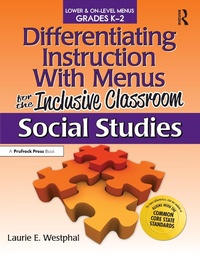
Differentiating Instruction With Menus for the Inclusive Classroom
Social Studies (Grades K-2)
1st Edition
Published on 3. September 2021
170 pages
978-1-000-49895-0 (ISBN)
Description

Differentiating Instruction With Menus for the Inclusive Classroom: Social Studies for grades K-2 offers teachers everything needed to create a student-centered learning environment based on choice. This book provides seven different types of menus that students can use to select exciting products that they will develop so teachers can assess what has been learned-instead of using a traditional worksheet format. Topics addressed include citizenship and culture, geography, government, history, and people and places.
Differentiating Instruction With Menus for the Inclusive Classroom: Social Studies provides numerous types of leveled menus that lower and on-level primary-age students can use to select exciting products to demonstrate learning. Menus with similar formats but geared toward varying ability levels allow teachers to differentiate easily. Using the creative and challenging choices found in Meal menus, Tic-Tac-Toe menus, Target-Based List menus, 2-5-8 menus, Give Me 5 menus, Three-Shape menus, and Pick 3 menus, students will look forward to sharing their newfound knowledge throughout the year. Also included are specific guidelines for products, rubrics for assessing student products, and teacher introduction pages for each menu. This is a must-have for any teacher wanting to differentiate for a wide range of learners!
Grades K-2
Differentiating Instruction With Menus for the Inclusive Classroom: Social Studies provides numerous types of leveled menus that lower and on-level primary-age students can use to select exciting products to demonstrate learning. Menus with similar formats but geared toward varying ability levels allow teachers to differentiate easily. Using the creative and challenging choices found in Meal menus, Tic-Tac-Toe menus, Target-Based List menus, 2-5-8 menus, Give Me 5 menus, Three-Shape menus, and Pick 3 menus, students will look forward to sharing their newfound knowledge throughout the year. Also included are specific guidelines for products, rubrics for assessing student products, and teacher introduction pages for each menu. This is a must-have for any teacher wanting to differentiate for a wide range of learners!
Grades K-2
More details
Edition
1. Auflage
Language
English
Place of publication
London
United Kingdom
Publishing group
Taylor & Francis Ltd
Target group
College/higher education
Professional and scholarly
ISBN-13
978-1-000-49895-0 (9781000498950)
Copyright in bibliographic data and cover images is held by Nielsen Book Services Limited or by the publishers or by their respective licensors: all rights reserved.
Schweitzer Classification
Other editions
Additional editions
Laurie E. Westphal
Differentiating Instruction With Menus for the Inclusive Classroom
Social Studies (Grades K-2)
Book
04/2013
1st Edition
Prufrock Press
€27.50
Shipment within 3-4 weeks
Person
After teaching science for more than 15 years, both overseas and in the U.S., Laurie E. Westphal now works as an independent gifted education and science consultant. She enjoys developing and presenting staff development on differentiation for various districts and conferences, working with teachers to assist them in planning and developing lessons to meet the needs of their advanced students.
Content
AUTHOR'S NOTE CHAPTER 1: Choice in the Inclusive Primary Classroom CHAPTER 2: How to Use Menus in the Inclusive Primary Classroom CHAPTER 3: Product Guidelines CHAPTER 4: Rubrics and Grading THE MENUS How to Use the Menu Pages CHAPTER 5: Citizenship and Culture Menus Citizenship Miss Bridie Chose a Shovel Holidays The Keeping Quilt CHAPTER 6: Geography Menus Landforms Maps CHAPTER 7: Government Menus Jobs People Do People in Government Our Nation CHAPTER 8: History Menus Native Americans Pilgrims My State Settlers Cowboys and Cowgirls CHAPTER 9: People and Places Menus All About Me My Family The Relatives Came Our School My Friends My Home REFERENCES ABOUT THE AUTHOR COMMON CORE STATE STANDARDS ALIGNMENT
