

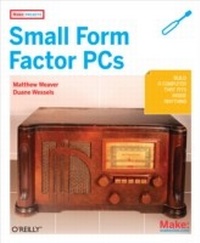
Make Projects: Small Form Factor PCs
Small Form Factor PCs
1st Edition
Published on 23. April 2008
232 pages
978-0-596-52920-8 (ISBN)
Description

Shoebox sized and smaller, small-form-factor PCs can pack as much computing muscle as a full-sized desktop computer. They consumer less power, have few or no moving parts, and are very quiet. Whether you plan to use one as a standalone PC or want to embed it in your next hacking project, a small-form-factor PC can be a lot of fun to build.Make Projects: Small Form Factor PCs is the only book available that shows you how to build small-form-factor PCs -- from kits and from scratch -- that are more interesting and more personalized than what a full-sized PC can give you. Included in the book are projects for building personal video recorders, versatile wireless access points, digital audio jukeboxes, portable firewalls, and much more. This book shows you how to build eight different systems, from the shoebox-sized Shuttle system down to the stick-of-gum-sized gumstix.
More details
Other editions
Additional editions
Duane Wessels and Matthew J. Weaver
Make Projects: Small Form Factor PCs
Book
05/2008
1st Edition
Make Community, LLC
€28.50
Shipment within 10-20 days
Content
- Intro
- Preface
- How to Contact Us
- Introduction
- What Is Small Form Factor?
- Why Small Form Factor?
- Small Form Factor Systems
- More Cool Hardware
- Digital Audio Jukebox
- Introducing the VIA EPIA-M
- Additional Hardware
- Step 1: Install and Configure Gentoo Linux
- Step 2: X Windows and XMMS
- Step 3: Infrared Remote Control
- Case Modding
- Extra Credit
- Digital Video Recorder with MythTV
- Introducing the Shuttle ST62K XPC
- Operating System: Gentoo Linux
- X Windows
- MythTV
- Adding a Remote Control
- Starting MythTV Automatically
- Using Your TV as the Display
- Extra Credit
- Home Network Gateway
- Introducing the Soekris net4501
- Additional Hardware
- Installing OpenBSD
- From Installation to Gateway
- Packet Filter (pf)
- Extra Credit
- Network Monitor
- Introducing the Soekris net4801
- Additional Hardware
- Installing FreeBSD
- Arpwatch
- Nagios
- Snort
- RRDTool
- Extra Credit
- Wi-Fi Extender
- Introducing the Access Cube
- Assembling the System
- Exploring the Access Cube
- Wi-Fi Configuration
- Antenna Options
- Using the Wi-Fi Extender
- Building a Console Cable
- Extra Credit
- A Portable, USB-Powered, Bridging Firewall
- Introducing the OpenBlockS
- SSD Linux
- Turning the OpenBlockS into an Ethernet Bridge
- Using the Firewall
- Powering OpenBlockS via USB
- Extra Credit
- Introducing the ZipIt Wireless Messenger
- Cheap Wi-Fi SSH Client
- Updating the ZipIt Firmware
- Playing with the BURN3 Firmware
- Loading OpenZipIt
- Playing with OpenZipIt
- Extra Credit
- Bluetooth LED Sign
- Introducing the gumstix
- Assembling the System
- Exploring the gumstix
- Building Software for the gumstix
- Learning About Bluetooth
- The Pro-Lite LED Sign
- Putting It All Together
- Sending Messages to the Sign
- Extra Credit
- Running an NFS Server
- About NFS
- The Exports File
- Starting NFS Services
- Mounting
