

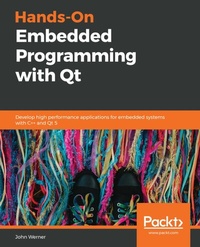
Hands-On Embedded Programming with Qt
Develop high performance applications for embedded systems with C++ and Qt 5
Published on 23. September 2024
416 pages
978-1-78995-380-0 (ISBN)
Description

A comprehensive guide that will get you up and running with embedded software development using Qt5
Key Features
Learn to create fluid, cross-platform applications for embedded devices
Achieve optimum performance in your applications with the QT Lite Project
Explore the implementation of Qt with IoT using QtMqtt, QtKNX, and QtWebSockets
Book DescriptionQt is an open source toolkit suitable for cross-platform and embedded application development. This book uses inductive teaching to help you learn how to create applications for embedded and Internet of Things (IoT) devices with Qt 5. You'll start by learning to develop your very first application with Qt. Next, you'll build on the first application by understanding new concepts through hands-on projects and written text. Each project will introduce new features that will help you transform your basic first project into a connected IoT application running on embedded hardware. In addition to gaining practical experience in developing an embedded Qt project, you will also gain valuable insights into best practices for Qt development and explore advanced techniques for testing, debugging, and monitoring the performance of Qt applications. The examples and projects covered throughout the book can be run both locally and on an embedded platform. By the end of this book, you will have the skills you need to use Qt 5 to confidently develop modern embedded applications. What you will learn
Understand how to develop Qt applications using Qt Creator on Linux
Explore various Qt GUI technologies to build resourceful and interactive applications
Understand Qt's threading model to maintain a responsive UI
Get to grips with remote target load and debug using Qt Creator
Become adept at writing IoT code using Qt
Learn a variety of software best practices to ensure that your code is efficient
Who this book is forThis book is for software and hardware professionals with experience in different domains who are seeking new career opportunities in embedded systems and IoT. Working knowledge of the C++ Linux command line will be useful to get the most out of this book.
Key Features
Learn to create fluid, cross-platform applications for embedded devices
Achieve optimum performance in your applications with the QT Lite Project
Explore the implementation of Qt with IoT using QtMqtt, QtKNX, and QtWebSockets
Book DescriptionQt is an open source toolkit suitable for cross-platform and embedded application development. This book uses inductive teaching to help you learn how to create applications for embedded and Internet of Things (IoT) devices with Qt 5. You'll start by learning to develop your very first application with Qt. Next, you'll build on the first application by understanding new concepts through hands-on projects and written text. Each project will introduce new features that will help you transform your basic first project into a connected IoT application running on embedded hardware. In addition to gaining practical experience in developing an embedded Qt project, you will also gain valuable insights into best practices for Qt development and explore advanced techniques for testing, debugging, and monitoring the performance of Qt applications. The examples and projects covered throughout the book can be run both locally and on an embedded platform. By the end of this book, you will have the skills you need to use Qt 5 to confidently develop modern embedded applications. What you will learn
Understand how to develop Qt applications using Qt Creator on Linux
Explore various Qt GUI technologies to build resourceful and interactive applications
Understand Qt's threading model to maintain a responsive UI
Get to grips with remote target load and debug using Qt Creator
Become adept at writing IoT code using Qt
Learn a variety of software best practices to ensure that your code is efficient
Who this book is forThis book is for software and hardware professionals with experience in different domains who are seeking new career opportunities in embedded systems and IoT. Working knowledge of the C++ Linux command line will be useful to get the most out of this book.
More details
Edition
Digital original
Language
English
Place of publication
Birmingham
United Kingdom
Target group
Professional and scholarly
US School Grade: College Graduate Student
Edition type
Digital original
File size
15,64 MB
ISBN-13
978-1-78995-380-0 (9781789953800)
Copyright in bibliographic data and cover images is held by Nielsen Book Services Limited or by the publishers or by their respective licensors: all rights reserved.
Schweitzer Classification
Other editions
Additional editions
John Werner
Hands-On Embedded Programming with Qt
Develop high performance applications for embedded systems with C++ and Qt 5
Book
07/2019
Packt Publishing
€63.80
Shipment within 3-4 weeks
Person
Werner John :
John Werner is an internationally published author, engineer, consultant, and conference speaker with more than 15 years' experience. He has earned patents for inventions ranging from Inkjet printers to automotive ignition systems. John was one of the early users of Qt on QNX and contributed to the early knowledge of how to make it work. He is a contributor to the Qt-related information on Stack Exchange. He is currently a senior software engineer, specializing in Qt development, for Caliber Imaging & Diagnostics.
John Werner is an internationally published author, engineer, consultant, and conference speaker with more than 15 years' experience. He has earned patents for inventions ranging from Inkjet printers to automotive ignition systems. John was one of the early users of Qt on QNX and contributed to the early knowledge of how to make it work. He is a contributor to the Qt-related information on Stack Exchange. He is currently a senior software engineer, specializing in Qt development, for Caliber Imaging & Diagnostics.
Content
Table of Contents
Setting Up The Environment
Writing Your First Qt Application
Running Your First Application on The Target
Important Qt Concepts
Managing Overall Workflow
Exploring GUI Technologies
Adding More Features
Qt in the Embedded World
Exploring IoT With Qt
Using More Qt Related Technologies
Debugging, Logging, and Monitoring Qt Applications
Responsive Application Programming - Threads
Qt Best Practices
Appendix A - BigProject Requirements
Appendix B - Bonus Code - Simplifying Q_PROPERTY
Setting Up The Environment
Writing Your First Qt Application
Running Your First Application on The Target
Important Qt Concepts
Managing Overall Workflow
Exploring GUI Technologies
Adding More Features
Qt in the Embedded World
Exploring IoT With Qt
Using More Qt Related Technologies
Debugging, Logging, and Monitoring Qt Applications
Responsive Application Programming - Threads
Qt Best Practices
Appendix A - BigProject Requirements
Appendix B - Bonus Code - Simplifying Q_PROPERTY
