

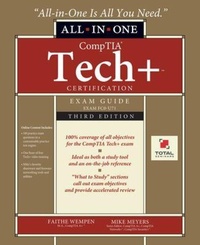
CompTIA Tech+ Certification All-in-One Exam Guide, Third Edition (Exam FC0-U71)
Description

This up-to-date exam guide delivers complete coverage of every topic on the FC0-U71 version of the CompTIA Tech+ Certification exam
Take the CompTIA Tech+ exam with complete confidence using this effective self-study system. Part of the bestselling series created and edited by Mike Meyers, the leading expert on CompTIA certification and training, and written by a CompTIA certification and training expert, this authoritative guide explains foundational computer technologies in full detail. You'll find learning objectives at the beginning of each chapter, exam tips, exam objective review sections, practice exam questions, and in-depth explanations throughout. Designed to help you pass the CompTIA Tech+ exam with ease, this definitive guide also serves as an essential on-the-job reference.
Covers all exam topics, including:
- IT concepts and terminology
- System hardware and peripherals
- Data storage and sharing
- Operating system types and purposes
- Selecting, installing, and using applications
- Mobile device connectivity, security, and configuration
- Network concepts and internet connectivity
- Securing hardware, software, data, and networks
- Best practices for preventing security breaches
- Customizing and configuring web browsers
- Troubleshooting common computer problems
- Relational and non-relational databases
- Software development concepts and structures
Online content includes:
- 180+ practice exam questions in a customizable test engine
- One hour of video training from Mike Meyers
- Mike Meyers' favorite shareware and freeware networking tools and utilities
More details
Persons
Content
Part I: Computer Basics
1. How People Use Computers
2. System Hardware
3. Device Ports and Peripherals
4. Data Storage and Sharing
Part II: Setting Up and Using Computers
5. Understanding Operating Systems
6. Managing Files
7. Using and Managing Application Software
8. Setting Up and Configuring a Mobile Device
Part III: Networking, Security, and Maintenance
9. Understanding Basic Network Concepts
10. Configuring Network and Internet Connectivity
11. Network Security Concepts
12. Behavioral Security
13. IT Troubleshooting
Part IV: Databases and Software Development
14. Understanding Databases
15. Developing and Implementing Software
