
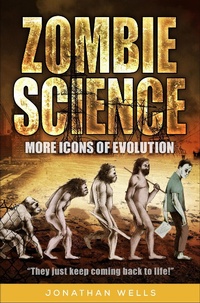
Zombie Science
Description
Alles über E-Books | Antworten auf Fragen rund um E-Books, Kopierschutz und Dateiformate finden Sie in unserem Info- & Hilfebereich.
In 2000, biologist Jonathan Wells took the science world by storm with Icons of Evolution, a book showing how biology textbooks routinely promote Darwinism using bogus evidence-icons of evolution like Ernst Haeckel's faked embryo drawings and peppered moths glued to tree trunks. Critics of the book complained that Wells had merely gathered up a handful of innocent textbook errors and blown them out of proportion. Now, in Zombie Science, Wells asks a simple question: If the icons of evolution were just innocent textbook errors, why do so many of them still persist? Science has enriched our lives and led to countless discoveries, but now, Wells argues, it's being corrupted. Empirical science is devolving into zombie science, shuffling along unfazed by opposing evidence. Discredited icons of evolution rise from the dead while more icons-equally bogus-join their ranks. Like a B horror movie, they just keep coming! Zombies are make- believe, but zombie science is real-and it threatens not just science, but our whole culture. Is there a solution? Wells is sure of it, and points the way.

More details
System requirements
File format: ePUB
Copy protection: Adobe-DRM (Digital Rights Management)
System requirements:
- Computer (Windows; MacOS X; Linux): Install the free reader Adobe Digital Editions prior to download (see eBook Help).
- Tablet/smartphone (Android; iOS): Install the free app Adobe Digital Editions or the app PocketBook before downloading (see eBook Help).
- E-reader: Bookeen, Kobo, Pocketbook, Sony, Tolino and many more (not Kindle).
The file format ePub works well for novels and non-fiction books – i.e., „flowing” text without complex layout. On an e-reader or smartphone, line and page breaks automatically adjust to fit the small displays.
This eBook uses Adobe-DRM, a „hard” copy protection. If the necessary requirements are not met, unfortunately you will not be able to open the eBook. You will therefore need to prepare your reading hardware before downloading.
Please note: We strongly recommend that you authorise using your personal Adobe ID after installation of any reading software.
For more information, see our ebook Help page.