

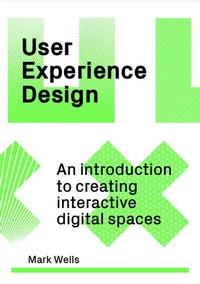
User Experience Design
An Introduction to Creating Interactive Digital Spaces
Published on 20. July 2023
160 pages
978-1-5294-2027-2 (ISBN)
Description

'A great introduction to the subject and a fascinating read.'
- James Friedlander-Boss, Brand Experience Manager, vvast
'An accessible but comprehensive introduction to UX Design.'
- Dave Watson, Norwich University of the Arts
We all engage with digital user experience design and user interfaces every day - if you are reading this on an e-commerce platform then you are doing it right now. This is an invaluable introduction for designers and creatives on how to create successful digital environments for users.
The discipline of design is increasingly carried out in the virtual sphere, with a greater emphasis on user interaction and user experience than ever before. This book takes students through the crucial stages and skills that are needed for creating successful interactive digital environments, including:
- Data collection
- User analysis
- Testing
- Creating valid content
- Design for different devices and platforms
- Prototyping and visualization
Visual examples range from screen shots to diagrams and physical prototypes, while case studies featuring digital agencies and creatives from around the world show how they approach each project.
- James Friedlander-Boss, Brand Experience Manager, vvast
'An accessible but comprehensive introduction to UX Design.'
- Dave Watson, Norwich University of the Arts
We all engage with digital user experience design and user interfaces every day - if you are reading this on an e-commerce platform then you are doing it right now. This is an invaluable introduction for designers and creatives on how to create successful digital environments for users.
The discipline of design is increasingly carried out in the virtual sphere, with a greater emphasis on user interaction and user experience than ever before. This book takes students through the crucial stages and skills that are needed for creating successful interactive digital environments, including:
- Data collection
- User analysis
- Testing
- Creating valid content
- Design for different devices and platforms
- Prototyping and visualization
Visual examples range from screen shots to diagrams and physical prototypes, while case studies featuring digital agencies and creatives from around the world show how they approach each project.
Reviews / Votes
Highly recommended from an academic and industry perspective * MARK LOCHRIE - UNIVERSITY OF CENTRAL LANCASHIRE * Mark lays all the foundations for a solid understanding of UX with solid practical examples throughout, making for a great introduction to the subject and a fascinating read. It breaks down the essence of UX for students and practitioners alike, not just for websites but all digital applications, providing a pluralistic view of the possibilities within UX. -- James Friedlander-Boss, Brand Experience Manager * vvast * An accessible but comprehensive introduction to UX Design. * DAVE WATSON, NORWICH UNIVERSITY OF THE ARTS *More details
Edition
Digital original
Language
English
Place of publication
London
United Kingdom
Publishing group
Quercus Publishing
Target group
College/higher education
Professional and scholarly
Edition type
Digital original
Illustrations
200
File size
34,08 MB
ISBN-13
978-1-5294-2027-2 (9781529420272)
Copyright in bibliographic data and cover images is held by Nielsen Book Services Limited or by the publishers or by their respective licensors: all rights reserved.
Schweitzer Classification
Other editions
Additional editions
Book
07/2023
1st Edition
Laurence King Publishing
€30.00
Shipment within 3-4 weeks
Person
Mark Wells is a Senior Lecturer at University of Brighton. He specializes in interactive design.
Content
- Intro
- Copyright
- Title
- Contents
- Introduction to digital user experience design
- Part 1: Methods and approaches
- 1.1 Design methods
- The waterfall approach
- Collaborative approaches
- Design sprints
- The framework for innovation
- 1.2 Digital design methods
- The waterfall approach in the digital space
- The agile mindset
- The incremental model
- The scrum process
- Design systems
- Case study 1: Design systems
- 1.3 Understanding the client
- What a client really means
- Writing a brief
- Delivering a briefing
- Case study 2: The client and design relationship
- 1.4 Multiplatform space
- Physical interactive spaces and immersive environments
- Different platforms, same experience
- Same platforms, different experience
- Part 1 summary
- Part 2: Knowing your audience
- 2.1 Data collection
- Quantitative and qualitative data
- User interviews
- Interview activities
- Where to conduct interviews
- 2.2 Data analysis
- Affinity mapping
- 2.3 Presenting data visually
- Structuring data with LATCH
- Types of visualizations
- Storytelling with data
- Case study 3: Communicating data
- 2.4 Understanding the user
- Personas
- Storytelling
- Journey maps
- Empathy maps
- 2.5 User testing
- A/B testing
- Beta testing
- Tips for successful testing sessions
- Part 2 summary
- Case study 4: User testing
- Part 3: Refining your product
- 3.1 Designing a digital interface
- Elements and principles of visual design
- Elements of design
- Principles of design
- Gestalt principles
- Skeuomorphic and flat design
- Cognitive friction
- Intuitive design
- One design, many devices
- Beyond the flat screen
- Case study 5: Embracing the digital medium
- 3.2 Structuring content
- Validity of content
- Attention span and readability
- Search engine optimization
- Case study 6: Search engine optimization
- 3.3 Visualizing your product
- Sitemaps
- User flow diagrams
- Wireframes
- Low-fidelity prototypes
- High-fidelity mock-ups
- Accessibility
- Part 3 summary
- Notes
- Further reading
- Index
- Credits
