

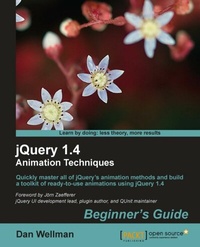
jQuery 1.4 Animation Techniques: Beginners Guide
This book and eBook will enable you to quickly master all of jQuery's animation methods and build a toolkit of ready-to-use animations using jQuery 1.4.
1st Edition
Published on 13. January 2025
344 pages
978-1-84951-331-9 (ISBN)
Description

This book and eBook will enable you to quickly master all of jQuery's animation methods and build a toolkit of ready-to-use animations using jQuery 1.4.Key Features - Create both simple and complex animationsusing clear, step-by-step instructions, accompanied with screenshots
- Walk throughjQuery's built-in animationmethods and see in detail how each one can be used
- Over 50 detailed examplesof different types of web page animations
- Attractive pictures and screenshots that show animations in progress and how the examples should finally appear
- Contains examples featuring many new HTML5 elements and CSS3 styling
- Follow the examples in a step-by-step approach beginning with simple concepts and building up to more advanced implementations
Book DescriptionMaster animation in jQuery to produce slick and attractive interfaces that respond to your visitors' interactions jQuery is a cross-browser JavaScript library designed to simplify the client-side scripting of HTML, and is the most popular JavaScript library in use today. Using the features offered by jQuery, developers are able to create dynamic web pages. This book will act as a resource for you to create animation and advanced special effects in your web applications, by following the easy-to-understand steps mentioned in it.jQuery 1.4 Animation Techniques: Beginners Guide will allow you to master animation in jQuery to produce slick and attractive interfaces that respond to your visitors' interactions. You will learn everything you need to know about creating engaging and effective web page animations using jQuery. The book uses many examples and explains how to create animations using an easy, step-by-step, beginners guide approach. This book will provide you with. This book provides various examples that gradually build up the reader's knowledge and practical experience in using the jQuery API to create stunning animations. The book starts off by explaining how animations make your user interface interactive and attractive. It explains the various methods used to make the element being animated appear or disappear. It provides a set of steps to create simple animations and show fading animations. You can later learn how to make complex animations by chaining different effects together as well as how to halt a currently running application. You will find out how to slide your animation elements and learn to create custom animations that can be complex and specialized. You will find out how to obtain and set up the jQuery UI- the official user interface library for jQuery. The book will tell you how to animate a page's background image, and will teach you how to make images scroll in a certain direction and at a certain speed depending on the movement of the mouse pointerWhat you will learn - Implement subtle UI effects, user-triggered animations and full-page feature animations to animate the user interface of your web applications
- Fade, hide, shrink, and slide your animations using jQuery's built-in animation helper methods
- Create custom animations using jQuery's animate() method
- Discover how the animation queue works and how it can be manipulated to create complex animations
- Simulate animation in a variety of ways using other non-animation-specific jQuery methods
- Discover how jQuery can be used to make the latest CSS3 and canvas animations work cross-browser
- Obtain and set up jQuery UI- the official user interface library for jQuery
- Define custom animations that can be complex and specialized
- Extend the jQuery library with brand new functions and methods in the form of plugins
- Get your images scrolled in a certain direction, and at a certain speed, depending on the movements of the mouse pointer
- Create a continuous header animation manually with just a few lines of code
Who this book is forThis book is written for web designers and front-end developers who already have good knowledge of HTML and CSS, and some experience with jQuery. If you want to learn how to animate the user interface of your web applications with jQuery, then this book is for you.
- Walk throughjQuery's built-in animationmethods and see in detail how each one can be used
- Over 50 detailed examplesof different types of web page animations
- Attractive pictures and screenshots that show animations in progress and how the examples should finally appear
- Contains examples featuring many new HTML5 elements and CSS3 styling
- Follow the examples in a step-by-step approach beginning with simple concepts and building up to more advanced implementations
Book DescriptionMaster animation in jQuery to produce slick and attractive interfaces that respond to your visitors' interactions jQuery is a cross-browser JavaScript library designed to simplify the client-side scripting of HTML, and is the most popular JavaScript library in use today. Using the features offered by jQuery, developers are able to create dynamic web pages. This book will act as a resource for you to create animation and advanced special effects in your web applications, by following the easy-to-understand steps mentioned in it.jQuery 1.4 Animation Techniques: Beginners Guide will allow you to master animation in jQuery to produce slick and attractive interfaces that respond to your visitors' interactions. You will learn everything you need to know about creating engaging and effective web page animations using jQuery. The book uses many examples and explains how to create animations using an easy, step-by-step, beginners guide approach. This book will provide you with. This book provides various examples that gradually build up the reader's knowledge and practical experience in using the jQuery API to create stunning animations. The book starts off by explaining how animations make your user interface interactive and attractive. It explains the various methods used to make the element being animated appear or disappear. It provides a set of steps to create simple animations and show fading animations. You can later learn how to make complex animations by chaining different effects together as well as how to halt a currently running application. You will find out how to slide your animation elements and learn to create custom animations that can be complex and specialized. You will find out how to obtain and set up the jQuery UI- the official user interface library for jQuery. The book will tell you how to animate a page's background image, and will teach you how to make images scroll in a certain direction and at a certain speed depending on the movement of the mouse pointerWhat you will learn - Implement subtle UI effects, user-triggered animations and full-page feature animations to animate the user interface of your web applications
- Fade, hide, shrink, and slide your animations using jQuery's built-in animation helper methods
- Create custom animations using jQuery's animate() method
- Discover how the animation queue works and how it can be manipulated to create complex animations
- Simulate animation in a variety of ways using other non-animation-specific jQuery methods
- Discover how jQuery can be used to make the latest CSS3 and canvas animations work cross-browser
- Obtain and set up jQuery UI- the official user interface library for jQuery
- Define custom animations that can be complex and specialized
- Extend the jQuery library with brand new functions and methods in the form of plugins
- Get your images scrolled in a certain direction, and at a certain speed, depending on the movements of the mouse pointer
- Create a continuous header animation manually with just a few lines of code
Who this book is forThis book is written for web designers and front-end developers who already have good knowledge of HTML and CSS, and some experience with jQuery. If you want to learn how to animate the user interface of your web applications with jQuery, then this book is for you.
All prices
More details
Other editions
Additional editions

Book
03/2011
Packt Publishing
€51.50
Shipment within 3-4 weeks
Content
- Intro
- jQuery 1.4 Animation TechniquesBeginner's Guide
- Table of Contents
- jQuery 1.4 Animation Techniques Beginner's Guide
- Credits
- Foreword
- About the Author
- About the Reviewers
- www.PacktPub.com
- Support files, eBooks, discount offers and more
- Why Subscribe?
- Free Access for Packt account holders
- Preface
- What this book covers
- What you need for this book
- Who this book is for
- Conventions
- Time for action - heading
- What just happened?
- Pop quiz - heading
- Have a go hero - heading
- Reader feedback
- Customer support
- Downloading the example code
- Errata
- Piracy
- Questions
- 1. Introduction
- Animation on the Web
- The power of animated UIs
- When to use animations
- When not to use animations
- Animation checklist
- Animating with jQuery
- The template file
- Creating a project folder
- A basic animation example
- Time for action - creating an animated loader
- What just happened?
- Pop quiz - basic animation with jQuery
- Have a go hero - extending the loading animation
- Summary
- 2. Fading Animations
- Fading animations
- Configuring the animations with arguments
- jQuery's Unified Animation API
- Enhancing simple CSS hover states with fadeIn
- Time for action - adding the underlying markup and styling
- What just happened?
- Time for action - scripting the animation
- What just happened?
- Pop quiz - using fadeIn
- Have a go hero - doing more with fadeIn
- Fading elements out
- Time for action - creating the dialog
- What just happened?
- Pop quiz - using fadeOut
- Have a go hero - doing more with fadeout
- Fading PNGs in IE
- Using fadeToggle() for convenient state-checking logic
- Time for action - showing and hiding with fadeToggle()
- What just happened?
- Pop quiz - using fadeToggle()
- Have a go hero - extending fadeToggle()
- Greater opacity control with fadeTo()
- Animating to partial opacity
- Time for action - creating the example page
- What just happened?
- Time for action - adding the behavior
- What just happened?
- Pop quiz - using fadeTo
- Have a go hero - doing more with fadeTo
- Fading table-rows in Internet Explorer
- Time for action - fading table-rows in IE
- What just happened?
- Showing and hiding
- Flyout submenus with jQuery's show/hide logic
- Time for action - animations with show/hide
- What just happened?
- Pop quiz - using show and hide
- Animated toggling
- Time for action - replacing show and hide with toggle
- Have a go hero - doing more with toggle
- Summary
- 3. Managing Animations
- Working with the queue
- Viewing the queue
- Time for action - viewing the queue
- What just happened?
- Pop quiz - viewing the queue
- Adding a function to the queue
- Time for action - adding a single function to the queue
- What just happened?
- Pop quiz - adding new items to the array
- Using a callback function to keep the queue moving
- Time for action - keeping the queue running
- What just happened?
- Pop quiz - keeping the queue running
- Replacing the queue
- Time for action - replacing the queue
- What just happened?
- Pop quiz - replacing the queue
- Ensuring custom queues iterate correctly
- Time for action - dequeueing functions
- What just happened?
- Stopping an animation
- Time for action - preventing animation build-up using the stop method
- What just happened?
- Pop quiz - stopping an animation
- Delaying queue execution
- Clearing the queue
- Useful properties of the jQuery object
- Globally disabling animations
- Changing the default frame rate
- Summary
- 4. Sliding Animations
- Sliding elements into view
- Time for action - creating a slide-down login form
- What just happened?
- Pop quiz - sliding elements down
- Have a go hero - sliding elements down
- Sliding elements out of view
- Time for action - sliding elements up
- What just happened?
- Pop quiz - sliding elements up
- Have a go hero - fixing the Cancel link
- Toggling the slide
- Time for action - using slideToggle
- What just happened?
- Have a go hero - doing more with slideToggle
- Pop quiz - using slideToggle
- Easing
- Time for action - adding easing
- What just happened?
- Using an object literal to add easing
- Time for action - using the alternative argument format
- What just happened?
- Have a go hero - using easing
- Pop quiz - using easing
- The flicker effect
- Time for action - avoiding the flicker effect
- What just happened?
- Time for action - fixing the flicker
- What just happened?
- Pop quiz - fixing the flicker
- Have a go hero - adding a delay before showing a submenu
- Summary
- 5. Custom Animations
- The animate method
- Per-property easing
- An alternative syntax for animate()
- Animating an element's position
- Time for action - creating an animated content viewer
- What just happened?
- Time for action - initializing variables and prepping the widget
- What just happened?
- Time for action - defining a post-animation callback
- What just happened?
- Time for action - adding event handlers for the UI elements
- What just happened?
- Skinning the widget
- Time for action - adding a new skin
- What just happened?
- Pop quiz - creating an animated content-viewer
- Have a go hero - making the image viewer more scalable
- Animating an element's size
- Time for action - creating the underlying page and basic styling
- What just happened?
- Time for action - defining the full and small sizes of the images
- What just happened?
- Time for action - creating the overlay images
- What just happened?
- Time for action - creating the overlay wrappers
- What just happened?
- Time for action - maintaining the overlay positions
- What just happened?
- Pop quiz - creating expanding images
- Have a go hero - doing away with the hardcoded dims object
- Creating a jQuery animation plugin
- Time for action - creating a test page and adding some styling
- What just happened?
- Creating the plugin
- Time for action - adding a license and defining configurable options
- What just happened?
- Time for action - adding our plugin method to the jQuery namespace
- What just happened?
- Time for action - creating the UI
- What just happened?
- Time for action - creating the transition overlay
- What just happened?
- Time for action - defining the transitions
- What just happened?
- Using the plugin
- Pop quiz - creating a plugin
- Have a go hero - extending the plugin
- Summary
- 6. Extended Animations with jQuery UI
- Obtaining and setting up jQuery UI
- A new template file
- The new effects added by jQuery UI
- Using the effect API
- The bounce effect
- Configuration options
- Time for action - using the bounce effect
- What just happened?
- The highlight effect
- Configuration options
- Time for action - highlighting elements
- What just happened?
- The pulsate effect
- Configuration options
- Time for action - making an element pulsate
- What just happened?
- The shake effect
- Configuration options
- Time for action - shaking an element
- What just happened?
- The size effect
- Configuration options
- Time for action - resizing elements
- What just happened?
- The transfer effect
- Configuration options
- Time for action - transferring the outline of one element to another
- What just happened?
- Pop quiz - using the effect API
- Using effects with show and hide logic
- The blind effect
- Configuration options
- Time for action - using the blind effect
- What just happened?
- The clip effect
- Configuration options
- Time for action - clipping an element in and out
- What just happened?
- The drop effect
- Configuration options
- Time for action - using the effect
- What just happened?
- The explode effect
- Configuration options
- Time for action - exploding an element
- What just happened?
- The fold effect
- Configuration options
- Time for action - folding an element away
- What just happened?
- The puff effect
- Configuration options
- Time for action - making an element disappear in a puff
- What just happened?
- The slide effect
- Configuration options
- Time for action - sliding elements in and out of view
- What just happened?
- The scale effect
- Configuration options
- Time for action - scaling an element
- What just happened?
- Pop quiz - using show/hide logic
- Have a go hero - experimenting with the effect API
- Easing functions
- Time for action - adding easing to effects
- What just happened?
- Color animations
- Time for action - animating between colors
- What just happened?
- Class transitions
- Time for action - transitioning between classes
- What just happened?
- Pop quiz - easing, color, and class animations
- Summary
- 7. Full Page Animations
- Animated page scroll
- Time for action - creating the page that will scroll and its styling
- What just happened?
- Time for action - animating the scroll
- What just happened?
- Pop quiz - animating page scroll
- Have a go hero - extending animated page scroll
- The illusion of depth with parallax
- A little help from the new cssHooks functionality
- Time for action - creating the stage and adding the styling
- What just happened?
- Time for action - animating the background position
- What just happened?
- Pop quiz - implementing the parallax effect
- Have a go hero - extending parallax
- Animated single-page navigation
- Time fr action - creating individual pages and adding the styles
- What just happened?
- Time for action - adding the scroll navigation
- What just happened?
- Pop quiz - creating a single-page website
- Have a go hero - extending single-page navigation
- Stop-motion animation
- Imagery
- Technique
- Time for action - adding the markup and styling
- What just happened?
- Time for action - creating the frames and running the animation
- What just happened?
- Pop quiz - implementing stop-motion animation with jQuery
- Have a go hero - extending stop-motion animation
- Summary
- 8. Other Popular Animations
- Proximity animations
- Time for action - creating and styling the page
- What just happened?
- Time for action - prepping the page for sliding functionality
- What just happened?
- Time for action - animating the scroller
- What just happened?
- Time for action - adding the mouse events
- What just happened?
- Time for action - adding keyboard events
- What just happened?
- Have a go hero - extending proximity animations
- Pop quiz - implementing proximity animations
- Animated page headers
- Time for action - creating an animated header
- What just happened?
- Have a go hero - extending the animated header
- Marquee text
- Time for action - creating and styling the underlying page
- What just happened?
- Time for action - retrieving and processing the post list
- What just happened?
- Time for action - animating the post links
- What just happened?
- Have a go hero - extending the marquee scroller
- Pop Quiz - creating a marquee scroller
- Summary
- 9. CSS3 Animations
- CSS3 2D transforms
- Understanding the matrix
- Translate
- Scale
- Skew
- Rotation
- Working with transforms
- jQuery and transforms
- Internet Explorer transforms
- CSS3 3D transforms
- Animated rotation with jQuery and CSS3
- Time for action - animating an element's rotation
- What just happened?
- Problems with IE
- Pop quiz - implementing CSS3 rotation
- Have a go hero - extending CSS3 rotation
- Animated skewing
- Time for action - creating the underlying markup and basic styling
- What just happened?
- Time for action - initializing the widget
- What just happened?
- Time for action - animating an element's skew
- What just happened?
- Time for action - skewing an element from left to right
- What just happened?
- Time for action - wiring up the controls
- What just happened?
- Pop quiz - using the matrix
- Have a go hero - extending matrix animation
- Summary
- 10. Canvas Animations
- The canvas API
- The canvas element
- Context methods
- Native shapes
- Paths
- Images and patterns
- Text
- Transformation methods
- Pixel manipulation
- Drawing to the canvas
- Time for action - drawing to the canvas
- What just happened?
- Pop quiz - drawing to the canvas
- Have a go hero - creating the flag of your nation
- Canvas, IE, and the alternatives
- API methods that simply do not work
- Time for action - making our code compatible with IE
- What just happened?
- Pop Quiz - supporting IE
- Have a go hero - extending IE support
- Animating the canvas
- Time for action - creating an animation on the canvas
- What just happened?
- Time for action - animating the white crosses
- What just happened?
- Time for action - animating the red crosses
- What just happened?
- Pop quiz - animating the canvas
- Have a go hero - creating canvas animations
- Creating a canvas game
- Time for action - creating the initial page
- What just happened?
- Time for action - the initial script
- What just happened?
- Time for action - adding the aliens to the page
- What just happened?
- Time for action - moving the aliens
- What just happened?
- Time for action - adding handlers to control the ship
- What just happened?
- Pop quiz - creating canvas-based games
- Have a go hero - extending the space invaders clone
- Summary
- A. Pop Quiz Answers
- Chapter 1
- Basic animation with jQuery
- Chapter 2
- Using fadeIn
- Using fadeOut
- Using fadeToggle()
- Using fadeTo
- Using show and hide
- Chapter 3
- Viewing the queue
- Adding new items to the array
- Keeping the queue running
- Replacing the queue
- Stopping an animation
- Chapter 4
- Sliding elements down
- Sliding elements up
- Using slideToggle
- Using easing
- Fixing the flicker
- Chapter 5
- Creating an animated content-viewer
- Creating expanding images
- Creating a plugin
- Chapter 6
- Using the effect API
- Using show/hide logic
- Easing, color, and class animations
- Chapter 7
- Animating page scroll
- Implementing the parallax effect
- Creating a single-page website
- Implementing stop-motion animation with jQuery
- Chapter 8
- Implementing proximity animations
- Creating a marquee scroller
- Chapter 9
- Implementing CSS3 rotation
- Using the matrix
- Chapter 10
- Drawing to the canvas
- Supporting IE
- Animating the canvas
- Creating canvas-based games
- Index

