

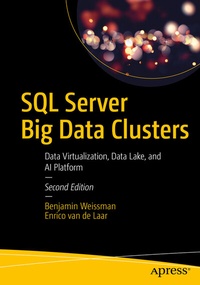
SQL Server Big Data Clusters
Data Virtualization, Data Lake, and AI Platform
2nd Edition
Published on 23. May 2020
XVII, 260 pages
978-1-4842-5985-6 (ISBN)
Description

Use this guide to one of SQL Server 2019's most impactful features-Big Data Clusters. You will learn about data virtualization and data lakes for this complete artificial intelligence (AI) and machine learning (ML) platform within the SQL Server database engine. You will know how to use Big Data Clusters to combine large volumes of streaming data for analysis along with data stored in a traditional database. For example, you can stream large volumes of data from Apache Spark in real time while executing Transact-SQL queries to bring in relevant additional data from your corporate, SQL Server database.
Filled with clear examples and use cases, this book provides everything necessary to get started working with Big Data Clusters in SQL Server 2019. You will learn about the architectural foundations that are made up from Kubernetes, Spark, HDFS, and SQL Server on Linux. You then are shown how to configure and deploy Big Data Clusters in on-premises environments or in the cloud. Next, you are taught about querying. You will learn to write queries in Transact-SQL-taking advantage of skills you have honed for years-and with those queries you will be able to examine and analyze data from a wide variety of sources such as Apache Spark.
Through the theoretical foundation provided in this book and easy-to-follow example scripts and notebooks, you will be ready to use and unveil the full potential of SQL Server 2019: combining different types of data spread across widely disparate sources into a single view that is useful for business intelligence and machine learning analysis.
What You Will Learn
Who This Book Is For
Data engineers, data scientists, data architects, and database administrators who want to employ data virtualization and big data analytics in their environments
Filled with clear examples and use cases, this book provides everything necessary to get started working with Big Data Clusters in SQL Server 2019. You will learn about the architectural foundations that are made up from Kubernetes, Spark, HDFS, and SQL Server on Linux. You then are shown how to configure and deploy Big Data Clusters in on-premises environments or in the cloud. Next, you are taught about querying. You will learn to write queries in Transact-SQL-taking advantage of skills you have honed for years-and with those queries you will be able to examine and analyze data from a wide variety of sources such as Apache Spark.
Through the theoretical foundation provided in this book and easy-to-follow example scripts and notebooks, you will be ready to use and unveil the full potential of SQL Server 2019: combining different types of data spread across widely disparate sources into a single view that is useful for business intelligence and machine learning analysis.
What You Will Learn
-
Install, manage, and troubleshoot Big Data Clusters in cloud or on-premise environments
-
Analyze large volumes of data directly from SQL Server and/or Apache Spark
-
Manage data stored in HDFS from SQL Server as if it wererelational data
-
Implement advanced analytics solutions through machine learning and AI
-
Expose different data sources as a single logical source using data virtualization
Who This Book Is For
Data engineers, data scientists, data architects, and database administrators who want to employ data virtualization and big data analytics in their environments
More details
Series
Edition
Second Edition
Language
English
Place of publication
Berkeley
United States
Publishing group
APRESS
Target group
Professional and scholarly
Product notice
Reflowable
Illustrations
XVII, 260 p. 199 illus.
File size
11,69 MB
ISBN-13
978-1-4842-5985-6 (9781484259856)
DOI
10.1007/978-1-4842-5985-6
Schweitzer Classification
Other editions
Additional editions

Benjamin Weissman | Enrico van de Laar
SQL Server Big Data Clusters
Data Virtualization, Data Lake, and AI Platform
Book
05/2020
2nd Edition
APress
€58.84
Shipment within 15-20 days
Previous edition
Benjamin Weissman | Enrico van de Laar
SQL Server Big Data Clusters
Early First Edition Based on Release Candidate 1
E-Book
11/2019
APress
€34.99
Available for download
Persons
Ben Weissman
is the owner and founder of Solisyon, a consulting firm based in Germany and focused on business intelligence, business analytics, and data warehousing as well as forecasting and budgeting. He is a Microsoft Data Platform MVP, the first German BimlHero, and has been working with SQL Server since SQL Server 6.5. If he is not currently working with data, Ben is probably traveling and exploring the world, running, or enjoying delicious food. You can find Ben on Twitter at @bweissman.
Enrico van de Laar has been working with data in various formats and sizes for over 15 years. He is a data and advanced analytics consultant at Dataheroes where he helps organizations get the most out of their data. He has been a Microsoft Data Platform MVP since 2014 and a frequent speaker at various data-related events all over the world. He writes about a wide variety of Microsoft data-related technologies on his blog at enricovandelaar.com. You can reach Enrico on Twitter at @evdlaar.
Enrico van de Laar has been working with data in various formats and sizes for over 15 years. He is a data and advanced analytics consultant at Dataheroes where he helps organizations get the most out of their data. He has been a Microsoft Data Platform MVP since 2014 and a frequent speaker at various data-related events all over the world. He writes about a wide variety of Microsoft data-related technologies on his blog at enricovandelaar.com. You can reach Enrico on Twitter at @evdlaar.
Content
1. What Are Big Data Clusters?.- 2. Big Data Cluster Architecture.- 3. Deployment of Big Data Clusters.- 4. Loading Data into Big Data Clusters.- 5. Querying Big Data Clusters through T-SQL.- 6. Working with Spark in Big Data Clusters.- 7. Machine Learning on Big Data Clusters.- 8. Create and Consume Big Data Cluster Apps.- 9. Maintenance of Big Data Clusters.
