

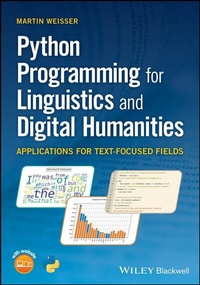
Python Programming for Linguistics and Digital Humanities
Description

Learn how to use Python for linguistics and digital humanities research, perfect for students working with Python for the first time
Python programming is no longer only for computer science students; it is now an essential skill in linguistics, the digital humanities (DH), and social science programs that involve text analytics. Python Programming for Linguistics and Digital Humanities provides a comprehensive introduction to this widely used programming language, offering guidance on using Python to perform various processing and analysis techniques on text. Assuming no prior knowledge of programming, this student-friendly guide covers essential topics and concepts such as installing Python, using the command line, working with strings, writing modular code, designing a simple graphical user interface (GUI), annotating language data in XML and TEI, creating basic visualizations, and more.
This invaluable text explains the basic tools students will need to perform their own research projects and tackle various data analysis problems. Throughout the book, hands-on exercises provide students with the opportunity to apply concepts to particular questions or projects in processing textual data and solving language-related issues. Each chapter concludes with a detailed discussion of the code applied, possible alternatives, and potential pitfalls or error messages.
- Teaches students how to use Python to tackle the types of problems they will encounter in linguistics and the digital humanities
- Features numerous practical examples of language analysis, gradually moving from simple concepts and programs to more complex projects
- Describes how to build a variety of data visualizations, such as frequency plots and word clouds
- Focuses on the text processing applications of Python, including creating word and frequency lists, recognizing linguistic patterns, and processing words for morphological analysis
- Includes access to a companion website with all Python programs produced in the chapter exercises and additional Python programming resources
Python Programming for Linguistics and Digital Humanities: Applications for Text-Focused Fields is a must-have resource for students pursuing text-based research in the humanities, the social sciences, and all subfields of linguistics, particularly computational linguistics and corpus linguistics.
More details
Other editions
Additional editions
Person
Martin Weisser is an independent researcher. He has previously held several academic appointments, including Visiting Professor at the University of Salzburg, Austria, Professor of Linguistics and Applied Linguistics in Foreign Languages at Guangdong University, China, and Adjunct Professor of English Linguistics at the University of Bayreuth, Germany. He is the author of Practical Corpus Linguistics: An Introduction to Corpus-Based Language Analysis (Wiley Blackwell, 2016) and the developer of several software tools for language analysis.
Content
List of Figures xi
About the Companion Website xii
1 Introduction 1
1.1 Why Program? Why Python? 1
1.2 Course Overview and Aims 4
1.3 A Brief Note on the Exercises 5
1.4 Conventions Used in this Book 6
1.5 Installing Python 6
1.5.1 Installing on Windows 6
1.5.2 Installing on the Mac 7
1.5.3 Installing on Linux 8
1.6 Introduction to the Command Line/Console/Terminal 8
1.6.1 Activating the Command Line on Windows 9
1.6.2 Activating the Command Line on the Mac or Linux 9
1.7 Editors and IDEs 10
1.8 Installing and Setting Up WingIDE Personal 10
1.9 Discussions 11
2 Programming Basics I 15
2.1 Statements, Functions, and Variables 15
2.2 Data Types - Overview 17
2.3 Simple Data Types 18
2.3.1 Strings 18
2.3.2 Numbers 20
2.3.3 Binary Switches/Values 21
2.4 Operators - Overview 21
2.4.1 String Operators 21
2.4.2 Mathematical Operators 22
2.4.3 Logical Operators 24
2.5 Creating Scripts/Programs 25
2.6 Commenting Your Code 26
2.7 Discussions 28
3 Programming Basics II 33
3.1 Compound Data Types 33
3.2 Lists 35
3.3 Simple Interaction with Programs and Users 37
3.4 Problem Solving and Damage Control 38
3.4.1 Getting Help from Your IDE 38
3.4.2 Using the Debugger 39
3.5 Control Structures 40
3.5.1 Conditional Statements 41
3.5.2 Loops 42
3.5.3 while Loops 43
3.5.4 for Loops 44
3.5.5 Discussions 45
4 Intermediate String Processing 53
4.1 Understanding Strings 53
4.2 Cleaning Up Strings 54
4.3 Working with Sequences 55
4.3.1 Overview 55
4.3.2 Slice Syntax 56
4.4 More on Tuples 57
4.5 'Concatenating' Strings More Efficiently 59
4.6 Formatting Output 60
4.6.1 Using the % Operator 60
4.6.2 The format Method 61
4.6.3 f- Strings 61
4.6.4 Formatting Options 62
4.7 Handling Case 62
4.8 Discussions 63
5 Working with Stored Data 71
5.1 Understanding and Navigating File Systems 71
5.1.1 Showing Folder Contents 72
5.1.2 Navigating and Creating Folders 74
5.1.3 Relative Paths 75
5.2 Stored Data 76
5.3 Opening and Closing Files 76
5.3.1 File Opening Modes 77
5.3.2 File Access Options 77
5.4 Reading File Contents 78
5.5 Error Handling 79
5.6 Writing to Files 82
5.7 Working with Folders and Paths 83
5.7.1 The os Module 83
5.7.2 The Path Object of the libpath Module 84
5.8 Discussions 86
6 Recognising and Working with Language Patterns 93
6.1 The re Module 93
6.2 General Syntax 94
6.3 Understanding and Working with the Match Object 94
6.4 Character Classes 96
6.5 Quantification 97
6.6 Masking and Using Special Characters 98
6.7 Regex Error Handling 98
6.8 Anchors, Groups and Alternation 99
6.9 Constraining Results Further 101
6.10 Compilation Flags 101
6.11 Discussions 102
7 Developing Modular Programs 109
7.1 Modularity 109
7.2 Dictionaries 109
7.3 User- defined Functions 111
7.4 Understanding Modules 112
7.5 Documenting Your Module 115
7.6 Installing External Modules 116
7.7 Classes and Objects 117
7.7.1 Methods 118
7.7.2 Class Schema 118
7.8 Testing Modules 119
7.9 Discussions 120
8 Word Lists, Frequencies and Ordering 129
8.1 Introduction to Word and Frequency Lists 129
8.2 Generating Word Lists 129
8.3 Sorting Basics 130
8.4 Generating Basic Word Frequency Lists 131
8.5 Lambda Functions 132
8.6 Discussions 134
9 Interacting with Data and Users Through GUIs 143
9.1 Graphical User Interfaces 143
9.2 PyQt Basics 144
9.2.1 The General Approach to Designing GUI- based Programs 144
9.2.2 Useful PyQt Widgets 145
9.2.3 A Minimal PyQt Program 146
9.2.4 Deriving from a Main Window 148
9.2.5 Working with Layouts 148
9.2.6 Defining Widgets and Assigning Layouts 150
9.2.7 Widget Properties, Methods and Signals 150
9.2.8 Adding Interactive Functionality 152
9.3 Designing More Advanced GUIs 153
9.3.1 Actions 153
9.3.2 Creating Menus, Tool and Status Bars 153
9.3.3 Working with Files and Folder in PyQt 155
9.4 Discussions 159
10 Web Data and Annotations 171
10.1 Markup Languages 171
10.2 Brief Intro to HTML 172
10.3 Using the urllib.request Module 174
10.4 Extracting Text from Web Pages 177
10.5 List and Dictionary Comprehension 178
10.6 Brief Intro to XML 179
10.7 Complex Regex Replacements Using Functions 182
10.8 Brief Intro to the TEI Scheme 182
10.8.1 The Header 183
10.8.2 The Text Body 184
10.9 Discussions 188
11 Basic Visualisation 201
11.1 Using Matplotlib for Basic Visualisation 201
11.2 Creating Word Clouds 207
11.3 Filtering Frequency Data Through Stop- Words 208
11.4 Working with Relative Frequencies 210
11.5 Comparing Frequency Data Visually 212
11.6 Discussions 216
12 Conclusion 227
Appendix - Program Code 231
Index 273
1
Introduction
This book is designed to provide you with an overview of the most important basic concepts in Python programming for Linguistics and text-focussed Digital Humanities (henceforth DH) research. To this end, we'll look at many practical examples of language analysis, starting with very simple concepts and simplistic programs, gradually working our way towards more complex, 'applied', and hopefully useful projects. I'll assume no extensive prior knowledge about computers other than that you'll know how to perform basic tasks like starting the computer and running programs, as well as some slight familiarity with file management, so no in-depth knowledge in mathematics or computer science is required. All necessary concepts will be introduced gently and step-by-step.
Before we go into discussing the structure and content of the book, though, it's probably advisable to spend a few minutes thinking about why, as someone presumably more interested in the Arts and Humanities than technical sciences, you should actually want to learn how to write programs in Python.
1.1 Why Program? Why Python?
Nowadays, more and more of the research we carry out in the primarily language- or text-oriented disciplines involves working with electronic texts. And although many tools exist for analysing such documents, these are often limited in their functionality because they may either have been produced for very specific purposes, or designed to be as generic as possible, and so that they may also be applied to as great a variety of tasks as possible. In both cases, these tools will have been created only bearing in mind the functionality that their creators have actually envisaged as being necessary, but generally don't offer many options for customising them towards one's own needs. In addition, while the results they produce might be suitable for carrying out the kind of distant reading often propagated in DH, without any in-depth knowledge of how these programs have arrived at the snapshots or summaries of the data they have produced - as well as which potential errors may have been introduced in the process - one is never completely in control of the underlying data and their potentially idiosyncratic characteristics. To illustrate this point, let's take a look at the analysis output of a popular DH tool, the Voyant Tools (https://voyant-tools.org), displayed in Figure 1.1.
Figure 1.1 Sample text analysis in the Voyant Tools.
The text in Figure 1.1 is part of the German Text Archive (Deutsches Textarchiv; DTA), which provides direct links to the Voyant Tools as a convenient way to visualise prominent features of a text, such as the most frequent 'words' and their distribution within the text. For our present purposes, it is actually irrelevant that the language is German because you don't need to be able to understand the text itself at all, but merely observe that the tool 'believes' that the most prominent words therein are a, b, c, x, and 1. This can be seen in the word cloud on the top left-hand side, the summary below it, and the distributional graph on the top right-hand side. Now, of course, most of us would not see these most frequent items as words at all, but rather as letters and a number, all of which hardly represent any information about the content of the text, which is usually what the most frequent words should do, at least to some extent, as we'll see in Chapter 8 when we learn to create our own frequency lists, and then develop them further to fit our needs in later chapters. The reason for these items occurring so frequently in the different visualisations in Figure 1.1 is that the text is actually about mathematics, and hence comprises many equations and other paradigms that contain these letters, but, as pointed out before, have relatively little meaning in and of themselves other than in these particular contexts. To be able to capture the 'aboutness' of the text itself in a form of distant reading, we'd need to remove these particular high-frequency items, so that the actual content words in the text might become visible. However, the Voyant Tools simply don't seem to allow us to, and hence appear to be - at least at first glance - designed around a rather naïve notion about what constitutes a word and how it becomes relevant in a context. Only if you hover over the question marks in the interface do you actually see that there are indeed options provided for setting the necessary filters. In addition, if you look at the distributional graph on the top right-hand side, you may note that the frequencies are plotted against "Document Segments", but we really have no indication as to what these segments may be. It rather looks like the document may simply have been split into 10 equally sized parts from which the frequencies have been extracted, but such equally sized parts don't actually constitute meaningful segments of the text, such as chapters or sections would do. Furthermore, the concordance - i.e. the display of the individual occurrences in a limited context - for the "Term" a displayed on the bottom right-hand side is misleading because the first four lines in fact don't represent instances of the mathematical variable a that accounts for the majority of instances of this 'word', but instead constitute the initial A., which appears to have been downcased automatically by the tool, something that is fairly common practice in language analysis to be able to count sentence-initial and sentence-internal forms together, but clearly produces misleading results because this particular type of abbreviation is not treated differently from other word forms.
This example will already have demonstrated to you how important it is to be in control of the data we want to analyse, and that we cannot always rely on programs - or program modules (see Section 7.4) - that others have written. Yet another reason for writing our own programs, though, is that, even if some programs might allow us to do part of the work, they may not do everything we need them to do, so that we end up working with multiple programs that could even produce different output formats that we'd then need to convert into a different, suitable, form before being able to feed data from one program into the next. Moreover, apart from being rather cumbersome and tedious, such a convoluted process may also be highly error prone.
In terms of what we might want to achieve through writing our own programs, there are a few things that you may already have observed in the above example, but in order to make such potential objectives a little clearer and expand on them, let's frame them as a series of "How can we ."-questions:
- . generate customised word frequency lists or graphs thereof to facilitate topic identification/distant reading?
- . gather document/corpus statistics for syllables, words, sentences, or paragraphs, and output them in a suitable format?
- . identify (proto-)typical meanings, uses, and collocations of words?
- . extract or manipulate parts of texts to create psycholinguistic experiments, or for teaching purposes?
- . convert simple documents into annotated formats that allow specific types of analysis?
- . create graphical user interfaces (GUIs) to edit or otherwise interact with our data?
We certainly won't be able to answer all these questions fully in this book, but at least work towards developing a means of achieving partial solutions to them.
Having discussed why we should write our own programs at all, let's now think briefly about why Python may be the right choice for this task. First of all, despite the fact that Python has already been around for more than 30 years at the time of writing this book, it is a very modern programming language that implements a number of different programming paradigms - i.e. different approaches to writing programs - about which, however, we won't go into much detail here because they are beyond the scope of this book. More importantly, though, Python is relatively easy to learn, available for all common platforms, and the programs you write in it can be executed directly without prior compilation, i.e. having to create one single program from all the parts by means of another program. This makes it easier to port your programs to different operating systems and test them quickly.
In terms of the programming paradigms briefly referred to above, it is important to note that Python is object-oriented (see Chapter 7) but can be used procedurally. In other words, although using object orientation in Python provides many important opportunities for writing efficient, robust, and reusable programs, unlike in languages like Java, it's not necessary to understand how to create an object and all the logic this entails before actually beginning to write your programs. This is another reason why the Python learning curve is less steep than that for some other popular programming languages that could otherwise be equally suitable.
Despite my initial cautionary note about using other people's modules, of course we don't...
