

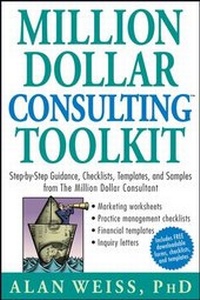
Million Dollar Consulting Toolkit
Description

More details
Other editions
Additional editions
Person
Content
Acknowledgments xiii
Introduction xv
Section 1
Office and Practice Management 1
Equipment Checklist and Commentary 1
Client File Checklist and Commentary 4
Insurance Checklist and Commentary 6
Professional Assistance Checklist and Commentary 9
Time and Space Allocation Checklist and Commentary 12
Section 2
Sales and Marketing 17
Web Site Checklist and Commentary 17
E-Mail Checklist and Commentary 20
Press Kit Checklist and Commentary 22
Sample Biographical Sketch 24
Sample Character Reference 26
Proposal Checklist and Commentary 26
Proposal Template 28
Proposal Cancellation Clauses Templates 33
Simple Letter of Agreement Template 34
Cold Call Telephone Script Checklist and Commentary 35
Cold Call Telephone Script 38
Cold Call Letter Checklist and Commentary 39
Cold Call Letter 40
Meeting Preparation Checklist and Commentary 41
Networking Checklist and Commentary 43
Networking Follow-Up Note 44
Advertising and Listings Checklist and Commentary 45
Sample Advertisement 46
Fee Setting Checklist and Commentary 48
Closing the Sale Checklist and Commentary 49
Section 3
Self-Development 53
Reading Materials Checklist and Commentary 53
Associations Evaluation Checklist and Commentary 55
Rebutting Objections Checklist and Commentary 57
Learning from Setbacks Checklist and Commentary 60
Section 4
Travel 63
Clubs Checklist and Commentary 63
Transportation and Lodging Checklist and Commentary 66
Road Warrior Support Checklist and Commentary 69
Section 5
Project Delivery 73
Sponsor Checklist and Commentary 73
Interview Checklist and Commentary 75
Focus Group Checklist and Commentary 77
Template for Focus Group Rules 80
On-Site Observation Checklist and Commentary 81
Coaching Checklist and Commentary 84
Coaching Rules of Engagement Template 86
Section 6
Debriefings Checklist and Commentary 87
Report Checklist and Commentary 89
Client Satisfaction Survey Template 91
Forms 93
Invoices 93
Invoice Template 94
Expense Reimbursement 95
Expense Reimbursement Template 95
Overdue Payments 95
Overdue Payments Template 97
Writing an Article Checklist and Commentary 98
Template for an Article 100
Letter to Magazine Editor Template 100
Subcontracting 101
Subcontracting Contract Template 102
Follow-Up Letters 104
Follow-Up Template for New Prospects 104
Follow-Up Template for Failure to Make Contact 105
Section 7
Financial 107
Taxes Checklist and Commentary 107
Investment Checklist and Commentary 109
Retirement Checklist and Commentary 111
Credit Line Checklist and Commentary 113
Bookkeeping Checklist and Commentary 115
Payroll Checklist and Commentary 116
Section 8
Legal 119
Incorporation Checklist and Commentary 119
Trademark, Service Mark, Registration Checklist and Commentary 122
Copyright Checklist and Commentary 124
Contracts Checklist and Commentary 126
Section 9
Advanced Marketing 129
Publishing Articles and Columns Checklist and Commentary 129
Inquiry Letter Template 132
Template for an Article 133
Book Publishing Checklist and Commentary 134
Template for Book Preparation 136
Template for a Book Proposal 138
Letter to a Literary Agent Template 146
Interview Checklist and Commentary 147
Interview Response Template 150
Radio Interview Request Template 151
Professional Speaking Checklist and Commentary 151
Speech Development Template 154
Speech Evaluation Template 155
Promoting Public Speaking Template 157
Speakers Bureau Inquiry Letter Template 161
Letter to Trade Association Director Template 162
Letter to Visitors or Convention Bureau Template 163
Speaking Contract Template 165
Advance Speaking Requirements Template 166
Speaking Requirements Sheet Template 167
Speech Introduction Template 168
Newsletter Checklist and Commentary 169
Newsletter Format Template 171
Newsletter Subscription Offer Template 172
Forecasting Checklist and Commentary 173
Forecasting Template 175
Qualifying System Template 175
Referrals Checklist and Commentary 177
Referrals Request Template 179
Repeat Business Checklist and Commentary 180
Repeat Business Suggestion Template 181
Passive Income Checklist and Commentary 182
Teleconference Template 185
International Business Checklist and Commentary 186
Alliances Checklist and Commentary 188
Retainers 191
Section 10
Maximizing Success 193
Life Balance Checklist and Commentary 193
Reinvention Checklist and Commentary 196
Selling Your Firm Checklist and Commentary 198
Appendix
Example of Trademark Registration 204
Example of Web Site Home Page 206
Bibliography 207
General Business and Consulting 207
Cold Calls 209
Publishing Assistance 210
101 Questions for Any Sales Situation You'll Ever Face 211
Sample Position Paper or White Paper 222
Index 227
About the Author 237
SECTION 1
Office and Practice Management
The material in this section deals with the elements of running your home or remote office, support for your practice, and daily routine. You may choose to skip this part if you already have a lean, mean consulting machine in action, or you may choose to apply it as a quality control check. But if you’re just starting out, read carefully and slowly!
EQUIPMENT
The checklist describes the basic and advanced equipment required for a home or remote office. Whether you own, lease, or share some of this equipment is dependent on your personal situation and finances.
There are subcategories where the equipment can be further specified. As a rule, high technology demands ongoing upgrades and replacements, but not constantly, since you will use less than 25 percent of the capabilities of many devices (e.g., people using word processing extensively may not utilize graphics editing, and those with a personal digital assistant (PDA) device may use it to track expenses but not receive e-mail).
Prices are highly volatile, and I won’t make an attempt at a budget. However, if you are setting up an office for the first time, assume a $5,000 minimum investment. If you have an existing office, assume an annual $2,500 upgrade/addition cost, and an additional replace cost of about $5,000 every three to five years, depending on your need (or craving) for the latest technological breakthroughs.
Generally, purchasing warranties on equipment is not a good investment, since the reliability of machines and technology is good and most warranties that cost extra are nothing more than profit items for the provider (in many cases more lucrative than the equipment sale).
I’m ignoring the obvious: You will need a comfortable chair, roomy desk, organized files, and the like.
EQUIPMENT CHECKLIST
- Multiline phone:
- Two-line minimum.
- Conference calling.
- Headset.
- Speaker.
- Speed dial, minimum of 10 lines.
- Fax machine (if not incorporated into your computer):
- Dedicated, separate phone line.
- Memory.
- Redial and speed dial.
- Minimum 50 pages of capacity for printing.
- Copier:
- Minimum six pages per minute.
- Accommodates legal and regular paper.
- Enlarging and reducing capability.
- Single-feed and multifeed capability.
- Postage meter and electronic scale:
- Minimum 15-pound scale that can automatically trigger meter.
- Meter refillable via phone line.
- Capability for tapes (for packages) as well as envelopes.
- Automatic upgrades when rates change.
- Computer and peripherals:
- Maximum storage and speed you can afford.
- High-speed Internet connection (preferably cable).
- Backup dial-up phone line.
- Wireless connection capability for laptop when traveling.
- High-speed laser printer.
- Automatically searches for and recommends software updates.
- Minimum “footprint” or space requirements.
- Minimum software requirements: Word processing.
Spread sheet.
Database filing system.
Contact management system.
Graphics creation.
Two e-mail programs (in case of crash or problems).
Two browsers (in case of crash or problems).
Synchronization with your personal digital assistant (PDA).
- CD/DVD drive(s).
- Alternative and optional items that may help considerably:
- Television and radio, with VHS capability.
- Stereo system.
- Small refrigerator.
COMMENTARY
I think that Apple computers are the best investment. On average, you can use one for five years with appropriate upgrades before having to replace it. They don’t get viruses and are intuitive, idiot-proof, and absolutely reliable. Apple’s service is good, which is all you can expect in the high-tech industry.
Microsoft Office offers a highly convenient suite of software services, useful separately for the average person, but highly integrated for the techie.
Once upon a time it made sense to lease equipment, but today the purchase prices are so reasonable that you might as well buy what you need and simply deduct the expenses from the company receipts. It’s easier, for example, to buy a new fax machine than to fix a broken one.
Pitney Bowes owns the postage meter market for all practical purposes. The equipment works well, but the service is mediocre. The best place to buy copiers and fax machines may be Staples.
Make sure you have a backup, old-fashioned dial-up modem connection. That way, if the cable fails, which it can do, you aren’t isolated and can still access e-mail and the Internet, albeit much more slowly.
CLIENT FILES
These days files should be physical and electronic. You need to retain client publications and reports that are in hard copy (and where scanning is not feasible). However, virtually all correspondence can be captured electronically.
In either medium, organization is everything.
CLIENT FILE CHECKLIST
- Client name, address, phone number, e-mail, web site.
- Total contact information for key buyers, recommenders, and relevant others.
- Annual report and related public information.
- Buyer profile: family, interests, experience, preferences.
- Copies of all correspondence generated in either direction, including e-mail.
- Copy of signed proposal or agreement.
- Copies of all invoices and fee check stubs.
- Copies of client document requests: Form 1099, nondisclosure forms, and so on.
- Notes on individuals met: potential buyers, resistors, sponsors, and so on.
- Directions to all sites and office locations, whether obtained from the client or the Internet.
- Copies of all expense statements.
- All graphics and models created expressly for client (work product).
- All graphics previously created by you and used in client’s business (proprietary).
- Speech notes, requirements, and graphics used.
- Accolades, testimonials, and other rave reviews.
- Any planned recontact dates.
COMMENTARY
Physical files are still required, despite the computer. They serve as an excellent backup and as a repository for items not easily entered on the computer (e.g., a payment stub from the client, a physical manual, etc.). You may want to take the checklist and actually staple or tape it to the front of your main client file area so that you can ensure a comprehensive file.
I recommend that you retain physical files for three years after ending a client relationship; if the relationship is ongoing, purge older material every other year. Keep all computer and electronic files on a CD or other media indefinitely.
INSURANCE
Counterintuitively, life insurance is not a primary business need, though it’s obviously an important part of your life planning. But you have much more of a chance of becoming disabled with disastrous results for your family as a solo practitioner and provider.
Disability insurance, like almost all insurance, is least expensive when purchased through a group. Individual policies can be expensive, but are nonetheless a mandatory business investment (though they need to be paid from after-tax income, not company money, so that the proceeds are tax free if ever needed). Normally, disability policies will pay a maximum of 80 percent of the prior year’s (or average of the most recent several years’) income. It’s important to be vigilant about this, since consulting income can vary so much, especially on one’s personal W-2 form. Although more expensive, disability policies that pay benefits until you can resume your prior work, rather than simply resume any work, are far superior. Otherwise, you may find your disability payments suspended because you are qualified to work at much lower-paying jobs than your consulting work.
Long-term care (LTC) insurance has become increasingly popular and protects you and your spouse should you become infirm in older age. Policies may provide for extensive home care, with the benefit of avoiding institutionalization and remaining with loved ones. Normally, LTC insurance can be paid for by the firm with pretax money, making it an excellent investment and deductible expense.
Liability insurance protects you should you be sued for negligence, such as a participant injuring himself during a workshop by tripping over a computer power cord you are using. It will also cover you should you break a client’s computer, for example.
Malpractice insurance—often called errors and omissions (E&O) insurance—is another mandatory coverage. This protects you should a client sue you for bad advice (e.g., you advise a strategy approach or financial investment that results in a huge loss). In an increasingly litigious society, this coverage is crucial. Moreover, many major organizations (e.g., Hewlett-Packard) won’t permit you to work for them unless you show evidence of an in-force E&O policy. Premiums are generally based on the volume of your business.
Make sure that your business equipment is covered by your homeowner’s policy if your office is in your home, or by renter’s or lessor’s policies if you have space in someone else’s facility. (That includes shared space that your accountant or attorney is providing for free.) If your homeowner’s policy doesn’t cover your business...
