

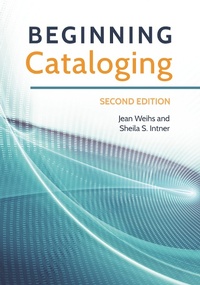
Beginning Cataloging
2nd Edition
Published on 12. December 2016
160 pages
979-8-216-05219-7 (ISBN)
Description

Now thoroughly updated to include recent changes with RDA, this easy-to-use primer provides an introduction to standardized cataloging that will benefit library technicians as well as students in library technician and teacher librarian programs.
This easy-to-use primer provides a complete introduction to current standard cataloging practice. The simple language, helpful examples, and clear descriptions of processes and techniques make it a valuable tool for any beginning cataloger or worker in a technical services department. Updated with key information about RDA principles and practices and following the same pragmatic approach as the first edition, the book empowers students with an understanding of the core principles and language of cataloging. Readers will learn how to apply standard descriptive cataloging rules to assign subject headings and classification numbers and to create electronic records.
The book first examines the cataloging-in-publication data found on the verso of most books. Then, chapter by chapter, it explains how this data can be developed into a full bibliographic record that can be used in an online public catalog, covering all types of material formats (books, audiovisuals, images, sound, electronic resources and more). This guide will also serve as a workbook in formal education programs or distance education programs and be useful to library technicians and those working in areas where formal training is inaccessible.
This easy-to-use primer provides a complete introduction to current standard cataloging practice. The simple language, helpful examples, and clear descriptions of processes and techniques make it a valuable tool for any beginning cataloger or worker in a technical services department. Updated with key information about RDA principles and practices and following the same pragmatic approach as the first edition, the book empowers students with an understanding of the core principles and language of cataloging. Readers will learn how to apply standard descriptive cataloging rules to assign subject headings and classification numbers and to create electronic records.
The book first examines the cataloging-in-publication data found on the verso of most books. Then, chapter by chapter, it explains how this data can be developed into a full bibliographic record that can be used in an online public catalog, covering all types of material formats (books, audiovisuals, images, sound, electronic resources and more). This guide will also serve as a workbook in formal education programs or distance education programs and be useful to library technicians and those working in areas where formal training is inaccessible.
More details
Edition
2nd edition
Language
English
Place of publication
New York
United States
Publishing group
Bloomsbury Publishing Plc
File size
5,24 MB
ISBN-13
979-8-216-05219-7 (9798216052197)
Copyright in bibliographic data and cover images is held by Nielsen Book Services Limited or by the publishers or by their respective licensors: all rights reserved.
Schweitzer Classification
Other editions
Additional editions
Jean Weihs | Sheila S. Intner
Beginning Cataloging
Book
12/2016
2nd Edition
Libraries Unlimited Inc
€70.10
Shipment within 10-20 days
Persons
Jean Weihs has taught cataloging to librarians, library technicians, and school librarians in Canada for 50 years and was a visiting professor at two U.S. universities.
Sheila S. Intner is professor emerita of library and information science at Simmons University, Boston, MA, and was founding director of its MLIS program at Mount Holyoke College, South Hadley, MA.
Sheila S. Intner is professor emerita of library and information science at Simmons University, Boston, MA, and was founding director of its MLIS program at Mount Holyoke College, South Hadley, MA.
Content
1-INTRODUCTION
Standardized Cataloging
Functions of the Catalog
Further Learning
A Word about Figures and Exercises
Notes
2-CATALOGING-IN-PUBLICATION
Using CIP to Build a Bibliographic Record
Looking at a CIP Record in Detail
International Standard Bibliographic Description (ISBD)
International Standard Book Number (ISBN)
3-COMPUTER CODING
MARC Bibliographic Format
Summary
4-DESCRIPTIVE CATALOGING
RDA: Resource Description & Access
The Core Elements
Noncore Elements
Summary
Exercises
5-ACCESS POINTS
Choosing the First Access Point
Choosing More Access Points
Establishing Proper Forms for Access Points
Form of Personal Names
Form of Corporate Body Names
Forms of Geographic Names
Forms of Titles
Cross-References
Exercises
6-SUBJECT HEADINGS
Sears and LCSH: A Comparison
CIP Records and Subject Headings
Choosing Subject Headings
Subject Cross-References
Subject Headings for Literary Works
Children and Young Adults Cataloging Program (CYAC)
The Canadian Connection
Cataloging Tools Mentioned in
Exercises
7-CLASSIFICATION
DDC and LCC: A Comparison
The Dewey Decimal Classification
The Library of Congress Classification
The Canadian Connection
Cataloging Tools Mentioned in
Exercises
8-COPY CATALOGING AND POLICY ISSUES
Introduction
Policy Issues
Overview of the Operation
Summary
Appendix: Answers to Exercises
Glossary
Index
Standardized Cataloging
Functions of the Catalog
Further Learning
A Word about Figures and Exercises
Notes
2-CATALOGING-IN-PUBLICATION
Using CIP to Build a Bibliographic Record
Looking at a CIP Record in Detail
International Standard Bibliographic Description (ISBD)
International Standard Book Number (ISBN)
3-COMPUTER CODING
MARC Bibliographic Format
Summary
4-DESCRIPTIVE CATALOGING
RDA: Resource Description & Access
The Core Elements
Noncore Elements
Summary
Exercises
5-ACCESS POINTS
Choosing the First Access Point
Choosing More Access Points
Establishing Proper Forms for Access Points
Form of Personal Names
Form of Corporate Body Names
Forms of Geographic Names
Forms of Titles
Cross-References
Exercises
6-SUBJECT HEADINGS
Sears and LCSH: A Comparison
CIP Records and Subject Headings
Choosing Subject Headings
Subject Cross-References
Subject Headings for Literary Works
Children and Young Adults Cataloging Program (CYAC)
The Canadian Connection
Cataloging Tools Mentioned in
Exercises
7-CLASSIFICATION
DDC and LCC: A Comparison
The Dewey Decimal Classification
The Library of Congress Classification
The Canadian Connection
Cataloging Tools Mentioned in
Exercises
8-COPY CATALOGING AND POLICY ISSUES
Introduction
Policy Issues
Overview of the Operation
Summary
Appendix: Answers to Exercises
Glossary
Index
