

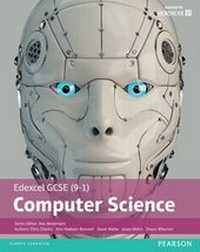
Edexcel GCSE (9-1) Computer Science Student Book
1st Edition
Published on 28. November 2017
264 pages
978-1-292-12587-9 (ISBN)
Description

The Pearson Edexcel GCSE (9-1) Computer Science Student Book provides detailed coverage of the 2016 specification, enabling you to approach your exams and assessment with confidence. This Student Book offers: a comprehensive understanding of computer science and computational thinking, helping you to access the course content and make progress with your learning. an awareness of the applications of computer science for problem solving in the real world definitions of key words, enabling you to recognise and use appropriate terms and vocabulary regular activities to support progression and encourage further thinking and investigation preparation for the exam section to support revision. Our Student Book will also be available as a Kindle edition.
More details
Other editions
Additional editions
Ann Weidmann | David Waller | Alex Hadwen-Bennett
Edexcel GCSE (9-1) Computer Science Student Book
Book
06/2016
Pearson Education Limited
€38.00
Shipment within 10-20 days
Content
- Front Cover
- Contents
- Introduction
- Chapter 1: Problem solving
- 1.1: Algorithms
- Understanding algorithms
- Creating algorithms
- Working with algorithms
- Sorting and searching algorithms
- Searching algorithms
- 1.2: Decomposition and abstraction
- Problem solving
- Decomposition
- Chapter 2: Programming
- 2.1: Develop code
- Algorithms and programs
- 2.2: Making programs easy to read
- Code readability
- 2.3: Strings
- 2.4: Data structures
- Arrays
- Records
- 2.5: Input/output
- User input
- Testing validation rules
- Working with text files
- Writing data to a text file
- 2.6: Subprograms
- Built-in functions
- 2.7: Testing and evaluation
- Testing
- Runtime errors
- Using an Integrated Development Environment (IDE)
- The test plan
- Evaluating programs
- Chapter 3: Data
- 3.1: Binary
- Why binary?
- Number systems
- Binary arithmetic
- Hexadecimal numbers
- 3.2: Data representation
- Representation of text
- Representation of bitmap images
- 3.3: Data storage and compression
- Data storage
- Data compression
- 3.4: Encryption
- 3.5: Databases
- Chapter 4: Computers
- 4.1: Machines and computational modelling
- The input-process-output model
- 4.2: Hardware
- Stored programs: the von Neumann model
- Hardware components of a computer system RAM and ROM
- Cache memory
- Fetch-decode-execute: in detail
- Secondary storage
- Cloud storage
- Embedded systems
- 4.3: Logic
- Truth tables
- Writing logic statements
- 4.4: Software
- Operating systems
- Utility software
- Security tools
- Simulation and modelling
- 4.5: Programming languages
- Low-level programming language
- High-level languages
- Chapter 5: Communication and the internet
- 5.1: Networks
- Computer networks and their use
- Different types of network
- Communication media
- Wired or wireless connectivity?
- Network data speed
- Calculating the time needed to transmit a file
- Protocols
- Email protocols
- Network protocols
- Internet protocols
- 5.2: Network security
- Network security and its importance
- Network security importance
- Authentication and validation
- Other ways to secure a network
- Cloud storage and security
- Contemporary storage and security
- Cyberattacks
- 5.3: The internet and the World Wide Web
- The internet
- The World Wide Web
- Chapter 6: The bigger picture
- 6.1: Computing and the environment
- Manufacture
- Usage
- Disposal
- Preserving the environment
- 6.2: Privacy
- Personal data
- Cyber-security
- 6.3: Digital inclusion
- Towards digital inclusion
- 6.4: Professionalism
- 6.5: The legal impact
- Intellectual property
- Licensing
- Preparing for your exam
- Paper 1 - Principles of Computer Science
- Paper 2 - Application of Computational Thinking
- Non-examined assessment - the project
- How well are we doing?
- Glossary
- Index
- Back Cover
