
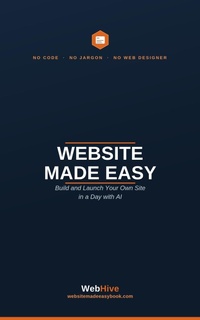
Website Made Easy
Description
Alles über E-Books | Antworten auf Fragen rund um E-Books, Kopierschutz und Dateiformate finden Sie in unserem Info- & Hilfebereich.
You don't need to code. You don't need a web designer. You don't even need to understand the jargon.
If you've ever wanted a professional website for your business or idea but assumed it was too technical or too expensive ? this book is for you.
Website Made Easy shows you, step by step, how to build and launch your own website in a single day by simply describing what you want and letting AI do the building. No experience required.
Inside, you'll learn how to: • Set up the AI tools that do the heavy lifting • Plan your site, choose a name, and get your own domain • Turn plain-English instructions into a real, finished website • Get it online properly ? legal basics, security and launch checks all covered • Take payments, and even turn the skill into a way of earning
Every step comes with a ready-to-use prompt ? just swap in your details, paste it in, and watch your site take shape.
Whether you're a small business owner, a side-hustler, or someone who's always thought "I could never build a website" ? you can. And this book proves it, in plain English, from first page to live site.

More details
System requirements
File format: ePUB
Copy protection: Adobe-DRM (Digital Rights Management)
System requirements:
- Computer (Windows; MacOS X; Linux): Install the free reader Adobe Digital Editions prior to download (see eBook Help).
- Tablet/smartphone (Android; iOS): Install the free app Adobe Digital Editions or the app PocketBook before downloading (see eBook Help).
- E-reader: Bookeen, Kobo, Pocketbook, Sony, Tolino and many more (not Kindle).
The file format ePub works well for novels and non-fiction books – i.e., „flowing” text without complex layout. On an e-reader or smartphone, line and page breaks automatically adjust to fit the small displays.
This eBook uses Adobe-DRM, a „hard” copy protection. If the necessary requirements are not met, unfortunately you will not be able to open the eBook. You will therefore need to prepare your reading hardware before downloading.
Please note: We strongly recommend that you authorise using your personal Adobe ID after installation of any reading software.
For more information, see our ebook Help page.