

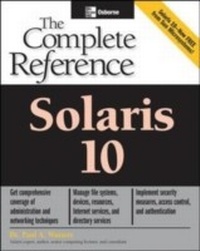
Solaris 10 The Complete Reference
1st Edition
Published on 19. January 2005
781 pages
978-0-07-146657-8 (ISBN)
Description

The Ultimate Resource on Solaris 10. Includes full details on all the new features. Maximize all the capabilities of Sun Microsystems' FREE, innovative, and powerful UNIX-based operating system with help from this authoritative guide. Get full details on installation, process and device management, access control and security, networking, services, directories, and applications. You'll learn to take advantage of the new features available in Solaris 10, including the rewritten TCP/IP stack, the enhanced cryptographic framework, cross-platform optimization, Linux interoperability, and much more. Whether you're new to Solaris or migrating from Linux or Windows, you'll need this comprehensive resource. Install and run Solaris 10 on UltraSPARC or Intel systems Manage files, directories, and processes, and use shell commands Set up user- and role-based access control Use the Solaris Management Console (SMC) to manage users and groups Configure devices and file systems Implement efficient backup and recovery services Enable system logging, monitoring, accounting, and tuning Configure DHCP, firewalls, and remote access Work with DNS, NIS/NIS+, and LDAP Enable shared file systems and printers using Samba and/or NFS Use Sun Java System Application Server and Apache HTTP Server
More details
Other editions
Additional editions
Paul Watters
Solaris 10 The Complete Reference
Book
02/2005
Osborne/McGraw-Hill
€61.89
Article exhausted; check for reprint
Content
- Cover Page
- Solaris 10: The Complete Reference
- Copyright Page
- Dedication
- Contents
- Acknowledgments
- Introduction
- Part I Installation
- 1 Introduction to Solaris 10
- What Is UNIX?
- The History of UNIX
- Origins of UNIX
- Features of BSD
- Features of System V Release 4
- The Solaris Advantage
- Hardware Support (SPARC and x86)
- Cross-Platform Interoperability
- Recent Solaris Innovations
- Server Tools
- Security Innovations
- What's New in Solaris 10
- Sources for Additional Information
- Sun Documentation/Sun Sites
- Web Sites
- USENET
- Mailing Lists
- Summary
- How to Find Out More
- 2 System Concepts and Choosing Hardware
- Key Concepts
- UNIX and the Kernel
- The Shell
- The File System
- Multiuser, Multitasking, and Zoning
- Client/Server Networks
- Processes
- Naming Services
- Java 2 Enterprise Edition (J2EE)
- SPARC Hardware
- Intel Hardware
- Examples
- System Components
- Example Systems
- Procedures
- System Configuration
- Basic Networking Terminology
- Summary
- 3 Solaris 10 Installation
- Preinstallation Planning
- Disk Space Planning
- Device Names
- SPARC Preinstallation
- Intel Preinstallation
- The Boot Manager
- Web Start Wizard Installation
- Configuration
- Software Selection
- Network Installation
- suninstall Installation
- JumpStart
- Boot Servers
- Installing Servers
- Boot Clients
- sysidcfg
- Summary
- 4 Initialization, OpenBoot PROM, and Run Levels
- Key Concepts
- OpenBoot
- /sbin/init
- Firmware
- Control Scripts and Directories
- Boot Sequence
- Procedures
- Viewing Release Information
- Changing the Default Boot Device
- Testing System Hardware
- Creating and Removing Device Aliases
- Startup
- Shutdown
- Examples
- Single-User Mode
- Recovering the System
- Writing Control Scripts
- Writing Kill Scripts
- Control Script Examples
- Shutting Down the System
- Command Reference
- STOP Commands
- Boot Commands
- Using eeprom
- /sbin/init
- /etc/inittab
- Summary
- Part II System Essentials
- 5 Installing Software, Live Upgrade, and Patching
- Key Concepts
- Getting Information about Packages
- Live Upgrade
- Patches
- Procedures
- Viewing Package Information with pkginfo
- Installing a Solaris Package Using the CLI
- Uninstalling a Solaris Package Using the CLI
- Creating New Packages
- Archiving and Compression
- Finding Patches
- Example
- Reviewing Patch Installation
- Command Reference
- Package Commands
- install
- patchadd
- patchrm
- Summary
- 6 Text Processing and Editing
- Key Concepts
- Visual Editor
- .exrc File
- Text-Processing Utilities
- Procedures
- sed and awk
- PERL Programming
- Command Reference
- sed
- awk
- Summary
- 7 Shells, Scripts, and Scheduling
- Key Concepts
- The Shell
- Procedures
- Writing Shell Scripts
- Scheduling Jobs
- Examples
- Setting Environment Variables
- Command Reference
- Source (.)
- basename
- cat
- cd
- chgrp
- date
- grep
- head
- less
- ls
- mkdir
- more
- pwd
- rmdir
- tail
- Summary
- 8 Process Management
- Key Concepts
- Sending Signals
- Procedures
- Listing Processes
- Using the top Program
- Using the truss Program
- Examples
- Using Process File System
- Using proc Tools
- Using the lsof Command
- Command Reference
- ps
- kill
- pgrep
- pkill
- killall
- Summary
- Part III Security
- 9 System Security
- Key Concepts
- Security Requirements
- Security Architecture
- Trusted Solaris
- Trust
- Integrity and Accuracy
- Authenticity and Consistency
- Identification and Authentication
- Procedures
- Confidentiality
- Disabling IP Ports
- Checking User and Group Identification
- Protecting the Superuser Account
- Monitoring User Activity
- Securing Remote Access
- Examples
- Ensuring Physical Security
- Security Auditing
- SAINT
- Command Reference
- aset
- TCP Wrappers
- Summary
- 10 File System Access Control
- Key Concepts
- Symbolic File Permissions
- Procedures
- Octal File Permissions
- Setting Default Permissions (umask)
- setUID and setGID Permissions
- Sticky Bit Permissions
- Example
- Access Control Lists
- Command Reference
- ls
- Summary
- 11 Role-Based Access Control
- Key Concepts
- sudo
- RBAC
- Operations
- sudo
- RBAC
- Database Reference
- user_attr
- auth_attr
- prof_attr
- exec_attr
- Example
- Command Reference
- smexec
- smmultiuser
- smuser
- smprofile
- smrole
- Summary
- 12 Users, Groups, and the Sun Management Console
- Key Concepts
- Users
- Groups
- Passwords
- Introduction to SMC
- Procedures
- Adding Users
- Modifying User Attributes
- Deleting Users
- Adding Groups
- Managing Groups
- Starting the SMC
- Examples
- Working with the SMC
- Command Reference
- pwck
- grpck
- pwconv
- SMC Initialization
- Summary
- 13 Kerberos and Pluggable Authentication
- Key Concepts
- Kerberos
- PAM
- Procedures
- Kerberos
- PAM
- Examples
- Non-Kerberized Services
- Kerberized Services
- Command Reference
- kadmin
- kdb5_util
- Summary
- Part IV Managing Devices
- 14 Device and Resource Management
- Key Concepts
- Device Files
- /dev and /devices Directories
- Storage Devices
- CD-ROMs and DVD-ROMs
- Procedures
- Adding Devices
- Examples
- Checking for Devices
- Command Reference
- format
- Summary
- 15 Installing Disks and File Systems
- Key Concepts
- Physical and Logical Device Names
- Creating a File System
- Examples
- Monitoring Disk Usage
- Command Reference
- The /etc/path_to_inst File
- dmesg
- mkfile
- mkfs
- newfs
- lofiadm
- swap
- sync
- tunefs
- Summary
- 16 File System and Volume Management
- Key Concepts
- Mounting Local File Systems
- Unmounting Local File Systems
- Creating Entries in /etc/vfstab
- Fixing Problems by Using fsck
- What Is RAID?
- Procedures
- Mounting a File System
- Configuring /etc/vfstab
- Setting Up RAID
- Examples
- Using umount
- fsck Operations
- Command Reference
- mount
- Summary
- 17 Backup and Recovery
- Key Concepts
- Understanding Backups
- Analyzing Backup Requirements
- Determining a Backup Strategy
- Selecting Backup Tools
- Procedures
- Selecting a Backup Medium
- Backup and Restore
- Taking a Snapshot
- Examples
- Using ufsdump and ufsrestore
- Command Reference
- ufsrestore
- Summary
- 18 Printer Management
- Key Concepts
- Procedures
- Determining Whether a Printer Is Supported
- Setting Up Printer Classes
- Examples
- Configuring Print Services
- Adding a Local Printer
- Accessing Remote Printers
- Using Forms and Filters
- Command Reference
- Solaris Print Manager
- lp
- cancel
- lpadmin
- lpstat
- Summary
- 19 Pseudo File Systems and Virtual Memory
- Key Concepts
- Pseudo File Systems
- Procedures
- proc Tools
- Virtual Memory
- Summary
- 20 System Logging, Accounting, and Tuning
- Key Concepts
- System Logging
- Quotas
- System Accounting
- Performance
- Procedures
- Examining Logfiles
- Implementing Quotas
- Collecting Accounting Data
- Collecting Performance Data
- Examples
- Logging Disk Usage
- Generating Accounting Reports
- Charging Fees Using Accounting
- Performance Tuning
- Command Reference
- syslog
- Summary
- Part V Networking
- 21 Basic Networking
- Key Concepts
- Network Topologies
- OSI Networking
- TCP/IP Networking
- Ethernet
- IPv4
- Transport Layer
- Procedures
- Hostnames and Interfaces
- Internet Daemon
- Network Configuration Files
- Configuring Network Interfaces
- Modifying Interface Parameters
- Examples
- Configuring inetd
- Configuring Services
- Application Protocols
- /etc/inetd.conf
- /etc/services
- Checking if a Host Is "Up"
- Command Reference
- arp
- snoop
- ndd
- Summary
- 22 DHCP and NTP
- Key Concepts
- Dynamic Host Configuration Protocol
- Network Time Protocol
- Procedures
- DHCP Operations
- Configuring an NTP Server
- NTP Security
- Examples
- Configuring a Solaris DHCP Server
- Manual DHCP Server Configuration
- Configuring a Solaris DHCP Client
- Configuring a Windows DHCP Client
- Configuring an NTP Client
- Summary
- 23 Routing and Firewalls
- Key Concepts
- Network Interfaces
- IP Routing
- Overview of Packet Delivery
- IP Filtering and Firewalls
- The Kernel Routing Table
- Procedures
- Configuring a Router
- Viewing Router Configuration
- Static Routes
- Routing Protocols
- Viewing the Routing Table (netstat -r)
- Manipulating the Routing Table (route)
- Dynamic Routing
- Configuring the IPFilter Firewall
- Configuring the SunScreen Firewall
- Examples
- Viewing Router Status
- Summary
- 24 Remote Access
- Key Concepts
- Internet Access
- telnet
- Port Monitors
- The Service Access Facility
- Point-to-Point Protocol
- Procedures
- Using telnet
- Remote Logins
- Testing Service Connectivity
- Using Remote Access Tools
- Setting Up Port Listeners
- Adding a Serial Port
- Adding a Modem
- Setting Up PPP
- Examples
- Using ttymon
- Connecting to an ISP
- Command Reference
- pmadm
- sacadm
- tip
- Summary
- 25 Internet Layer (IPv6)
- IPv6 Motivation
- Addressing
- IPv6 Routing
- Headers
- Quality of Service
- Security
- Summary
- Part VI Services, Directories, and Applications
- 26 Network File System and Caching File System
- Key Concepts
- NFS Architectures
- Remote Procedure Calls
- automounter
- Procedures
- Configuring an NFS Server
- Sharing File Systems
- Installing an NFS Client
- Configuring a CacheFS File System
- Enabling the automounter
- automount and NIS+
- Starting and Stopping the automounter
- Examples
- Checking portmapper Status
- Mounting Remote File Systems
- Enhancing Security
- Performance
- Command Reference
- share
- mount
- Summary
- 27 Sendmail
- Key Concepts
- Understanding E-Mail Protocols
- Mail Headers
- sendmail
- m4 Configuration
- Procedures
- Configuring sendmail (sendmail.cf)
- Running sendmail
- Troubleshooting
- Examples
- An Example SMTP Transaction
- Mail Headers
- Using Multipurpose Internet Mail Extensions
- Using Mail Clients
- Command Reference
- alias
- Summary
- 28 Domain Name Service
- Key Concepts
- Overview of DNS
- Examples
- DNS Client Tools
- Procedures
- Configuring a DNS Server
- Summary
- 29 Network Information Service (NIS/NIS+)
- Key Concepts
- Managing Resources
- NIS Maps
- NIS+ Tables
- Procedures
- Setting Up a Root Domain
- Populating Tables
- Setting Up Clients
- Setting Up Servers
- Examples
- Command Reference
- nisdefaults
- nischmod
- nisls
- niscat
- Summary
- 30 Lightweight Directory Access Protocol (LDAP)
- Key Concepts
- Procedures
- Configuring iDS
- Supporting LDAP Clients
- Creating LDAP Entries
- Starting a Client
- Using the LDAP-NIS+ Interface
- Example
- Command Reference
- ldapsearch
- ldapmodify
- Summary
- 31 Samba
- Key Concepts
- Samba Server
- NetBIOS Naming
- Samba Clients
- Procedures
- Configuring the Samba Daemon
- Samba Daemon Status
- Troubleshooting
- Examples
- Samba GUIs
- NT Authentication
- Summary
- 32 Application Development and Debugging
- Programming Languages
- C Programming
- Using gcc
- System Calls, Libraries, and Include Files
- High-Level Input/Output
- Low-Level Input/Output
- Performance Optimization and Debugging
- Summary
- 33 Web Applications and Services
- Apache Web Server
- Global Environment Configuration
- Main Server Configuration
- Virtual Hosts Configuration
- Starting Apache
- Sun Java System Application Server
- Architecture
- Server Configuration
- Summary
- Index
