

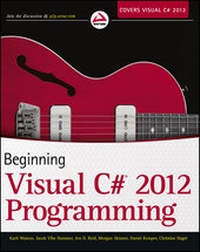
Beginning Visual C# 2012 Programming
Published on 28. November 2012
912 pages
978-1-118-39637-7 (ISBN)
Description

Step-by-step beginner's guide to Visual C# 2012
Written for novice programmers who want to learn programmingwith C# and the .NET framework, this book offers programming basicssuch as variables, flow control, and object oriented programming.It then moves into web and Windows programming and data access(databases and XML). The authors focus on the tool that beginnersuse most often to program C#, the Visual C# 2012 developmentenvironment in Visual Studio 2012.
* Puts the spotlight on key beginning level topics witheasy-to-follow instructions for Microsoft Visual C# 2012
* Explores how to program for variables, expressions, flowcontrol, and functions
* Explains the debugging process and error handling as well asobject oriented programming, and much more
Beginning Microsoft Visual C# 2012Programming offers beginners a guide to writing effectiveprogramming code following simple step-by-step methods, eachfollowed by the opportunity to try out newly acquired skills.
Written for novice programmers who want to learn programmingwith C# and the .NET framework, this book offers programming basicssuch as variables, flow control, and object oriented programming.It then moves into web and Windows programming and data access(databases and XML). The authors focus on the tool that beginnersuse most often to program C#, the Visual C# 2012 developmentenvironment in Visual Studio 2012.
* Puts the spotlight on key beginning level topics witheasy-to-follow instructions for Microsoft Visual C# 2012
* Explores how to program for variables, expressions, flowcontrol, and functions
* Explains the debugging process and error handling as well asobject oriented programming, and much more
Beginning Microsoft Visual C# 2012Programming offers beginners a guide to writing effectiveprogramming code following simple step-by-step methods, eachfollowed by the opportunity to try out newly acquired skills.
All prices
More details
Other editions
Additional editions
Karli Watson | Jacob Vibe Hammer | Jon Reid
Beginning Visual C# 2012 Programming
Book
12/2012
Wrox Press
€42.00
Article not available at the moment
Persons
Karli Watson is an author and IT contractor in London.
Jacob Vibe Hammer is a software architect and developer at Kamstrup A/S, Denmark. He has coauthored several books.
Jon D. Reid is the director of systems engineering at Indigo Biosystems, Inc.
Morgan Skinner joined Microsoft in 2001.
Daniel Kemper is a software engineer specializing in reporting and rich client technologies.
Christian Nagel is a Microsoft Regional Director and Microsoft MVP, an associate of thinktecture, and founder of CN innovation.
Jacob Vibe Hammer is a software architect and developer at Kamstrup A/S, Denmark. He has coauthored several books.
Jon D. Reid is the director of systems engineering at Indigo Biosystems, Inc.
Morgan Skinner joined Microsoft in 2001.
Daniel Kemper is a software engineer specializing in reporting and rich client technologies.
Christian Nagel is a Microsoft Regional Director and Microsoft MVP, an associate of thinktecture, and founder of CN innovation.
Content
INTRODUCTION xxxi
PART I: THE C# LANGUAGE
CHAPTER 1: INTRODUCING C# 3
CHAPTER 2: WRITING A C# PROGRAM 13
CHAPTER 3: VARIABLES AND EXPRESSIONS 25
CHAPTER 4: FLOW CONTROL 49
CHAPTER 5: MORE ABOUT VARIABLES 79
CHAPTER 6: FUNCTIONS 105
CHAPTER 7: DEBUGGING AND ERROR HANDLING 131
CHAPTER 8: INTRODUCTION TO OBJECT-ORIENTED PROGRAMMING 157
CHAPTER 9: DEFINING CLASSES 177
CHAPTER 10: DEFINING CLASS MEMBERS 203
CHAPTER 11: COLLECTIONS, COMPARISONS, AND CONVERSIONS 235
CHAPTER 12: GENERICS 279
CHAPTER 13: ADDITIONAL OOP TECHNIQUES 313
CHAPTER 14: C# LANGUAGE ENHANCEMENTS 339
PART II: WINDOWS PROGRAMMING
CHAPTER 15: BASIC DESKTOP PROGRAMMING 381
CHAPTER 16: ADVANCED DESKTOP PROGRAMMING 425
CHAPTER 17: WINDOWS STORE APPS 469
CHAPTER 18: DEPLOYING DESKTOP APPLICATIONS 513
PART III: WEB PROGRAMMING
CHAPTER 19: ASP.NET WEB PROGRAMMING 535
CHAPTER 20: DEPLOYING WEB APPLICATIONS 591
PART IV: DATA ACCESS
CHAPTER 21: FILE SYSTEM DATA 605
CHAPTER 22: XML 639
CHAPTER 23: INTRODUCTION TO LINQ 663
CHAPTER 24: APPLYING LINQ 699
PART V: ADDITIONAL TECHNIQUES
CHAPTER 25: WINDOWS COMMUNICATION FOUNDATION 727
APPENDIX A: EXERCISE SOLUTIONS 779
INDEX 827
PART I: THE C# LANGUAGE
CHAPTER 1: INTRODUCING C# 3
CHAPTER 2: WRITING A C# PROGRAM 13
CHAPTER 3: VARIABLES AND EXPRESSIONS 25
CHAPTER 4: FLOW CONTROL 49
CHAPTER 5: MORE ABOUT VARIABLES 79
CHAPTER 6: FUNCTIONS 105
CHAPTER 7: DEBUGGING AND ERROR HANDLING 131
CHAPTER 8: INTRODUCTION TO OBJECT-ORIENTED PROGRAMMING 157
CHAPTER 9: DEFINING CLASSES 177
CHAPTER 10: DEFINING CLASS MEMBERS 203
CHAPTER 11: COLLECTIONS, COMPARISONS, AND CONVERSIONS 235
CHAPTER 12: GENERICS 279
CHAPTER 13: ADDITIONAL OOP TECHNIQUES 313
CHAPTER 14: C# LANGUAGE ENHANCEMENTS 339
PART II: WINDOWS PROGRAMMING
CHAPTER 15: BASIC DESKTOP PROGRAMMING 381
CHAPTER 16: ADVANCED DESKTOP PROGRAMMING 425
CHAPTER 17: WINDOWS STORE APPS 469
CHAPTER 18: DEPLOYING DESKTOP APPLICATIONS 513
PART III: WEB PROGRAMMING
CHAPTER 19: ASP.NET WEB PROGRAMMING 535
CHAPTER 20: DEPLOYING WEB APPLICATIONS 591
PART IV: DATA ACCESS
CHAPTER 21: FILE SYSTEM DATA 605
CHAPTER 22: XML 639
CHAPTER 23: INTRODUCTION TO LINQ 663
CHAPTER 24: APPLYING LINQ 699
PART V: ADDITIONAL TECHNIQUES
CHAPTER 25: WINDOWS COMMUNICATION FOUNDATION 727
APPENDIX A: EXERCISE SOLUTIONS 779
INDEX 827
