

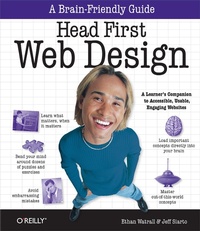
Head First Web Design
A Learner's Companion to Accessible, Usable, Engaging Websites
Published on 23. December 2008
500 pages
978-1-4493-6982-8 (ISBN)
Description

Want to know how to make your pages look beautiful, communicate your message effectively, guide visitors through your website with ease, and get everything approved by the accessibility and usability police at the same time? Head First Web Design is your ticket to mastering all of these complex topics, and understanding what's really going on in the world of web design.Whether you're building a personal blog or a corporate website, there's a lot more to web design than div's and CSS selectors, but what do you really need to know? With this book, you'll learn the secrets of designing effective, user-friendly sites, from customer requirements to hand-drawn storyboards all the way to finished HTML and CSS creations that offer an unforgettable online presence.The revised two-color edition of this book includes a free online version of the chapter on web color. You can easily access this chapter at Oreilly.com once you register your book.Your time is way too valuable to waste struggling with new concepts. Using the latest research in cognitive science and learning theory to craft a multi-sensory learning experience, Head First Web Design uses a visually rich format specifically designed to take advantage of the way your brain really works.
More details
Other editions
Additional editions

Ethan Watrall | Jeff Siarto
Head First Web Design
Book
01/2009
1st Edition
O'Reilly
€41.00
Shipment within 10-20 days
Content
- Intro
- Advance Praise for Head First Web Design
- Authors of Head First Web Design
- Table of Contents
- how to use this book: Intro
- Who is this book for?
- Who should probably back away from this book?
- We know what you're thinking
- We know what your brain is thinking
- This must be important! Don't forget it!
- Metacognition: thinking about thinking
- So just how DO you get your brain to treat WebDesign like it was a hungry tiger?
- Here's what WE did:
- Here's what YOU can do to bend your brain into submission
- Read Me
- The technical review team
- Acknowledgments
- Safari® Books Online
- Chapter 1. building beautiful web pages: Beauty is in the eye of your user
- Your big chance with Red Lantern Design
- Where do you start?
- Draw up a blueprint FIRST
- Determine your Top Level Navigation
- Put it all in context
- Horizontal tabs
- Horizontal buttons
- Vertical menu
- Vertical tabs
- Show Jane some basic design sketches
- Sketches keep the focus on functionality
- Now it's time to prototype the site in code
- Don't ruin a good design with bad copy
- What makes text scannable?
- Web design is all about communication, and your USERS
- Your Web Design Toolbox
- Chapter 2. pre-production: Paper covers rock
- Your first "international" gig...
- Think before you code
- Start with a visual metaphor
- A clear visual metaphor helps reinforce your site's theme
- A theme represents your site's content
- Brainstorming: The path to a visual metaphor
- Develop a theme and visual metaphor for Mark
- Your page elements shape your visual metaphor
- Build a quick XHTML mock-up for Mark
- And the CSS...
- Use storyboards to develop ideas and save time without code
- Don't design for yourself!
- Let's create a storyboard for Mark
- Find some paper and make a grid
- Sketch out your design
- Add color and finalize your storyboard
- Your Web Design Toolbox
- Chapter 3. organizing your site: "So you take a left at the green water tower...
- Fit your content into your layout
- Organize your site's information
- Keep your site organized with Information Architecture (IA)
- IA-The card sorting way
- To run a successful card sort, you need:
- Sort your cards into related stacks
- Give your stacks names that are short and descriptive
- Which card sort is right?
- Arrange your cards into a site hierarchy
- IA Diagrams are just card sorts on paper
- IA Diagrams are NOT just links between pages
- Move from pre-production to production
- Build Mark's site structure
- Create index.html first...
- ,,,and then screen.css for style
- screen.css, continued...
- Pre-production to production: The complete process
- Your Web Design Toolbox
- Chapter 4. layout and design: Follow the Golden Rule
- Design is about audience
- Your newest gig: RPM Records
- Pinpoint RPM's audience with personas
- Data about RPM Music's users
- Let the personas be your guide...
- Smaller displays limit screen real estate
- Resolution impacts design and layout
- Screen real estate determines how MUCH of your site will display in your user's browser
- Screen RESOLUTION also affects screen real estate
- Your users don't care about screen realestate... they just want sites to "work.
- Build an XHTML and CSS foundation optimized for 1024x768
- Humans like things lined up and well-organized
- How wide should my grid be? Use the Golden Ratio
- The rule of thirds: A shortcut to the Golden Ratio
- RPM and the Golden Ratio: An (anti) case study
- Remember your personas?
- Remember your client?
- Set up RPM 2.0 with the Blueprint Framework
- Use Blueprint CSS rules to style RPM 2.0
- Time to get your RPM groove on
- Add some CSS to clean up the layout
- Finish off the content and navigation markup
- Add layout and typographic details with some more CSS
- Chapter 5. designing with color: Moving Beyond Monochrome
- Help support your local music scene
- 9Rules: The blog network gold standard
- Sometimes your choices are a bit... limited
- Color has an emotional impact
- The color wheel (where it all begins)
- Use the color wheel to choose colors that "go together
- First, choose your BASE color
- Use the triadic scheme to create usable color patterns
- Get started on the SampleRate markup
- Create the basic page layout with CSS
- We need a digital color wheel.
- The opposite of heavy is... light
- Create a richer color palette with the tetradic color scheme
- Create contrast
- Emphasis-o-matic
- Let's update the SampleRate CSS
- Your Web Design Toolbox
- Chapter 6. smart navigation: "In 2 seconds, click 'Ho me'.
- School's back in session
- The first step in good navigation is good IA
- What's really in a name, anyway?
- Approach #1: Horizontally-tabbed navigation
- Approach #2: Vertical navigation
- Inconsistent navigation confuses users.
- Block elements are your friends
- Let's float the block navigation on the CNM site
- Icons don't SAY anything... they just look pretty
- Add icons to your text, not the other way around
- Update the CNM XHTML to use textual links
- Now we can style our new block elements...
- Primary navigation shouldn't change... ...but secondary navigation SHOULD
- Each sub-page gets its own secondary navigation
- Let's style the navigation with our CSS
- Your Web Design Toolbox
- Chapter 7. writing for the web: Yes, you scan!
- Build a better online newspaper
- Hipster Intelligencer Online: Project Specs
- The problem is TEXT
- Improve your content with the Inverted Pyramid
- Compress your copy
- Add lists to your XHTML
- Headings make your text even more scannable
- Mix fonts to emphasize headings and other text
- The level, not the size, of a heading conveys importance
- Your Web Design Toolbox
- Chapter 8. accessibility: Inaccessibility Kills
- Audio-2-Go: inaccessible accessibility
- Accessibility means making your site work for EVERYONE
- How does your site READ?
- A site's message should be clear...to EVERYONE
- Face it: computers are stupid!
- A computer will read your image's ALT text
- EVERYONE's time is valuable.
- Convert your long ALT text to a LONGDESC
- Your improvements are making a difference for SOME Audio-2-Go customers
- Accessibility is not just about screen readers
- Tabbing through a page should be ORDERLY
- Audio-2-Go is now a LOT more ACCESSIBLE
- The law requires you to be accessible
- Everyone benefits from accessibility
- Accessibility can help your business
- Accessibility is the right thing ToDo
- WCAG Priority 1
- Color shouldn't be your ONLY form of communication
- Life through web-safe eyes...
- Life through color-blind eyes...
- Audio-2-Go, via color-blind eyes
- Those stars are a real problem
- Background images are still your friend
- There's more to ordering than just tabindexes
- Chapter 9. listen to your users: The Pathway to Harmonious Design
- Problems over at RPM
- Let your audience speak to you through focus groups and surveys
- Surveys and focus groups aren't free
- Ask the right questions in your surveys
- The final RPM Music user survey
- The results are in!
- Responses to the open-ended question:
- Fix RPM's CSS bug by moving the hover property
- IE6 only supports :hover on link and anchor tags
- User Testing: Let your users tell you how they use your site
- The building blocks of budget usability testing
- Use a moderator script to organize the test
- Friends and family can be a problem
- The results of the usability test-what the users are telling you
- A simple problem...
- Site stats give your users (another) voice
- Website analytics tools
- Mint
- Google Analytics
- Your Web Design Toolbox
- Chapter 10. evolutionary design: Keeping your site fresh
- Your portfolio so far...
- Keeping your site and content fresh keeps your users coming back
- Revisting Red Lantern
- Red Lantern To-Do List...
- Web design is about evolution, not revolution
- Use CSS to evolve your site's design
- You don't need to be a crack programmer to addinteractivity with JavaScript.
- Use JavaScript lightboxes to add interactivity to your site
- Add Facebox to the Red Lantern homepage
- Edit your index file
- Adding blog functionality with WordPress
- Add a WordPress blog to the Red Lantern site
- Change the look and feel of your blog with themes
- Your Web Design Toolbox
- Chapter 11. the business of web design: Mind Your Own Business
- The newest potential client: the Foo Bar
- What Foo Bar wants in a bid:
- Let's build a quick mockup for the Foo Bar
- Then, three months later...
- Welcome to the world of DESIGN PIRACY
- There's more than one type of web designer.
- Choose your job-and your business-based on knowing who you are in the Web universe.
- Red Lantern's got a new prospective client
- Client Requirements
- You need to know your hourly rate before bidding on any contract work.
- Hourly Rate = $60,000 / ((8 x 5 x 50) x .60)
- Figure out a total bid...
- Talking back is highly recommended.
- Use a proposal letter to deliver a detailed quote to a client
- The Trilobite podcast: a(nother) new challenge
- Use Creative Commons to license your work
- Creative Commons Licenses
- Your Web Design Toolbox
- Appendix i: leftovers: The Top Ten Things (we didn't cover)
- #1: Cross-cultural & international design
- Icons have different cultural meanings
- Different languages have different lengths
- Is that the month or the year?
- Is that really the flag you want to use?
- #2: The future of Web markup
- HTML 5 vs. XHTML 2
- When are they coming?
- #3: The future of CSS
- #4: Designing for mobile devices
- #5: Developing Web applications
- #6: Rhythm in your layout
- #7: Text contrast
- #8: Match link names with their destination page
- #9: Contrast is a fundamental layout device
- #10: More tools for design
- Index
- Symbols
- A
- B
- C
- D
- E
- F
- G
- H
- I
- J
- K
- L
- M
- N
- O
- P
- R
- S
- T
- U
- V
- W
- X
- Y
