

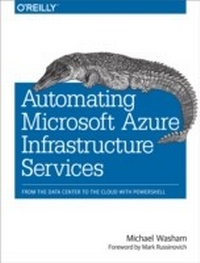
Automating Microsoft Azure Infrastructure Services
From the Data Center to the Cloud with PowerShell
1st Edition
Published on 21. October 2014
178 pages
978-1-4919-4487-5 (ISBN)
Description

Get valuable tips and techniques for automating your cloud deployments with Azure PowerShell cmdlets, and learn how to provision Azure services on the fly. In this hands-on guide, Microsoft cloud technology expert Michael Washam shows you how to automate various management tasks and deploy solutions that are both complex and at scale.By combining the native automation capabilities of PowerShell with Azure Infrastructure Services, these powerful cmdlets enable you to create and configure virtual machines with ease. Youll learn how to take advantage of these technologies to build complete virtual networks. If you have experience with PowerShell and Azure, youre ready to get started.Install and authenticate cmdlets to set up your environmentCreate and update virtual machines with Azure platform imagesManage network endpoints, access control lists, and IP addressesUse cmdlets to manage and configure virtual machine storageAutomate Azure virtual networks with hybrid technologies such as site-to-site, point-to-site, and ExpressRouteDive into advanced virtual machine provisioning capabilities and management techniquesLearn tips and tricks for deleting or moving virtual machines within (or out of) your subscription
More details
Other editions
Additional editions
Michael Washam
Automating Microsoft Azure Infrastructure Services
From the Data Center to the Cloud with PowerShell
Book
12/2014
1st Edition
O'Reilly
€28.50
Shipment within 10-20 days
Content
- Intro
- Copyright
- Table of Contents
- Foreword
- Preface
- Who This Book Is For
- What This Book Is About
- Overview of Chapters
- Conventions Used in This Book
- Using Code Examples
- Safari® Books Online
- How to Contact Us
- Acknowledgments
- Chapter 1. Introduction
- Why Use the Microsoft Azure PowerShell Cmdlets?
- Comparing Deployment Methods
- Deploying an Application in a Traditional Data Center
- Deploying an Application in the Cloud (Without Automation)
- Deploying an Application in the Cloud (with Automation)
- History
- Open Source
- Summary
- Chapter 2. Getting Started with Azure PowerShell
- Installation
- Setting Up Your Environment
- Authenticating to Microsoft Azure
- Managing Subscriptions
- Executing Scripts in This Book
- Summary
- Chapter 3. Virtual Machines
- Creating Virtual Machines with PowerShell
- Virtual Machine Location and Storage
- Selecting the Virtual Machine Platform Image
- Virtual Machine Size
- Cloud Services and Virtual Machines
- Creating a Virtual Machine with New-AzureQuickVM
- Creating a Virtual Machine Configuration with New-AzureVMConfig
- Specifying the Initial Provisioning Configuration
- Adding Storage with Add-AzureDataDisk
- Creating Network Endpoints at Provisioning
- Creating a Virtual Machine with New-AzureVM
- How New-AzureVM Works
- Querying Virtual Machines with Get-AzureVM
- Changing a Virtual Machine Configuration
- Stopping and Starting Virtual Machines
- Summary
- Chapter 4. Virtual Machine Networking
- Automating the Network
- Handling External Traffic
- Port Forwarding
- Load Balancing
- Health Probes
- TCP Health Probes
- HTTP Health Probes
- Health Probe Time-outs
- Updating Endpoints
- Access Control
- Adding and Updating Access Control Lists
- Reserved IP Addresses
- Public IP Addresses
- Summary
- Chapter 5. Virtual Machine Storage
- Storage Management
- Uploading and Downloading VHDs
- Uploading a VHD
- Creating a Local VHD with Windows
- Validating the Disk
- Downloading a VHD
- Save-AzureVHD Tips
- Disks and Images
- What Is an Image?
- What Is a Disk?
- Managing Images
- Viewing Image Properties
- Capturing a Generalized Image
- Updating a Virtual Machine Image
- Deleting a Virtual Machine Image
- OS Images and VM Images
- Managing Disks
- OS Disks
- Data Disks
- Viewing Disk Properties
- Specifying Disk Locations at VM Creation
- Specifying Cache
- Custom Images, Disks, and Storage Accounts
- Managing Storage with PowerShell
- Storage Account Geo-Replication
- Authenticating Access to Storage
- Setting the Public Access Policy for a Container
- Managing Blob Data
- Asynchronous Blob Copy
- Summary
- Chapter 6. Virtual Networks
- Understanding Virtual Network Configuration
- Dynamically Adding a Virtual Network
- Updating a Virtual Network Configuration
- Deleting a virtual network
- Adding or removing DNS
- Adding or removing subnets and local network sites
- Removing the Network Configuration
- Provisioning into a Virtual Network
- Understanding IP Address Assignment
- Specifying Static IP Addresses
- Moving Virtual Machines to Different Subnets
- Hybrid Network Connectivity
- Gateway Management
- Creating and Automating Gateways
- Using the Internal Load Balancer
- Intranet workloads
- N-tier workloads
- Validating the internal load balancer
- Updating internal load-balanced endpoints
- There can be only one
- Adding an internal load balancer to an existing deployment
- Removing an internal load balancer from an existing deployment
- Viewing the internal load-balancer configuration on an existing deployment
- ExpressRoute
- Summary
- Chapter 7. Advanced Virtual Machines
- Virtual Machine Provisioning
- Provisioning Linux Virtual Machines
- Availability Sets
- Provisioning Virtual Machines in an Availability Set
- Adding Existing Virtual Machines to an Availability Set
- Specifying the Time Zone
- Configuring Windows Update
- Deploying Certificates
- Managing Access Control Options
- Domain Join
- Using PowerShell Remoting
- Configuring a Secure Connection
- Invoking PowerShell Commands
- Multiple Hops Using Remote PowerShell
- Virtual Machine Agent and Extensions
- Virtual Machine Extensions
- BgInfo Extension
- Access Extension
- Custom Script Extension
- Deleting Virtual Machines
- Deleting a Single Virtual Machine
- Deleting Multiple Virtual Machines
- Importing and Exporting Virtual Machine Configurations
- Summary and Conclusion
- Index
- About the Author
