

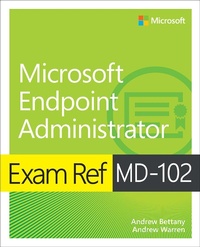
Exam Ref MD-102 Microsoft Endpoint Administrator
Published on 18. August 2023
352 pages
978-0-13-825490-2 (ISBN)
Description

Prepare for Microsoft Exam MD-102 and demonstrate your real-world mastery of the skills and knowledge required to deploy, manage, and protect modern endpoints at scale in Microsoft 365 environments. Designed for endpoint administrators, this Exam Ref focuses on the critical thinking and decision-making acumen needed for success at the Microsoft Certified Associate level. Focus on the expertise measured by these objectives:
Deploy Windows client
Manage identity and compliance
Manage, maintain, and protect devices
Manage applications
This Microsoft Exam Ref:
Organizes its coverage by exam objectives
Features strategic, what-if scenarios to challenge you
Assumes you have experience deploying, configuring, protecting, managing, and monitoring devices and client applications in a Microsoft 365 environment
About the Exam
Exam MD-102 focuses on the knowledge needed to prepare for Windows client deployments; plan and implement them with Windows Autopilot and the Microsoft Deployment Toolkit (MDT); confi gure remote management; manage identity; implement compliance policies for all supported device platforms with Microsoft Intune; manage device lifecycles, configurations, and updates with Intune; monitor devices; protect endpoints; deploy and update apps; and establish app protection and configuration policies.
About Microsoft Certification
Passing this exam fulfills your requirements for the Microsoft 365 Certified: Endpoint Administrator Associate credential, demonstrating your ability to deploy, configure, protect, manage, and monitor devices and client apps in Microsoft 365 environments; manage endpoint identity, security, access, policies, updates, and apps; efficiently deploy and administer diverse endpoints at scale, and collaborate on modern workplace strategies that address organizational needs.
See full details at: microsoft.com/learn
Deploy Windows client
Manage identity and compliance
Manage, maintain, and protect devices
Manage applications
This Microsoft Exam Ref:
Organizes its coverage by exam objectives
Features strategic, what-if scenarios to challenge you
Assumes you have experience deploying, configuring, protecting, managing, and monitoring devices and client applications in a Microsoft 365 environment
About the Exam
Exam MD-102 focuses on the knowledge needed to prepare for Windows client deployments; plan and implement them with Windows Autopilot and the Microsoft Deployment Toolkit (MDT); confi gure remote management; manage identity; implement compliance policies for all supported device platforms with Microsoft Intune; manage device lifecycles, configurations, and updates with Intune; monitor devices; protect endpoints; deploy and update apps; and establish app protection and configuration policies.
About Microsoft Certification
Passing this exam fulfills your requirements for the Microsoft 365 Certified: Endpoint Administrator Associate credential, demonstrating your ability to deploy, configure, protect, manage, and monitor devices and client apps in Microsoft 365 environments; manage endpoint identity, security, access, policies, updates, and apps; efficiently deploy and administer diverse endpoints at scale, and collaborate on modern workplace strategies that address organizational needs.
See full details at: microsoft.com/learn
More details
Series
Language
English
Place of publication
Boston
United States
Publishing group
Pearson Education (US)
Target group
Professional and scholarly
File size
18,40 MB
ISBN-13
978-0-13-825490-2 (9780138254902)
Copyright in bibliographic data and cover images is held by Nielsen Book Services Limited or by the publishers or by their respective licensors: all rights reserved.
Schweitzer Classification
Other editions
Additional editions
Andrew Warren | Andrew Bettany
Exam Ref MD-102 Microsoft Endpoint Administrator
Book
10/2023
1st Edition
Addison Wesley
€46.99
Shipment within 15-20 days
Persons
Andrew Bettany is a Microsoft MVP and consults on Microsoft 365, Azure, and Windows client. He has authored Windows exam prep guides, official Microsoft training, and video training for LinkedIn Learning and Pluralsight. He co-created the IT Masterclasses series of short, intensive technical courses. His most recent project involved delivering Microsoft Fundamentals skills training to over 250,000 students worldwide.
Andrew Warren has helped Microsoft develop official training curricula, served as subject matter expert on many current Windows Server courses, was technical lead on several Windows titles, and co-developed courses on Microsoft 365, Azure, and Intune.
Andrew Warren has helped Microsoft develop official training curricula, served as subject matter expert on many current Windows Server courses, was technical lead on several Windows titles, and co-developed courses on Microsoft 365, Azure, and Intune.
Content
CHAPTER 1 Deploy Windows client
CHAPTER 2 Manage identity and compliance
CHAPTER 3 Manage, maintain, and protect devices
CHAPTER 4 Manage applications
CHAPTER 5 MD-102 Endpoint Administrator exam updates
CHAPTER 2 Manage identity and compliance
CHAPTER 3 Manage, maintain, and protect devices
CHAPTER 4 Manage applications
CHAPTER 5 MD-102 Endpoint Administrator exam updates
