

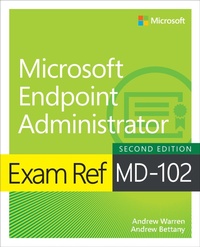
Exam Ref MD-102 Microsoft Endpoint Administrator
2nd Edition
Published on 20. February 2025
336 pages
978-0-13-541707-2 (ISBN)
Description

Prepare for Microsoft Exam MD-102 and help demonstrate your real-world mastery of the skills and knowledge required to deploy, manage, and protect modern endpoints at scale in Microsoft 365 environments. Designed for endpoint administrators, this Exam Ref focuses on the critical thinking and decision-making acumen needed for success at the Microsoft Certified Associate level.
Focus on the expertise measured by these objectives:
Prepare infrastructure for devices
Manage and maintain devices
Manage applications
Protect devices
This Microsoft Exam Ref:
Organizes its coverage by exam objectives
Features strategic, what-if scenarios to challenge you
Assumes you have experience with Microsoft Entra ID and Microsoft 365 technologies, including Intune, as well as strong skills and experience in deploying, configuring, and maintaining Windows client and non-Windows devices
About the Exam
Exam MD-102 focuses on the knowledge needed to prepare infrastructure for devices; enroll devices to Microsoft Intune; implement identity and compliance; deploy and upgrade Windows clients by using cloud-based tools; plan and implement device configuration profiles; plan remote actions on devices; manage applications; deploy and update apps; plan and implement app protection and app configuration policies; configure endpoint security; and manage device updates by using Intune.
About Microsoft Certification
Passing this exam fulfills your requirements for the Microsoft 365 Certified: Endpoint Administrator Associate credential, demonstrating your ability to implementing solutions for efficient deployment and management of endpoints on various operating systems, platforms, and device types; implement and manage endpoints at scale by using Microsoft Intune, Microsoft Intune Suite, Windows Autopilot, Microsoft Copilot for Security, Microsoft Defender for Endpoint, Microsoft Entra ID, Azure Virtual Desktop, and Windows 365; and implement identity, security, access, policies, updates, and apps for endpoints.
See full details at: microsoft.com/learn
Focus on the expertise measured by these objectives:
Prepare infrastructure for devices
Manage and maintain devices
Manage applications
Protect devices
This Microsoft Exam Ref:
Organizes its coverage by exam objectives
Features strategic, what-if scenarios to challenge you
Assumes you have experience with Microsoft Entra ID and Microsoft 365 technologies, including Intune, as well as strong skills and experience in deploying, configuring, and maintaining Windows client and non-Windows devices
About the Exam
Exam MD-102 focuses on the knowledge needed to prepare infrastructure for devices; enroll devices to Microsoft Intune; implement identity and compliance; deploy and upgrade Windows clients by using cloud-based tools; plan and implement device configuration profiles; plan remote actions on devices; manage applications; deploy and update apps; plan and implement app protection and app configuration policies; configure endpoint security; and manage device updates by using Intune.
About Microsoft Certification
Passing this exam fulfills your requirements for the Microsoft 365 Certified: Endpoint Administrator Associate credential, demonstrating your ability to implementing solutions for efficient deployment and management of endpoints on various operating systems, platforms, and device types; implement and manage endpoints at scale by using Microsoft Intune, Microsoft Intune Suite, Windows Autopilot, Microsoft Copilot for Security, Microsoft Defender for Endpoint, Microsoft Entra ID, Azure Virtual Desktop, and Windows 365; and implement identity, security, access, policies, updates, and apps for endpoints.
See full details at: microsoft.com/learn
More details
Series
Edition
2nd edition
Language
English
Place of publication
Boston
United States
Publishing group
Pearson Education (US)
Target group
Professional and scholarly
File size
16,32 MB
ISBN-13
978-0-13-541707-2 (9780135417072)
Copyright in bibliographic data and cover images is held by Nielsen Book Services Limited or by the publishers or by their respective licensors: all rights reserved.
Schweitzer Classification
Other editions
Additional editions
Andrew Warren | Andrew Bettany
Exam Ref MD-102 Microsoft Endpoint Administrator
Book
02/2025
2nd Edition
Addison Wesley
€38.49
Shipment within 15-20 days
Persons
Andrew Warren has been writing for Microsoft for many years, helping to develop its official curriculum of instructor-led training material. He has served as a subject matter expert on many Windows Server courses, was technical lead on several Windows client titles, and was involved in Microsoft 365, Azure, and Intune course development. When not writing about Microsoft technologies, he can be found in the classroom, teaching other IT professionals what they need to know to manage their organization's IT infrastructure.
Andrew Bettany has been honored as a Microsoft Most Valuable Professional (MVP) in two categories-Microsoft AI and Windows and Devices for IT-for 12 years. In 2020, he joined Microsoft for a couple of years to assist the Education team in promoting cloud skills. Currently, he helps students worldwide achieve cloud and AI skills and certifications through his Cloud Ready Skills programs.
Andrew is a dedicated father, IT enthusiast, training mentor, consultant, entrepreneur, and author. He is renowned for his expertise in AI and Windows and has authored numerous publications, including several Windows exam certification prep guides and official Microsoft training materials. He has also developed video training content for LinkedIn Learning and Pluralsight. As a Microsoft Certified Trainer for 20 years, Andrew provides training and consultancy to businesses in various technical areas, including Microsoft 365, AI, Azure, and Windows. He is active on social media and can be found on LinkedIn, Facebook, and Twitter. Andrew resides in a village near the picturesque city of York in Yorkshire, England.
Andrew Bettany has been honored as a Microsoft Most Valuable Professional (MVP) in two categories-Microsoft AI and Windows and Devices for IT-for 12 years. In 2020, he joined Microsoft for a couple of years to assist the Education team in promoting cloud skills. Currently, he helps students worldwide achieve cloud and AI skills and certifications through his Cloud Ready Skills programs.
Andrew is a dedicated father, IT enthusiast, training mentor, consultant, entrepreneur, and author. He is renowned for his expertise in AI and Windows and has authored numerous publications, including several Windows exam certification prep guides and official Microsoft training materials. He has also developed video training content for LinkedIn Learning and Pluralsight. As a Microsoft Certified Trainer for 20 years, Andrew provides training and consultancy to businesses in various technical areas, including Microsoft 365, AI, Azure, and Windows. He is active on social media and can be found on LinkedIn, Facebook, and Twitter. Andrew resides in a village near the picturesque city of York in Yorkshire, England.
Content
Chapter 1: Manage identity and compliance
Chapter 2: Manage and maintain devices
Chapter 3: Manage applications
Chapter 4: Protect devices
Chapter 5: MD-102 Endpoint Administration exam updates
Chapter 2: Manage and maintain devices
Chapter 3: Manage applications
Chapter 4: Protect devices
Chapter 5: MD-102 Endpoint Administration exam updates
