

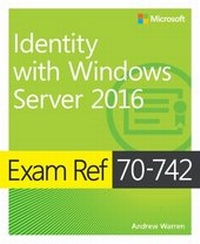
Exam Ref 70-742 Identity with Windows Server 2016
Exam Ref 7041 Admi Wind Serv
1st Edition
Published on 23. March 2017
400 pages
978-0-7356-9754-6 (ISBN)
Description

Prepare for Microsoft Exam 70-742-and help demonstrate your real-world mastery of Windows Server 2016 identity features and functionality. Designed for experienced IT professionals ready to advance their status, Exam Ref focuses on the critical-thinking and decision-making acumen needed for success at the MCSA level.
Focus on the expertise measured by these objectives:
? Install and configure Active Directory Domain Services (AD DS)
? Manage and maintain AD DS
? Create and manage Group Policy
? Implement Active Directory Certificate Services (AD CS)
? Implement identity federation and access solutions
This Microsoft Exam Ref:
? Organizes its coverage by exam objectives
? Features strategic, what-if scenarios to challenge you
? Assumes you have experience working with Windows Server, Windows clients, and virtualization; are familiar with core networking technologies, and are aware of basic security best practices
Focus on the expertise measured by these objectives:
? Install and configure Active Directory Domain Services (AD DS)
? Manage and maintain AD DS
? Create and manage Group Policy
? Implement Active Directory Certificate Services (AD CS)
? Implement identity federation and access solutions
This Microsoft Exam Ref:
? Organizes its coverage by exam objectives
? Features strategic, what-if scenarios to challenge you
? Assumes you have experience working with Windows Server, Windows clients, and virtualization; are familiar with core networking technologies, and are aware of basic security best practices
More details
Series
Language
English
Place of publication
Redmond
United States
Target group
Professional and scholarly
ISBN-13
978-0-7356-9754-6 (9780735697546)
Copyright in bibliographic data and cover images is held by Nielsen Book Services Limited or by the publishers or by their respective licensors: all rights reserved.
Schweitzer Classification
Other editions
Additional editions
Andrew Warren
Exam Ref 70-742 Identity with Windows Server 2016
Book
04/2017
Microsoft Press
€37.00
Shipment within 10-20 days
Person
Andrew James Warren has served as subject matter expert for Windows Server 2016 courses, technical lead for Windows 10 courses, and co-developer of TechNet sessions covering Microsoft Exchange Server. He has 30+ years of IT experience.
Content
Chapter 1 Install and configure Active Directory Domain Services
Chapter 2 Manage and maintain AD DS
Chapter 3 Create and manage Group Policy
Chapter 4 Implement Active Directory Certificate Services
Chapter 5 Implement identity federation and access solutions
Chapter 2 Manage and maintain AD DS
Chapter 3 Create and manage Group Policy
Chapter 4 Implement Active Directory Certificate Services
Chapter 5 Implement identity federation and access solutions
