

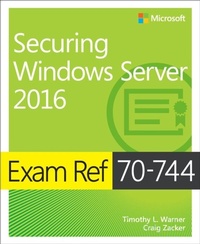
Exam Ref 70-744 Securing Windows Server 2016
1st Edition
Published on 29. March 2021
352 pages
978-1-5093-0429-5 (ISBN)
Description

Prepare for Microsoft Exam 70-744-and help demonstrate your real-world mastery of securing Windows Server 2016 environments. Designed for experienced IT professionals ready to advance their status, Exam Ref focuses on the critical-thinking and decision-making acumen needed for success at the MCSE level.
Focus on the expertise measured by these objectives:
* Implement server hardening solutions
* Secure a virtualization infrastructure
* Secure a network infrastructure
* Manage privileged identities
* Implement threat detection solutions
* Implement workload-specific security
This Microsoft Exam Ref:
* Organizes its coverage by exam objectives
* Features strategic, what-if scenarios to challenge you
* Assumes you have experience as a Windows Server administrator and an understanding of basic networking and Hyper-V virtualization fundamentals, Active Directory Domain Services principles, and Windows Server security principles
Focus on the expertise measured by these objectives:
* Implement server hardening solutions
* Secure a virtualization infrastructure
* Secure a network infrastructure
* Manage privileged identities
* Implement threat detection solutions
* Implement workload-specific security
This Microsoft Exam Ref:
* Organizes its coverage by exam objectives
* Features strategic, what-if scenarios to challenge you
* Assumes you have experience as a Windows Server administrator and an understanding of basic networking and Hyper-V virtualization fundamentals, Active Directory Domain Services principles, and Windows Server security principles
All prices
More details
Series
Edition
1. Auflage
Language
English
Place of publication
Boston
United States
Publishing group
Microsoft Press,U.S.
Target group
Professional and scholarly
File size
10,25 MB
ISBN-13
978-1-5093-0429-5 (9781509304295)
Copyright in bibliographic data and cover images is held by Nielsen Book Services Limited or by the publishers or by their respective licensors: all rights reserved.
Schweitzer Classification
Other editions
Additional editions
Timothy Warner | Craig Zacker
Exam Ref 70-744 Securing Windows Server 2016
Book
02/2017
Microsoft Press
€37.00
Shipment within 3-4 weeks
Persons
Timothy L. Warner is a Microsoft Most Valuable Professional (MVP) in Cloud and Datacenter Management who is based in Nashville, TN. A computer enthusiast who authored his first BASIC program in 1981 on the Radio Shack TRS-80 Model III, Tim has worked in nearly every facet of IT, from systems administration and software architecture to technical writing and training. He can be reached via LinkedIn, Twitter or his blog, Azure Depot.
Craig Zacker is a writer, editor, and educator who has written or contributed to dozens of books on operating systems, networking, and PC hardware, as well as several college texts and online training courses. Craig is the author of the Windows Small Business Server 2008 Administrator's Pocket Consultant, and co-authored the MCITP Self-Paced Training Kit (Exam 70-686): Windows 7 Desktop Administrator.
Craig Zacker is a writer, editor, and educator who has written or contributed to dozens of books on operating systems, networking, and PC hardware, as well as several college texts and online training courses. Craig is the author of the Windows Small Business Server 2008 Administrator's Pocket Consultant, and co-authored the MCITP Self-Paced Training Kit (Exam 70-686): Windows 7 Desktop Administrator.
Content
Chapter 1: Implement server hardening solutions
1.1 Configure disk and file encryption
1.2 Implement server patching and updating solutions
1.3 Implement malware protection
1.4 Protect credentials
1.5 Create security baselines
Chapter 2: Secure a virtualization infrastructure
2.1 Implement a Guarded Fabric solution
2.2 Implement Shielded and encryption-supported VMs
Chapter 3: Secure a network infrastructure
3.1 Configure Windows Firewall
3.2 Implement a Software Defined Distributed Firewall
3.3 Secure network traffic
Chapter 4: Manage privileged identities
4.1 Implement an Enhanced Security Administrative Environment (ESAE) administrative forest design approach
4.2 Implement Just-In-Time (JIT) Administration
4.3 Implement Just-Enough-Administration (JEA)
4.4 Implement Privileged Access Workstations (PAWs) and User Rights Assignments
4.5 Implement Local Administrator Password Solution (LAPS)
Chapter 5: Implement threat detection solutions
5.1 Configure advanced audit policies
5.2 Install and configure Microsoft Advanced Threat Analytics (ATA)
5.3. Determine threat detection solutions using Operations Management Suite (OMS)
Chapter 6: Implement workload-specific security
6.1 Secure application development and server workload infrastructure
6.2 Implement a secure file services infrastructure and Dynamic Access Control (DAC)
1.1 Configure disk and file encryption
1.2 Implement server patching and updating solutions
1.3 Implement malware protection
1.4 Protect credentials
1.5 Create security baselines
Chapter 2: Secure a virtualization infrastructure
2.1 Implement a Guarded Fabric solution
2.2 Implement Shielded and encryption-supported VMs
Chapter 3: Secure a network infrastructure
3.1 Configure Windows Firewall
3.2 Implement a Software Defined Distributed Firewall
3.3 Secure network traffic
Chapter 4: Manage privileged identities
4.1 Implement an Enhanced Security Administrative Environment (ESAE) administrative forest design approach
4.2 Implement Just-In-Time (JIT) Administration
4.3 Implement Just-Enough-Administration (JEA)
4.4 Implement Privileged Access Workstations (PAWs) and User Rights Assignments
4.5 Implement Local Administrator Password Solution (LAPS)
Chapter 5: Implement threat detection solutions
5.1 Configure advanced audit policies
5.2 Install and configure Microsoft Advanced Threat Analytics (ATA)
5.3. Determine threat detection solutions using Operations Management Suite (OMS)
Chapter 6: Implement workload-specific security
6.1 Secure application development and server workload infrastructure
6.2 Implement a secure file services infrastructure and Dynamic Access Control (DAC)
