

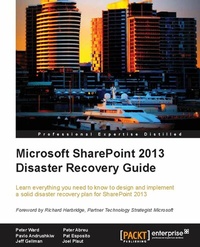
Microsoft SharePoint 2013 Disaster Recovery Guide
Learn everything you need to know to design and implement a solid disaster recovery plan for SharePoint 2013
Published on 13. January 2025
278 pages
978-1-84968-511-5 (ISBN)
Description

Learn everything you need to know to design and implement a solid disaster recovery plan for SharePoint 2013
Key Features
Design, implement, test, and execute solid disaster recovery plans for your SharePoint environment with this essential guide
Learn outofthebox backup and restore procedures
Implement a solid disaster recovery strategy for custom development environments
A quick handson guide to get familiar with procedures to secure your data
Book DescriptionWhere does it all go wrong with disaster recovery? Yes, why a disaster recovery plan fails the business and costs IT staff their jobs or a promotion? This book is an easytounderstand guide that explains how to get it right and why it often goes wrong. Given that Microsoft's SharePoint platform has become a missioncritical application where business operations just cannot run without complete uptime of this technology, disaster recovery is one of the most important topics when it comes to SharePoint. Yet, support and an appropriate approach for this technology are still difficult to come by, and are often vulnerable to technical oversight and assumptions. Microsoft SharePoint 2013 Disaster Recovery Guide looks at SharePoint disaster recovery and breaks down the mystery and confusion that surrounds what is a vital activity to any technical deployment. This book provides a holistic approach with practical recipes that will help you to take advantage of the new 2013 functionality and cloud technologies. You will also learn how to plan, test, and deploy a disaster recovery environment using SharePoint, Windows Server, and SQL tools. We will also take a look at datasets and custom development. If you want to have an approach to disaster recovery that gives you peace of mind, then this is the book for you.What you will learn
Learn why disaster recovery is a struggle to understand and implement
Learn how to support optimized application recovery times with tiered service levels
Inherit a missioncritical environment that has no disaster recoveryplans
Get familiar with backup and restore procedures that are available to an administrator as well as the pros and cons of each
Learn about Disaster recovery in regards to virtualization and the cloud
Architect data in SharePoint with disaster recovery in mind
Build confidence and refine disaster recovery plans with more frequent testing
Create a theme for use with your video player
Who this book is forThis book is great for both SharePoint and SQL administrators new to the SharePoint 2013 architecture, and who are looking to get a good grounding in how to use implement a solid disaster recoveryrecovery plan. It's assumed that you have some experience in SharePoint and Windows Server and, as well be familiar with SQL.
Key Features
Design, implement, test, and execute solid disaster recovery plans for your SharePoint environment with this essential guide
Learn outofthebox backup and restore procedures
Implement a solid disaster recovery strategy for custom development environments
A quick handson guide to get familiar with procedures to secure your data
Book DescriptionWhere does it all go wrong with disaster recovery? Yes, why a disaster recovery plan fails the business and costs IT staff their jobs or a promotion? This book is an easytounderstand guide that explains how to get it right and why it often goes wrong. Given that Microsoft's SharePoint platform has become a missioncritical application where business operations just cannot run without complete uptime of this technology, disaster recovery is one of the most important topics when it comes to SharePoint. Yet, support and an appropriate approach for this technology are still difficult to come by, and are often vulnerable to technical oversight and assumptions. Microsoft SharePoint 2013 Disaster Recovery Guide looks at SharePoint disaster recovery and breaks down the mystery and confusion that surrounds what is a vital activity to any technical deployment. This book provides a holistic approach with practical recipes that will help you to take advantage of the new 2013 functionality and cloud technologies. You will also learn how to plan, test, and deploy a disaster recovery environment using SharePoint, Windows Server, and SQL tools. We will also take a look at datasets and custom development. If you want to have an approach to disaster recovery that gives you peace of mind, then this is the book for you.What you will learn
Learn why disaster recovery is a struggle to understand and implement
Learn how to support optimized application recovery times with tiered service levels
Inherit a missioncritical environment that has no disaster recoveryplans
Get familiar with backup and restore procedures that are available to an administrator as well as the pros and cons of each
Learn about Disaster recovery in regards to virtualization and the cloud
Architect data in SharePoint with disaster recovery in mind
Build confidence and refine disaster recovery plans with more frequent testing
Create a theme for use with your video player
Who this book is forThis book is great for both SharePoint and SQL administrators new to the SharePoint 2013 architecture, and who are looking to get a good grounding in how to use implement a solid disaster recoveryrecovery plan. It's assumed that you have some experience in SharePoint and Windows Server and, as well be familiar with SQL.
More details
Edition
Digital original
Language
English
Place of publication
Birmingham
United Kingdom
Target group
Professional and scholarly
US School Grade: College Graduate Student
Edition type
Digital original
File size
3,10 MB
ISBN-13
978-1-84968-511-5 (9781849685115)
Copyright in bibliographic data and cover images is held by Nielsen Book Services Limited or by the publishers or by their respective licensors: all rights reserved.
Schweitzer Classification
Other editions
Additional editions
Peter Ward
Microsoft Sharepoint 2013 Disaster Recovery
Book
08/2013
Packt Publishing
€55.90
Shipment within 3-4 weeks
Person
Ward Peter :
Peter Ward has worked with collaboration technology for over 20 years and is the founder of Soho Dragon Solutions, a New York based SharePoint consultancy. He has worked with some of the largest and most profitable companies in the USA, but also with the small ones that he calls the "Fortune 5,000,000". This is his fourth co-authored SharePoint book, the other three being Microsoft SharePoint 2010 End User Guide: Business Performance Enhancement, Workflow in SharePoint 2010: Real World Business Workflow Solutions, and Microsoft SharePoint for Business Executives: Q&A Handbook. He has been a software guy forever, but is not much of a gadgeteer. In fact, he's probably a late adopter. He teaches yoga part-time in NYC and likes to serve up the perfect vegetarian dish.
Peter Ward has worked with collaboration technology for over 20 years and is the founder of Soho Dragon Solutions, a New York based SharePoint consultancy. He has worked with some of the largest and most profitable companies in the USA, but also with the small ones that he calls the "Fortune 5,000,000". This is his fourth co-authored SharePoint book, the other three being Microsoft SharePoint 2010 End User Guide: Business Performance Enhancement, Workflow in SharePoint 2010: Real World Business Workflow Solutions, and Microsoft SharePoint for Business Executives: Q&A Handbook. He has been a software guy forever, but is not much of a gadgeteer. In fact, he's probably a late adopter. He teaches yoga part-time in NYC and likes to serve up the perfect vegetarian dish.
Content
Table of Contents
