

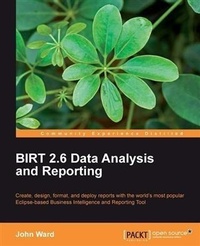
BIRT 2.6 Data Analysis and Reporting
Create, Design, Format, and Deploy Reports with the world's most popular Eclipse-based Business Intelligence and Reporting Tool
Published on 13. January 2025
360 pages
978-1-84951-167-4 (ISBN)
Description

Create, Design, Format, and Deploy Reports with the world s most popular Eclipse-based Business Intelligence and Reporting Tool
Key Features
Design, manage, format, and deploy high-quality reports
Crosstab reports using the new BIRT cube designer
Transform raw data into visual and interactive reports
Includes a case study (Building Reports for Bugzilla) at the end along with a real-world example that runs throughout the book
Book DescriptionBIRT is an Eclipse-based open source reporting system for web applications based on Java and Java EE. To address a wide range of reporting needs within a typical application, ranging from operational or enterprise reporting to multi-dimensional online analytical processing (OLAP), you need to know BIRT from head to toe. If you wish to start making reports easily and quickly, and also want to be up-to-date with the latest developments in BIRT, then this book is for you. It will guide you from scratch to develop reports using the Eclipse BIRT project. You will learn how to connect to data, use report items to display and format data, and use scripting to build advanced reports and charts.The book steers you through each step of report setup, to creating, designing, formatting, and deploying reports with data from a wide range of data sources. Its focus is on familiarizing you with the most visible and familiar product built with the BIRT framework - the BIRT Report Designer. It starts by introducing the concepts of business intelligence and open source software, and different installation methods. It will introduce you to the various visual report elements that can be used to design BIRT reports, such as the Palette and Grid components. You will learn the details of the data components of BIRT (the Data Source and the Data Set), different types of source data that BIRT supports such as XML files, flat text files, and databases, and the creation of all of the elements while connecting to Data Sources in reports and Report Projects. By the end of the book, you will be able to enhance the presentation of your report using Charts, Hyperlinks, and Drill Through. You will also be able to take advantage of the scripting capabilities that BIRT has to offer with Expressions and Event Handlers and successfully deploy BIRT reports.The book includes a case study at the end along with a real-world example that runs throughout the book.What you will learn
Install and set up a BIRT environment
Create structured reports and add visual report elements
Work with data from JDBC, XML, flat files, and web services
Filter down data to just the information you need
Create cross-tab reports using the new BIRT cube designer
Create a shared development environment using libraries
Use style sheets and themes in report designs
Use and create Templates for rapid development of similar reports
Everything you need to work with BIRT s chart engine
Learn to script in BIRT to add business logic, manipulate report elements, and handle events
Deploy BIRT reports with the BIRT Viewer and Report Engine API
Who this book is forIf you are a Java developer and want to create rich reports using BIRT, then this book is for you. You will need a basic understanding of SQL to follow along.
Key Features
Design, manage, format, and deploy high-quality reports
Crosstab reports using the new BIRT cube designer
Transform raw data into visual and interactive reports
Includes a case study (Building Reports for Bugzilla) at the end along with a real-world example that runs throughout the book
Book DescriptionBIRT is an Eclipse-based open source reporting system for web applications based on Java and Java EE. To address a wide range of reporting needs within a typical application, ranging from operational or enterprise reporting to multi-dimensional online analytical processing (OLAP), you need to know BIRT from head to toe. If you wish to start making reports easily and quickly, and also want to be up-to-date with the latest developments in BIRT, then this book is for you. It will guide you from scratch to develop reports using the Eclipse BIRT project. You will learn how to connect to data, use report items to display and format data, and use scripting to build advanced reports and charts.The book steers you through each step of report setup, to creating, designing, formatting, and deploying reports with data from a wide range of data sources. Its focus is on familiarizing you with the most visible and familiar product built with the BIRT framework - the BIRT Report Designer. It starts by introducing the concepts of business intelligence and open source software, and different installation methods. It will introduce you to the various visual report elements that can be used to design BIRT reports, such as the Palette and Grid components. You will learn the details of the data components of BIRT (the Data Source and the Data Set), different types of source data that BIRT supports such as XML files, flat text files, and databases, and the creation of all of the elements while connecting to Data Sources in reports and Report Projects. By the end of the book, you will be able to enhance the presentation of your report using Charts, Hyperlinks, and Drill Through. You will also be able to take advantage of the scripting capabilities that BIRT has to offer with Expressions and Event Handlers and successfully deploy BIRT reports.The book includes a case study at the end along with a real-world example that runs throughout the book.What you will learn
Install and set up a BIRT environment
Create structured reports and add visual report elements
Work with data from JDBC, XML, flat files, and web services
Filter down data to just the information you need
Create cross-tab reports using the new BIRT cube designer
Create a shared development environment using libraries
Use style sheets and themes in report designs
Use and create Templates for rapid development of similar reports
Everything you need to work with BIRT s chart engine
Learn to script in BIRT to add business logic, manipulate report elements, and handle events
Deploy BIRT reports with the BIRT Viewer and Report Engine API
Who this book is forIf you are a Java developer and want to create rich reports using BIRT, then this book is for you. You will need a basic understanding of SQL to follow along.
More details
Edition
Digital original
Language
English
Place of publication
Birmingham
United Kingdom
Edition type
Digital original
File size
11,06 MB
ISBN-13
978-1-84951-167-4 (9781849511674)
Copyright in bibliographic data and cover images is held by Nielsen Book Services Limited or by the publishers or by their respective licensors: all rights reserved.
Schweitzer Classification
Other editions
Additional editions
John Ward
Birt 2.5 Data Analysis and Reporting
Book
07/2010
Packt Publishing
€56.60
Shipment within 3-4 weeks
Person
Ward John :
John Ward is a consultant for Innovent Solutions, specializing in BIRT and e-commerce search and navigation solutions. Prior to that, John was an Assistant Vice President for Citibank, North America, managing the training MIS group and overseeing development of new technology-based training initiatives. John actively works with and tests BIRT-an open-source reporting platform built on Eclipse-including development work based on BIRT reports and the BIRT APIs. John also maintains The Digital Voice blog at http://digiassn.blogspot.com
John Ward is a consultant for Innovent Solutions, specializing in BIRT and e-commerce search and navigation solutions. Prior to that, John was an Assistant Vice President for Citibank, North America, managing the training MIS group and overseeing development of new technology-based training initiatives. John actively works with and tests BIRT-an open-source reporting platform built on Eclipse-including development work based on BIRT reports and the BIRT APIs. John also maintains The Digital Voice blog at http://digiassn.blogspot.com
Content
Table of Contents
