

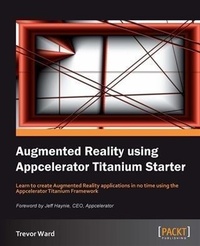
Augmented Reality using Appcelerator Titanium Starter
Learn to create Augmented Reality applications in no time using the Appcelerator Titanium Framework with this book and ebook.
1st Edition
Published on 13. January 2025
52 pages
978-1-84969-391-2 (ISBN)
Description

Learn to create Augmented Reality applications in no time using the Appcelerator Titanium Framework with this book and ebook.Key Features - Learn something new in an Instant! A short, fast, focused guide delivering immediate results.
- Create an open source Augmented Reality Titanium application
- Build an effective display of multiple points of interest
- Learn to calculate distances between points of interest
- Understand how to effectively and cleanly move the points of interest as the device rotates
Book DescriptionTitanium Mobile has quickly become the platform of choice for many mobile developers and is growing and changing at a rapid rate. From the implementation of CommonJS, Cloud Services, MVC design patterns and more, the last year in Titanium development has been a roller coaster of change for the better. Augmented Reality is a hot area for mobile applications and this book along with the augmentedTi open source application will give a great start to all augmented applications. This book will show you how to build an Augmented Reality application, which is clean, efficient and usable. It shows how to hide the processing from the user and build a display which updates and rotates smoothly.Mobile devices have got more powerful, but they still have limitations. Augmented Reality applications test these devices to breaking point and without the correct coding techniques make the applications unresponsive and cumbersome.This book gives a solution, which will enable you to build an effective application, and is accompanied by a complete working application and source code. It's essential for anybody who is creating a multiple points of interest augmented reality application. It shows how to build this type of application efficiently and takes into consideration the devices limitations and processing capabilities.What you will learn - Getting current location of devices
- Obtaining and displaying the data relevant to the current location
- Calculating the distance between two points
- Scaling images based on distance
- Titanium common JS application architecture
- Handling device processing limitations
- Understanding the pitfalls in developing Augmented Reality applications
Who this book is forThis book is for anybody who wishes to understand how to build an Augmented Reality Application. It uses the Appcelerator Titanium mobile development framework, but the techniques and practices can be applied to other frameworks and native code.You will need to have a good working knowledge of development and JavaScript, it is not aimed at the beginner.
- Create an open source Augmented Reality Titanium application
- Build an effective display of multiple points of interest
- Learn to calculate distances between points of interest
- Understand how to effectively and cleanly move the points of interest as the device rotates
Book DescriptionTitanium Mobile has quickly become the platform of choice for many mobile developers and is growing and changing at a rapid rate. From the implementation of CommonJS, Cloud Services, MVC design patterns and more, the last year in Titanium development has been a roller coaster of change for the better. Augmented Reality is a hot area for mobile applications and this book along with the augmentedTi open source application will give a great start to all augmented applications. This book will show you how to build an Augmented Reality application, which is clean, efficient and usable. It shows how to hide the processing from the user and build a display which updates and rotates smoothly.Mobile devices have got more powerful, but they still have limitations. Augmented Reality applications test these devices to breaking point and without the correct coding techniques make the applications unresponsive and cumbersome.This book gives a solution, which will enable you to build an effective application, and is accompanied by a complete working application and source code. It's essential for anybody who is creating a multiple points of interest augmented reality application. It shows how to build this type of application efficiently and takes into consideration the devices limitations and processing capabilities.What you will learn - Getting current location of devices
- Obtaining and displaying the data relevant to the current location
- Calculating the distance between two points
- Scaling images based on distance
- Titanium common JS application architecture
- Handling device processing limitations
- Understanding the pitfalls in developing Augmented Reality applications
Who this book is forThis book is for anybody who wishes to understand how to build an Augmented Reality Application. It uses the Appcelerator Titanium mobile development framework, but the techniques and practices can be applied to other frameworks and native code.You will need to have a good working knowledge of development and JavaScript, it is not aimed at the beginner.
More details
Other editions
Additional editions
Book
10/2012
Packt Publishing
€28.30
Shipment within 3-4 weeks
Person
Ward Trevor :
Trevor Ward has been developing business applications for over 20 years. Starting as a Cobol Developer, he has worked on various large scale projects that included the Y2K issues. Moving into web development in the late 90s using Perl, HTML, JavaScript, and Oracle, he was a part of the team that developed internal business applications for Jaguar cars.After moving on, he was able to update his skills for Ruby on Rails and Adobe Flex, before 18 months ago picking up on the mobile development platform. He uses Titanium exclusively for mobile development and is an Appcelerator Titan (community expert), TCAD and TCE qualified, and spends as much time as possible, answering questions on the forums.
Trevor Ward has been developing business applications for over 20 years. Starting as a Cobol Developer, he has worked on various large scale projects that included the Y2K issues. Moving into web development in the late 90s using Perl, HTML, JavaScript, and Oracle, he was a part of the team that developed internal business applications for Jaguar cars.After moving on, he was able to update his skills for Ruby on Rails and Adobe Flex, before 18 months ago picking up on the mobile development platform. He uses Titanium exclusively for mobile development and is an Appcelerator Titan (community expert), TCAD and TCE qualified, and spends as much time as possible, answering questions on the forums.
Content
- Intro
- Augmented Reality using Appcelerator Titanium Starter
- Table of Contents
- Augmented Reality using Appcelerator Titanium Starter
- Credits
- Foreword
- www.PacktPub.com
- Support files, eBooks, discount offers and more
- www.PacktLib.PacktPub.com
- Why Subscribe?
- Free Access for Packt account holders
- 1. Augmented Reality using Appcelerator Titanium Starter
- So, what is Augmented Reality?
- Installation
- Step 1 - What do I need?
- Step 2 - Downloading Titanium Studio
- Step 3 - Apple developer account
- Step 4 - Google Places API
- Step 5 - Get augmentedTi
- And that's it!
- The application architecture
- An overview
- The application
- Augmented Reality
- The basics
- Device testing
- Getting the location
- Data processing
- Distance and direction
- Distance
- Bearing
- Degree
- Radius
- Sort
- Building the interface
- Radar
- POIs
- The camera view
- Moving the display
- Updating the data
- Height
- Distance
- Data
- People and places you should get to know
- Official sites
- Articles and tutorials
- Book links
- About the author
- About the reviewers
- Index
