

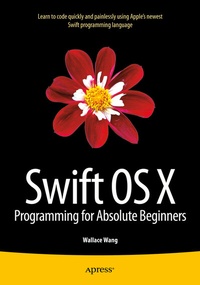
Swift OS X Programming for Absolute Beginners
Description

Swift OS X Programming for Absolute Beginners is your step-by-step guide to learning how to code using Swift, Apple's hottest new programming language. This book will not only teach complete programming novices how to write OS X programs, but it can also help experienced programmers moving to the Macintosh for the first time. You will learn to understand the principles of programming, how to use Swift and Xcode, and how to combine your knowledge into writing OS X programs.
If you've always wanted to learn coding but felt stymied by the limitation of simplistic programming languages or intimidated by professional but complicated programming languages, then you'll want to learn Swift. Swift is your gateway to both Macintosh and iOS app development while being powerful and easy to learn at the same time, and Swift OS X Programming for Absolute Beginners is the perfect place to start - add it to your library today.
More details
Other editions
Additional editions
Person
Content
Chapter 2: Getting to Know Xcode.-
Chapter 3: The Basic Steps to Creating a Mac program.-
Chapter 4: Getting Help.-
Chapter 5: Learning Swift.-
Chapter 6: Manipulating Numbers and Strings.-
Chapter 7: Making Decisions with Branches.-
Chapter 8: Repeating Code with Loops.-
Chapter 9: Arrays and Dictionaries.-
Chapter 10: Tuples, Sets, and Structures.-
Chapter 11: Creating Classes and Objects.-
Chapter 12: Inheritance, Method Overriding, Extensions, Protocols, and Delegates.-
Chapter 13: Creating a User interface.-Chapter 14: Choosing Commands with Buttons.-
Chapter 15: Making Choices with Radio Buttons and Check Boxes.-
Chapter 16: Making Choices with Pop-Up Menus.-
Chapter 17: Inputting and Outputting Text with Labels, Text Fields, and Combo Boxes.-
Chapter 18: Using Built-in Dialog Boxes.-
Chapter 19: Creating Pull-Down Menus.-
Chapter 20: Working with Views and Storyboards.-
Chapter 21: Working with Table and Collection Views.-
Chapter 22: Storing Information.-
Chapter
23: Debugging a Program.-Chapter 24: Designing Your Own Programs.-
