

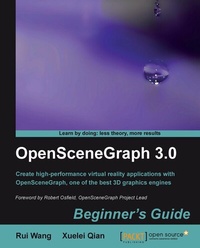
OpenSceneGraph 3.0: Beginner's Guide
This book is a concise introduction to the main features of OpenSceneGraph which then leads you into the fundamentals of developing virtual reality applications. Practical instructions and explanations accompany you every step of the way.
1st Edition
Published on 13. January 2025
412 pages
978-1-84951-283-1 (ISBN)
Description

This book is a concise introduction to the main features of OpenSceneGraph which then leads you into the fundamentals of developing virtual reality applications. Practical instructions and explanations accompany you every step of the way.Key Features - Gain a comprehensive view of the structure and main functionalities of OpenSceneGraph
- An ideal introduction for developing applications using OpenSceneGraph
- Develop applications around the concepts of scene graphs and design patterns
- Extend your own scene elements from the base interfaces of OpenSceneGraph
- Packed with examples, this book explains each knowledge point in detail and makes you practice your knowledge for better understanding
Book DescriptionVirtual reality has quite a lot of demand in computer science today and OpenSceneGraph, being one of the best 3D graphics toolkits, is being used widely. Although you can use the powerful OpenSceneGraph, based on the low-level OpenGL API, to implement virtual-reality applications that simulate different environments in the 3D world, developing picture-perfect applications is easier said than done.This book has been written with the goal of helping readers become familiar with the structure and main functionalities of OpenSceneGraph (OSG), and guide them to develop virtual-reality applications using this powerful 3D graphics engine. This book covers the essence of OpenSceneGraph (OSG), providing programmers with detailed explanations and examples of scene graph APIs.This book helps you take full advantages of the key features and functionalities of OpenSceneGraph (OSG). You will learn almost all of the core elements required in a virtual reality application, including memory management, geometry creation, the structure of the scene graph, realistic rendering effects, scene navigation, animation, interaction with input devices and external user interfaces, file reading and writing, and so on. With the essential knowledge contained in this book, you will be able to start using OSG in your own projects and research fields, and extend its functionalities by referring to OSG's source code, official examples and API documentation. This handy book divides the core functionalities of the proved and comprehensive OpenSceneGraph (OSG) 3D graphics engine into different aspects, which are introduced in separate chapters. Each chapter can be treated as an individual part that covers one important field of OSG programming, along with several examples illustrating concrete usages and solutions. But the sequence of chapters is also organized from the easy to the more difficult, to help you get to grips with OSG.By the end of the whole book, you will have gained a ready-to-use OSG development environment for yourself and have the general ability to develop OSG-based applications and extend practical functionalities for your own purposes.What you will learn - Gain an overview of scene graphs and the basic concepts in OpenSceneGraph (OSG)
- Build and configure an OSG development environment, either with the prebuilt binaries or wholly from the source code
- Understand memory management and the notification system in OSG
- Create geometry entities with vertices and drawing primitives and use these features in your applications successfully
- Make use of various types of scene graph nodes with special focus on some commonly used ones
- Implement different rendering attributes, texture mapping, OpenGL shaders, and render-to-texture technique in OSG
- Understand coordinates, cameras, manipulators, and stereo supports and make them work together
- Create various animated graphics presentations in the 3D scene
- Use mouse and keyboard devices to interact with OSG, as well as integrate other GUI toolkits with OSG rendering windows
- Read scene data and write them out with extendable file I/O plugins
- Develop advanced scene graph components including billboards, texts, height mapped terrains and shadows
- Introduce techniques necessary for building a fast real-time rendering system and help developers work with massive data in a very efficient manner
Who this book is forThis book is intended for software developers who are new to OpenSceneGraph and considering using it in their applications. It is assumed that you have basic knowledge of C++ before using this book, especially the standard template library (STL) constructs, of which OSG makes extensive use. Some familiarity with design patterns as implemented in C++ is also useful, but is not required.You need to be familiar with OpenGL, the standard cross-platform low-level 3D graphics API. We'll meet some maths in the book'Äîgeometry and linear algebra'Äîand familiarity with these topics will be great, but you don't need to be a maths whiz to use this book.
- An ideal introduction for developing applications using OpenSceneGraph
- Develop applications around the concepts of scene graphs and design patterns
- Extend your own scene elements from the base interfaces of OpenSceneGraph
- Packed with examples, this book explains each knowledge point in detail and makes you practice your knowledge for better understanding
Book DescriptionVirtual reality has quite a lot of demand in computer science today and OpenSceneGraph, being one of the best 3D graphics toolkits, is being used widely. Although you can use the powerful OpenSceneGraph, based on the low-level OpenGL API, to implement virtual-reality applications that simulate different environments in the 3D world, developing picture-perfect applications is easier said than done.This book has been written with the goal of helping readers become familiar with the structure and main functionalities of OpenSceneGraph (OSG), and guide them to develop virtual-reality applications using this powerful 3D graphics engine. This book covers the essence of OpenSceneGraph (OSG), providing programmers with detailed explanations and examples of scene graph APIs.This book helps you take full advantages of the key features and functionalities of OpenSceneGraph (OSG). You will learn almost all of the core elements required in a virtual reality application, including memory management, geometry creation, the structure of the scene graph, realistic rendering effects, scene navigation, animation, interaction with input devices and external user interfaces, file reading and writing, and so on. With the essential knowledge contained in this book, you will be able to start using OSG in your own projects and research fields, and extend its functionalities by referring to OSG's source code, official examples and API documentation. This handy book divides the core functionalities of the proved and comprehensive OpenSceneGraph (OSG) 3D graphics engine into different aspects, which are introduced in separate chapters. Each chapter can be treated as an individual part that covers one important field of OSG programming, along with several examples illustrating concrete usages and solutions. But the sequence of chapters is also organized from the easy to the more difficult, to help you get to grips with OSG.By the end of the whole book, you will have gained a ready-to-use OSG development environment for yourself and have the general ability to develop OSG-based applications and extend practical functionalities for your own purposes.What you will learn - Gain an overview of scene graphs and the basic concepts in OpenSceneGraph (OSG)
- Build and configure an OSG development environment, either with the prebuilt binaries or wholly from the source code
- Understand memory management and the notification system in OSG
- Create geometry entities with vertices and drawing primitives and use these features in your applications successfully
- Make use of various types of scene graph nodes with special focus on some commonly used ones
- Implement different rendering attributes, texture mapping, OpenGL shaders, and render-to-texture technique in OSG
- Understand coordinates, cameras, manipulators, and stereo supports and make them work together
- Create various animated graphics presentations in the 3D scene
- Use mouse and keyboard devices to interact with OSG, as well as integrate other GUI toolkits with OSG rendering windows
- Read scene data and write them out with extendable file I/O plugins
- Develop advanced scene graph components including billboards, texts, height mapped terrains and shadows
- Introduce techniques necessary for building a fast real-time rendering system and help developers work with massive data in a very efficient manner
Who this book is forThis book is intended for software developers who are new to OpenSceneGraph and considering using it in their applications. It is assumed that you have basic knowledge of C++ before using this book, especially the standard template library (STL) constructs, of which OSG makes extensive use. Some familiarity with design patterns as implemented in C++ is also useful, but is not required.You need to be familiar with OpenGL, the standard cross-platform low-level 3D graphics API. We'll meet some maths in the book'Äîgeometry and linear algebra'Äîand familiarity with these topics will be great, but you don't need to be a maths whiz to use this book.
All prices
More details
Other editions
Additional editions
Book
12/2010
Packt Publishing
€64.00
Shipment within 3-4 weeks
Content
- Intro
- OpenSceneGraph 3.0
- Table of Contents
- OpenSceneGraph 3.0
- Credits
- Foreword
- About the Authors
- Acknowledgement
- About the Reviewers
- www.PacktPub.com
- Support files, eBooks, discount offers and more
- Why Subscribe?
- Free Access for Packt account holders
- Preface
- What this book covers
- What you need for this book
- Who this book is for
- Conventions
- Time for action-heading
- What just happened?
- Pop quiz-heading
- Have a go hero-heading
- Reader feedback
- Customer support
- Errata
- Piracy
- Questions
- 1. The Journey into OpenSceneGraph
- A quick overview of rendering middleware
- Scene graphs
- The Birth and development of OSG
- Components
- Why OSG?
- Who uses OSG?
- Have a quick taste
- Time for action-say "Hello World" OSG style
- What just happened?
- Live in community
- Summary
- 2. Compilation and Installation of OpenSceneGraph
- System requirements
- Using the installer
- Time for action-installing OSG
- What just happened?
- Running utilities
- Time for action-playing with osgviewer
- What just happened?
- Pop quiz-dependencies of osgviewer
- Have a go hero-playing with osgconv
- Using the project wizard
- Time for action-creating your solution with one click
- What just happened?
- Have a go hero-constructing "Hello World" with the wizard
- Prebuilts making trouble?
- Cross-platform building
- Starting CMake
- Time for action-running CMake in GUI mode
- What just happened?
- Setting up options
- Generating packages using Visual Studio
- Time for action-building with a Visual Studio solution
- What just happened?
- Pop quiz-the difference between ALL_BUILD and 'build all'
- Generating packages using gcc
- Time for action-building with a UNIX makefile
- What just happened?
- Have a go hero-checking mis-compiled parts
- Configuring environment variables
- Summary
- 3. Creating Your First OSG Program
- Constructing your own projects
- Time for action-building applications with CMake
- What just happened?
- Pop quiz-configuring OSG path options yourselves
- Have a go hero-testing with different generators
- Using a root node
- Time for action-improving the "Hello World" example
- What just happened?
- Understanding memory management
- ref_ptr&& and Referenced classes
- Collecting garbage: why and how
- Tracing the managed entities
- Time for action-monitoring counted objects
- What just happened?
- Have a go hero-returning from a function
- Pop quiz-release a smart pointer
- Parsing command-line arguments
- Time for action-reading the model filename from the command line
- What just happened?
- Tracing with the notifier
- Redirecting the notifier
- Time for action-saving the log file
- What just happened?
- Summary
- 4. Building Geometry Models
- How OpenGL draws objects
- Geode and Drawable classes
- Rendering basic shapes
- Time for action-quickly creating simple objects
- What just happened?
- Storing array data
- Vertices and vertex attributes
- Specifying drawing types
- Time for action-drawing a colored quad
- What just happened?
- Pop quiz-results of different primitive types
- Indexing primitives
- Time for action-drawing an octahedron
- What just happened?
- Pop quiz-optimizing indexed geometries
- Have a go hero-challenges with cubes and pyramids
- Using polygonal techniques
- Time for action-tessellating a polygon
- What just happened?
- Rereading geometry attributes
- Customizing a primitive functor
- Time for action-collecting triangle faces
- What just happened?
- Have a go hero-analyzing topology of a geometry
- Implementing your own drawables
- Using OpenGL drawing calls
- Time for action-creating the famous OpenGL teapot
- What just happened?
- Summary
- 5. Managing Scene Graph
- The Group interface
- Managing parent nodes
- Time for action-adding models to the scene graph
- What just happened?
- Pop quiz-fast dynamic casting
- Traversing the scene graph
- Transformation nodes
- Understanding the matrix
- The MatrixTransform class
- Time for action-performing translations of child nodes
- What just happened?
- Pop quiz-matrix multiplications
- Have a go hero-making use of the PositionAttitudeTransform class
- Switch nodes
- Time for action-switching between the normal and damaged Cessna
- What just happened?
- Level-of-detail nodes
- Time for action-constructing a LOD Cessna
- What just happened?
- Proxy and paging nodes
- Time for action-loading a model at runtime
- What just happened?
- Have a go hero-working with the PagedLOD class
- Customizing your own NodeKits
- Time for action-animating the switch node
- What just happened?
- Have a go hero-creating a tracker node
- The visitor design pattern
- Visiting scene graph structures
- Time for action-analyzing the Cessna structure
- What just happened?
- Summary
- 6. Creating Realistic Rendering Effects
- Encapsulating the OpenGL state machine
- Attributes and modes
- Time for action-setting polygon modes of different nodes
- What just happened?
- Inheriting render states
- Time for action-lighting the glider or not
- What just happened?
- Playing with fixed-function effects
- Time for action-applying simple fog to models
- What just happened?
- Have a go hero-searching for more effects
- Lights and light sources
- Time for action-creating light sources in the scene
- What just happened?
- Pop quiz-lights without sources
- The Image class
- The basis of texture mapping
- Time for action-loading and applying 2D textures
- What just happened?
- Have a go hero-making use of filters and wrapping modes
- Handling rendering order
- Time for action-achieving the translucent effect
- What just happened?
- Understanding graphics shaders
- Using uniforms
- Time for action-implementing a cartoon cow
- What just happened?
- Pop quiz-replacements of built-in uniforms
- Have a go hero-setting vertex attributes to shaders
- Working with the geometry shader
- Time for action-generating a Bezier curve
- What just happened?
- Have a go hero-having fun with shaders
- Summary
- 7. Viewing the World
- From world to screen
- The Camera class
- Rendering order of cameras
- Time for action-creating an HUD camera
- What just happened?
- Pop quiz-changing model positions in the HUD camera
- Using a single viewer
- Digging into the simulation loop
- Time for action-customizing the simulation loop
- What just happened?
- Have a go hero-viewing in a non-full screen window
- Using a composite viewer
- Time for action-rendering more scenes at one time
- What just happened?
- Have a go hero-different views of the same scene
- Pop quiz-another way to display the same scene in different views
- Changing global display settings
- Time for action-enabling global multisampling
- What just happened?
- Stereo visualization
- Time for action-rendering anaglyph stereo scenes
- What just happened?
- Rendering to textures
- Frame buffer, pixel buffer, and FBO
- Time for action-drawing aircrafts on a loaded terrain
- What just happened?
- Have a go hero-saving scene to an image file
- Summary
- 8. Animating Scene Objects
- Taking references to functions
- List of callbacks
- Time for action-switching nodes in the update traversal
- What just happened?
- Pop quiz-adding or setting callbacks
- Avoiding conflicting modifications
- Time for action-drawing a geometry dynamically
- What just happened?
- Have a go hero-dirtying geometry objects
- Understanding ease motions
- Animating the transformation nodes
- Time for action-making use of the animation path
- What just happened?
- Have a go hero-more controls over the animation path
- Changing rendering states
- Time for action-fading in
- What just happened?
- Pop quiz-choosing the alpha setter and the callback
- Have a go hero-animating in graphics shaders
- Playing movies on textures
- Time for action-rendering a flashing spotlight
- What just happened?
- Creating complex key-frame animations
- Channels and animation managers
- Time for action-managing animation channels
- What just happened?
- Loading and rendering characters
- Time for action-creating and driving a character system
- What just happened?
- Have a go hero-analyzing the structure of your character
- Summary
- 9. Interacting with Outside Elements
- Various events
- Handling mouse and keyboard inputs
- Time for action-driving the Cessna
- What just happened?
- Pop quiz-handling events within nodes
- Have a go hero-manipulating the cameras
- Adding customized events
- Time for action-creating a user timer
- What just happened?
- Pop quiz-global and node-related events
- Picking objects
- Intersection
- Time for action-clicking and selecting geometries
- What just happened?
- Have a go hero-selecting geometries in a rectangular region
- Windows, graphics contexts, and cameras
- The Traits class
- Time for action-configuring the traits of a rendering window
- What just happened?
- Integrating OSG into a window
- Time for action-attaching OSG with a window handle in Win32
- What just happened?
- Have a go hero-embedding into GUI systems
- Summary
- 10. Saving and Loading Files
- Understanding file I/O plugins
- Discovery of specified extension
- Supported file formats
- The pseudo-loader
- Time for action-reading files from the Internet
- What just happened?
- Pop quiz-getting rid of pseudo-loaders
- Configuring third-party dependencies
- Time for action-adding libcurl support for OSG
- What just happened?
- Have a go hero-adding FreeType support for OSG
- Writing your own plugins
- Handling the data stream
- Time for action-designing and parsing a new file format
- What just happened?
- Have a go hero-finishing the writing interface of the plugin
- Serializing OSG native scenes
- Creating serializers
- Time for action-creating serializers for user-defined classes
- What just happened?
- Pop quiz-understanding the inheritance relations
- Have a go hero-adding more serializers
- Summary
- 11. Developing Visual Components
- Creating billboards in a scene
- Time for action-creating banners facing you
- What just happened?
- Have a go hero-planting massive trees on the ground
- Creating texts
- Time for action-writing descriptions for the Cessna
- What just happened?
- Pop quiz-text positions and the projection matrix
- Have a go hero-using wide characters to support more languages
- Creating 3D texts
- Time for action-creating texts in the world space
- What just happened?
- Creating particle animations
- Time for action-building a fountain in the scene
- What just happened?
- Have a go hero-designing a rotary sprinkler
- Creating shadows on the ground
- Time for action-receiving and casting shadows
- What just happened?
- Have a go hero-testing other shadow techniques
- Implementing special effects
- Time for action-drawing the outline of models
- What just happened?
- Playing with more NodeKits
- Summary
- 12. Improving Rendering Efficiency
- OpenThreads basics
- Time for action-using a separate data receiver thread
- What just happened?
- Pop quiz-carefully blocking threads
- Understanding multithreaded rendering
- Time for action-switching between different threading models
- What just happened?
- Dynamic scene culling
- Occluders and occludees
- Time for action-adding occluders to a complex scene
- What just happened?
- Have a go hero-adding holes to the occluder
- Improving your application
- Time for action-sharing textures with a customized callback
- What just happened?
- Have a go hero-sharing public models
- Paging huge scene data
- Making use of the quad-tree
- Time for action-building a quad-tree for massive rendering
- What just happened?
- Pop quiz-number of created levels and files
- Have a go hero-testing a new terrain creation tool
- Summary
- A. Pop quiz-Answers
- Chapter 2
- Dependencies of osgviewer
- The difference between ALL_BUILD and 'build all'
- Chapter 3
- Configuring OSG path options yourselves
- Release a smart pointer
- Chapter 4
- Results of different primitive types
- Optimizing indexed geometries
- Chapter 5
- Fast dynamic casting
- Matrix multiplications
- Chapter 6
- Lights without sources
- Replacements of built-in uniforms
- Chapter 7
- Changing model positions in the HUD camera
- Another way to display the same scene in different views
- Chapter 8
- Adding or setting callbacks
- Choosing the alpha setter and the callback
- Chapter 9
- Handling events within nodes
- Global and node-related events
- Chapter 10
- Getting rid of pseudo-loaders
- Understanding the inheritance relations
- Chapter 11
- Text positions and the projection matrix
- Chapter 12
- Carefully blocking threads
- Number of created levels and files
- Index

