

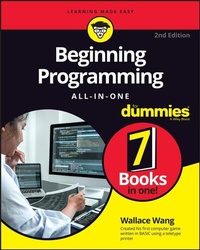
Beginning Programming All-in-One For Dummies
Description

Beginning Programming All-in-One For Dummies offers one guide packed with 7 books to teach you programming across multiple languages. Coding can seem complex and convoluted, but Dummies makes it simple and easy to understand. You'll learn all about the principles of programming, algorithms, data structures, debugging programs, unique applications of programming and more while learning about some of the most popular programming languages used today. Move confidently forward in your computer science coursework or straight into the workforce. You'll come away with a rock-solid foundation in the programming basics, using data, coding for the web, and building killer apps.
* Learn the basics of coding, including writing and compiling code, using algorithms, and data structures
* Get comfortable with the syntax of several different programming languages
* Wrap your mind around interesting programming opportunities such as conducting biological experiments within a computer or programming a video game engine
* Develop cross-platform applications for desktop and mobile devices
This essential guide takes the complexity and convolution out of programming for beginners and arms you with the knowledge you need to follow where the code takes you.
More details
Other editions
Additional editions
Person
Content
Chapter 1
Getting Started Programming a Computer
IN THIS CHAPTER
Understanding how computer programming works
Diving into the history of computer programming
Discovering programming
Believe it or not, if you can write a recipe on an index card, you can program a computer! At the simplest level, computer programming is nothing more than writing instructions for a computer to follow, step-by-step. The most important part of programming isn't knowing how to write a program or how to use a particular programming language, but knowing what to create in the first place.
Some of the most popular and useful computer programs were created by people who didn't have any formal training in math or computer science. Dan Bricklin invented the spreadsheet while studying for his MBA at Harvard. Scott Cook, who worked in marketing and product development at Procter & Gamble, created the popular money-management program Quicken after hearing his wife complain about the tedium of paying bills. Nineteen-year-old Shawn Fanning created Napster, the first peer-to-peer file-sharing network, after hearing a friend complain about the difficulty of finding his favorite songs on the Internet. Game developer Dona Bailey wanted to create a video game that would appeal to both men and women; as the only woman working at Atari's coin-op division, she created the video game Centipede, which became Atari's second best-selling coin-op game.
The point is that anyone can figure out how to program a computer. What's more important than knowing how to program a computer is knowing what to do with your programming skills. As Albert Einstein said, "Imagination is more important than knowledge." After you have an idea for a program, you can use programming to turn your idea into reality.
How Computer Programming Works
Computer programming is nothing more than problem solving. Every program is designed to solve a specific problem. The more universal the problem (calculating formulas in a spreadsheet, managing your money, searching for music files over the Internet, or keeping people amused playing a game creating virtual buildings), the more useful and popular the program will be.
Identifying the problem
Before you even touch a computer, identify the specific problem you want the computer to solve. For example, spreadsheets eliminate the tedium of writing and calculating formulas manually. Word processors make editing and formatting text fast and easy. Even video games solve the problem of challenging people with puzzles, obstacles, and battles.
Although the most popular programs solve universal problems, literally thousands of programs are designed to solve specific problems in niche markets, such as hotel reservation software, construction billing and invoice management programs, and dental office management programs. If you can identify a problem that a computer can solve or simplify, you have an idea for a computer program.
You must know exactly what you want your program to do before you start designing and writing it. One of the most common reasons programs fail is because the program doesn't solve the right problem that people really need.
THE FBI'S $170 MILLION FLOP
The Federal Bureau of Investigation (FBI) had a problem. It had so much information, stored on paper, scattered among so many agents around the country that finding and using this information was nearly impossible. One agent might have vital information that could help a second agent crack a case, but unless those two agents knew what each other had, that information might as well never have existed in the first place.
So, the FBI had a bright idea: Create a computer program that would allow agents to store and share information through the computer. Several years and $170 million later, the FBI had its program, dubbed Virtual Case File, which consisted of more than 700,000 lines of error-prone commands that never even worked. Rather than try to salvage the project, the FBI decided it was easier just to cancel the whole thing and basically flush 170 million taxpayer dollars down the drain.
What went wrong? Although many factors contributed to the project's failure, one reason stands out in particular: According to an audit of the program conducted by the U.S. Department of Justice, a prime cause for failure was "poorly defined and slowly evolving design requirements." In other words, the FBI never knew exactly what it wanted the program to do.
How can you aim at a target if you don't know what it is? You can't. Or you can try, just as long as you spend $170 million to discover that if you don't know what you want, you're probably never going to get it.
Defining the steps
After you know what you want your program to do, you need to define all the steps that tell the computer how to solve that particular problem. The exact steps that define how the program should work is called an algorithm. An algorithm simply defines one of many possible ways to solve a problem.
There's no single "best" algorithm for writing a program. The same program can be written in a million different ways, so the "best" way to write a program is any way that creates a useful, working, and reliable program as quickly as possible. Anything else is irrelevant.
Knowing what you want the computer to do is the first step. The second step is telling the computer how to do it, which is what makes programming so difficult. The more you want the computer to do, the more instructions you need to give the computer.
Think of a computer program as a recipe. It's easy to write a recipe for making spaghetti. Just boil water, throw in the noodles until they're soft, drain, and serve. Now consider a recipe for making butternut squash and potato pie with tomato, mint, and sheep's milk cheese from Crete. Not as simple as boiling water to make spaghetti, is it?
The same principle holds true for computer programming. The simpler the task, the simpler the program. The harder the task, the bigger and more complicated the program. If you just want a program that displays today's date on the screen, you won't need to write many instructions. If you want to write a program that simulates flying a space shuttle in orbit around the Earth, you'll need to write a lot more instructions.
The more instructions you need to write, the longer it takes and the more likely you'll make a mistake somewhere along the way.
Ultimately, programming boils down to two tasks:
- Identifying exactly what you want the computer to do
- Writing step-by-step instructions that tell the computer how to do what you want
The History of Computer Programming
Although computer programming may seem like a recent invention, the idea behind writing instructions for a machine to follow has been around for over a century. One of the earliest designs for a programmable machine (in other words, a computer) came from a man named Charles Babbage way back in 1834.
That was the year Charles Babbage proposed building a mechanical, steam-driven machine dubbed the Analytical Engine. Unlike the simple calculating machines of that time that could perform only a single function, Charles Babbage's Analytical Engine could perform a variety of tasks, depending on the instructions fed into the machine through a series of punched cards. By changing the number and type of instructions (punch cards) fed into the machine, anyone could reprogram the Analytical Engine to make it solve different problems.
The idea of a programmable machine caught the attention of Ada Lovelace, a mathematician and daughter of the poet Lord Byron. Sensing the potential of a programmable machine, Ada wrote a program to make the Analytical Engine calculate and print a sequence of numbers known as the Bernoulli numbers.
Because of her work with the Analytical Engine, Ada Lovelace is considered to be the world's first computer programmer. In her honor, the Department of Defense named the Ada programming language after Ada Lovelace. Nvidia named a family of graphics cards after Ada Lovelace as well.
Although Charles Babbage never finished building his Analytical Engine, his steam-driven mechanical machine bears a striking similarity to today's computers. To make the Analytical Engine solve a different problem, you just had to feed it different instructions. To make a modern computer solve a different problem, you just have to run a different program.
Over a century later, the first true computer appeared in 1943 when the U.S. Army funded a computer to calculate artillery trajectories. This computer, dubbed ENIAC (short for Electronic Numerical Integrator and Computer), consisted of vacuum tubes, switches, and cables. To give ENIAC instructions, you had to physically flip its different switches and rearrange its cables.
The first ENIAC programmers were all women.
Physically rearranging cables and switches to reprogram a computer worked, but it was tedious and clumsy. Instead of having to physically rearrange the computer's wiring, computer scientists decided it would be easier if they could leave the computer physically the same but just rearrange the type of instructions given to it. By giving the computer different instructions, they could make the computer behave in different ways.
In the...
