

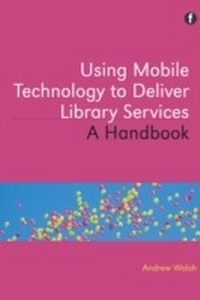
Using Mobile Technology to Deliver Library Services
Description

This is an essential practical guide for all information professionals who want to get to grips with or improve their use of mobile services.
Packed with easy to implement ideas, practical examples and international case studies, this provides you with the ultimate toolkit, exploring ideas as simple as renewals and reminders to the more complex such as access to e-books and virtual worlds. Jargon-free coverage of the background and context to mobile delivery will enable you to fully understand the challenges and embrace the opportunities, getting to grips with critical issues such as what sort of services users really want.
Key topics covered include:
- context including market penetration, range and functionality of devices
- texting
- apps vs. mobile websites
- mobile information literacy vs. other information literacies
- mobiles in teaching
- linking the physical and virtual worlds via mobile devices
- E-books for mobiles
- the future of mobile delivery.
Readership: This is an essential practical guide for all information professionals who want to get to grips with or improve their use of mobile services. It would also be invaluable for museum staff facing the same challenges. Library and information students and academics will find it a useful introduction to the topic.
All prices
More details
Other editions
Additional editions
Person
Andrew Walsh is an Academic Librarian at Huddersfield University who has written, researched and presented widely on the application of mobile technologies within the library environment, information literacy, the use of active learning and using web 2.0 technologies. He won the UC&R Innovation Award in 2009.
Content
Introduction and context
- Introduction
- Context
- Outline of this book
- References
- Further reading
1. What mobile services do students want?
- Introduction
- Context
- Details of the study
- Attitudes towards text messaging
- General feelings about mobile services and the Library
- Potential services
- Conclusion
- Acknowledgement
- Notes
- References
- Further reading
2. Modelling mobile information literacy
- Introduction
- Areas of variation between fixed information literacy and mobile information literacy, from the literature
- So what does this mean?
- Summary
- References
- Further reading
3. The mobile librarian
- Introduction
- Mobile support and reference
- Mobile productivity for librarians
- Keeping up to date and research tools
- Summary
- Notes
- Further reading
4. Texting in libraries
- Introduction
- Sending messages without a phone
- Messages from your library management system
- Text a librarian and more
- Teaching using SMS
- Other services
- Summary
- Notes
- Further reading
5. Apps vs mobile websites
- Introduction
- Meeting the needs of your users
- Apps
- Mobile websites
- Summary
- Further reading
6. Linking physical and virtual worlds via mobile devices
- Introduction
- QR codes
- Radio Frequency Identification and Near Field Communications
- Augmented Reality
- Linking physical and virtual worlds - summary
- Notes
- Reference
- Further reading
7. Mobiles in teaching
- Introduction
- Should we use students' own devices, or provide class devices?
- Using text messages to teach
- Recording activities (video, audio and pictures)
- Shared activities
- Library trails
- A window to another world
- Summar
- Notes
- Further reading
8. E-books for mobiles
- Introduction
- Formats
- Licensing
- Ways of providing e-books for mobile devices
- Summary
- Notes
- References
- Further reading
So what now?
- Consider what your users want ... and what your staff can deliver
- Start steadily ... but don't pilot
- Nothing is final ... review and assess as you go
- Keep an eye to the future ... but there is no need to break new ground
- Summary
