

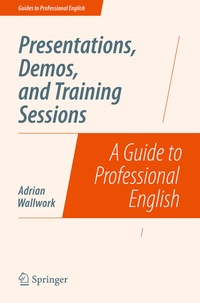
Presentations, Demos, and Training Sessions
Description

This is the first book ever for non-native speakers on how to conduct technical demos and training sessions. You will also learn how to present your company, and explain your products and services. The book is designed to help both those who have never done presentations before, as well as those whose English is already good but who want to improve their presentation skills.
The focus is on language, rather than on the creation of slides from a technical/artistic point of view. This book will help you to:
- prepare and practice a well organized, interesting and memorable presentation
- give effective demos and training sessions either on site or via audio/video conference
- highlight the essential points you want the audience to remember
- avoid problems in English by using short easy-to-say sentences
- involve your audience, check their understanding, and deal with their questions
- improve your pronunciation
- overcome problems with nerves and embarrassment
- motivate your audience to listen and act on what you have said
There is an introduction for trainers on how to teach presentations and demos within a Business English course.
More details
Other editions
Additional editions
Person
Content
The Importance and Characteristics of a Good Presentation.- Learning from Other People's Presentations.- Your Audience and Preparing Them for Your Presentation.- Preparing a Script.- Preparing Your Slides.- How to Reduce the Amount of Text and Number of Characters.- Using Bullets.- Using and Commenting on Diagrams and Processes.- Pronunciation and Intonation.- Usage of Tenses and Verb Forms.- Conducting a Presentation, Demo, or Training Course with a Face-to-Face Audience or Via Video Conference.- Conducting a Demo/Training Via an Audio Conference Call.- Generating Questions During a Demo/Training Session.- Making Your Demo/Training Interactive: Setting Tasks.- Answering Questions.- Practising Your Presentation.- Improving Your Skills as a Presenter and Trainer.- Useful Phrases: All Types of Presentations.- Useful Phrases: Informal and Technical Demo.- Useful Phrases: Formal Business Presentations.
