

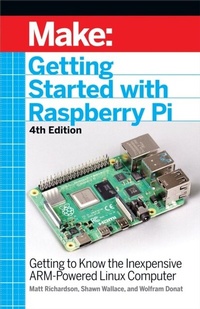
Getting Started With Raspberry Pi
Getting to Know the Inexpensive ARM-Powered Linux Computer
1st Edition
Published on 29. October 2021
242 pages
978-1-68045-695-0 (ISBN)
Description

The Raspberry Pi is a credit card-sized computer that plugs into your TV and a keyboard. It is a capable little computer which can be used in electronics projects, and for many of the things that your desktop PC does, like spreadsheets, word processing, browsing the internet, and playing games. It also plays high-definition video. This book takes you step-by-step through many fun and educational possibilities. Take advantage of several preloaded programming languages. Use the Raspberry Pi with Arduino. Create Internet-connected projects. Play with multimedia. With Raspberry Pi, you can do all of this and more.
More details
Other editions
Additional editions
Shawn Wallace | Matt Richardson | Wolfram Donat
Getting Started with Raspberry Pi, 4e
Getting to Know the Inexpensive ARM-Powered Linux Computer
Book
11/2021
4th Edition
Make Community, LLC
€24.00
Shipment within 3-4 weeks
