
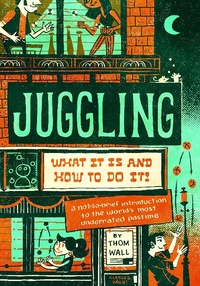
Juggling: What It Is and How to Do It
Description
Alles über E-Books | Antworten auf Fragen rund um E-Books, Kopierschutz und Dateiformate finden Sie in unserem Info- & Hilfebereich.
Juggling: What It Is and How to Do It is the result of six years of work by former Cirque du Soleil juggler Thom Wall. This book teaches learners of all ages how to juggle - one of the world's oldest artforms. With a kind demeanor, humor, and enthusiasm, Wall explains the process of juggling through four different modalities, bolstered by the latest physical education research.The practice of juggling has been proven time and time again to benefit the body and mind: it reduces stress, increases the brain plasticity and density, and is an age-old form of active meditation. Juggling: What It Is and How to Do It is a timely and accessible primer that even a middle-schooler can hit the ground running with, or one that families can enjoy together. But make no mistake, this book isn't child's play. With guest chapters by some of today's modern juggling masters, Juggling provides a wealth of content to span years of study for even the most serious adult learner.
Finalist - Eric Hoffer Book Award - Da Vinci Eye
Finalist - NextGen Indie Book Awards - Best Gift Book

More details
System requirements
File format: ePUB
Copy protection: Adobe-DRM (Digital Rights Management)
System requirements:
- Computer (Windows; MacOS X; Linux): Install the free reader Adobe Digital Editions prior to download (see eBook Help).
- Tablet/smartphone (Android; iOS): Install the free app Adobe Digital Editions or the app PocketBook before downloading (see eBook Help).
- E-reader: Bookeen, Kobo, Pocketbook, Sony, Tolino and many more (not Kindle).
The file format ePub works well for novels and non-fiction books – i.e., „flowing” text without complex layout. On an e-reader or smartphone, line and page breaks automatically adjust to fit the small displays.
This eBook uses Adobe-DRM, a „hard” copy protection. If the necessary requirements are not met, unfortunately you will not be able to open the eBook. You will therefore need to prepare your reading hardware before downloading.
Please note: We strongly recommend that you authorise using your personal Adobe ID after installation of any reading software.
For more information, see our ebook Help page.