

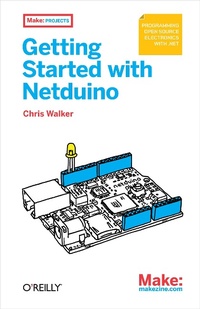
Getting Started with Netduino
Open Source Electronics Projects with .NET
1st Edition
Published on 16. February 2012
102 pages
978-1-4493-3118-4 (ISBN)
Description

Start building electronics projects with Netduino, the popular open source hardware platform thats captured the imagination of makers and hobbyists worldwide. This easy-to-follow book provides the step-by-step guidance you need to experiment with Netduino and the .NET Micro Framework.Through a set of simple projects, youll learn how to create electronic gadgetsincluding networked devices that communicate over TCP/IP. Along the way, hobbyists will pick up the basics of .NET programming, and programmers will discover how to work with electronics and microcontrollers. Follow the projects in sequence and learn techniques for building your own Netduino-based devices.Get an overview of the Netduino microcontroller familyInstall the free Visual Studio Express, .NET Micro Framework, and Netduino SDKWrite code that lets you turn Netduinos LED on and offLearn how to increase Netduinos capabilities with various expansion shieldsMeasure digital and analog inputs with MakerShieldMake a light appear dimmer or brighter with Pulse Width ModulationUse electrical pulses to play a song and control the position of a servo motorCreate an app to control your Netduino over the Web
More details
Other editions
Additional editions
Book
03/2012
1st Edition
Make Community, LLC
€19.50
Shipment within 10-20 days
Person
Chris Walker is the inventor of the Netduino, host of the Netduino user community, and an expert on .NET Micro Framework.
Content
- Intro
- Contents
- Preface
- What You Need to Know
- How to Use This Book
- Conventions Used in This Book
- Using Code Examples
- Safari® Books Online
- How to Contact Us
- This Book Was Made Possible By
- Chapter 1. Introducing Netduino
- Meet the Netduino Family
- What You Need
- Chapter 2. Setting up the Free Tools
- Step 1: Install Visual Studio Express
- Step 2: Install the .NET Micro Framework SDK
- Step 3: Install the Netduino SDK
- Conclusion
- Chapter 3. First Projects
- Start Visual Studio
- Blinking the Onboard LED
- Running the Blinky App
- Pushing the Onboard Button
- Conclusion
- Chapter 4. Expansion Shields and Electronic Components
- A Gallery of Shields
- Motors
- GPS
- Wireless Networks
- Graphical Display
- Breadboards and Components
- Conclusion
- Chapter 5. Digital and Analog IO with the MakerShield
- Pushing the MakerShield's Button
- Analog Inputs
- Measuring Voltage
- Other Analog Sensors
- Conclusion
- Chapter 6. Breadboards and LEDs
- Changing Intensity
- Setting Up the Breadboard
- Hooking Up the Components
- Writing the Dimmer Code
- Mixing Colors
- Conclusion
- Chapter 7. Sound and Motion
- Making Music
- Motors and Servos
- Servo Control
- Conclusion
- Chapter 8. Connecting to the Internet
- Coding the Server
- Conclusion
- Appendix A. Upgrading Firmware
- Minor Updates
- Major Upgrades
- Appendix B. Developing Netduino Apps with Mono
- Prepare the Netduino
- Set Up Your Developer Tools
- Install Mono
- Install Mono 2.10
- Compile Mono 2.12 with Mono 2.10
- Install Wine
- Download Supporting Binaries
- Compile an App
