

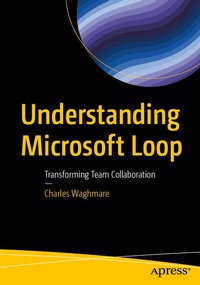
Understanding Microsoft Loop
Description

Unlock the future of collaboration with this book on Microsoft Loop, Microsoft's dynamic co-creation platform. This book takes you on a journey from setting up your first workspace to leveraging Loop's powerful real-time collaboration tools and integrations with Microsoft 365 apps like Teams and Outlook.
Each chapter offers hands-on insights into managing Loop components, customizing advanced features, and integrating seamlessly into your daily workflows. Whether you're exploring Kanban boards and page linking or establishing best practices for project collaboration, this book equips you with the skills and strategies to maximize productivity and work smarter.
After reading this book, you will be able to create, share, and manage Loop components effectively.
What You Will Learn:
- Loop integration with other Microsoft 365 tools like Teams, Outlook, and OneNote
- Benefits of using Loop for team collaboration and productivity
- Understanding advanced strategies for maximizing productivity and collaboration using Loop
- Tips and tricks to get the most out of Microsoft Loop
- Best practices for adopting Microsoft Loop
Who This Book Is For:
Project managers and IT professionals for implementing and managing Microsoft 365 tools within their organization.
More details
Other editions
Additional editions
Person
Charles Waghmare works for a global energy leader since 2019 as a Business Analyst in the Microsoft 365 space. Before that, he worked at Capgemini for eight years in various roles, including Yammer Community Manager and manager of the Drupal-based Enterprise Knowledge Management system. He also developed a knowledge management platform for the Digital Customer Experience (DCX) organization using SharePoint Online to manage Client references and knowledge assets related to Artificial Intelligence and customer experience (CX), using Microsoft Azure Chatbots to automate processes, develop proactive conversations with users, and create new use cases.
Charles also worked for ATOS (erstwhile SIEMENS Information Systems limited) for five years. During his tenure there, he was Community Manager of SAP-based communities, where he utilized Technoweb 2.0 - a Yammer-like platform and on-premises SharePoint. Also, Charles was global rollout manager for a structured document-management system built in on-premises SharePoint.
Content
Chapter 1: Introduction to Microsoft Loop: Understanding the Platform.- Chapter 2: Getting Started with Microsoft Loop.- Chapter 3: Co-creation and managing Loop components.- Chapter 4: Real-time collaboration using Loop.- Chapter 5: Integrating Loop with Microsoft 365 Apps.- Chapter 6: Exploring advanced Features and Customizations.- Chapter 7: Best Practices for Team Collaboration.
