

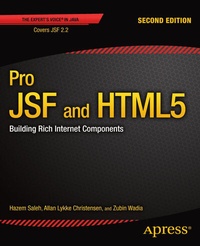
Pro JSF and HTML5
Building Rich Internet Components
2nd Edition
Published on 20. January 2014
XIV, 412 pages
978-1-4302-5011-1 (ISBN)
Description

Pro JSF and HTML5 shows you how to leverage the full potential of JavaServer Faces (JSF) and HTML5. This book is for Java developers who aspire to build sophisticated, enterprise-grade web experiences with HTML5-enabled JSF. Written by JSF experts and verified by established community figures, this book will serve as your primary resource, helping you build or integrate well-designed HTML5-enabled JSF components into your rich internet applications.Pro JSF and HTML5 starts by giving you a firm grounding in the design principles of component-based frameworks and the basics of JSF. It then details recent advancements in JSF 2.2 that make it friendlier, faster, and more productive than ever before. And it covers HTML5-enabled components, integration with JEE7 standards, 3rd party component libraries, security, and performance. The book concludes with a real-world application that puts everything you learned into practice.In this book you'll learnFoundational JSF topics such as the component life cycle, framework architecture, managed beans and CDI, expression language, conversion and validation, JSF events and view parameters.Leveraging new features in JSF 2.2 such as Faces Flow, Resource Library Contracts, and Ajax file uploading.Developing Advanced HTML5 enabled components in JSF 2.2.Creating JSF 2.2 applications that utilize Java EE 7 technologies (CDI, JPA 2.1 and EJB 3.2) for bean management, transaction management and persistence.Building advanced real-world JSF applications with considerations for security, performance, and usability.If you're a Java developer interested in the world of component-based frameworks, Pro JSF and HTML5 is for you.
More details
Other editions
Additional editions
Book
11/2013
2nd Edition
APress
€58.84
Shipment within 15-20 days
Persons
Zubin Wadia has seven years of experience in Java EE and .NET technologies. His experiences with enterprise content management, workflow, imaging, compression, and security allow him to appreciate a powerful framework that offers a high-degree of flexibility and efficiency. In 2005, Zubin designed and deployed an award-winning solution for a criminal justice agency in the government space, leveraging next-generation technologies such as Ajax, Hibernate, Spring, BPEL, and, of course, MyFaces. His focus is on architecting an enterprise-wide contract management platform for the New York City Department of Health and Mental Hygiene. Zubin is chief technology officer at ImageWork Technologies, a leading government systems integrator on the East Coast.
Content
- Intro
- Contents at a Glance
- Contents
- About the Authors
- About the Technical Reviewer
- Introduction
- Chapter 1: JSF Introduction
- What Is JSF?
- JSF Evolution: 1.0-2.2
- JSF Architecture
- Developing Your First JSF Application
- Required Software
- Developing the firstApplication
- Configuration Files
- Facelets Pages
- Managed Beans
- Dependencies
- Building and deploying the firstApplication
- Deploying the Application on Tomcat 7
- Deploying the Application on GlassFish 3.1.2
- JSF Life Cycle
- Restore View
- Apply Request Values
- Process Validations
- Update Model Values
- Invoke Application
- Render Response
- The Immediate Attribute
- Summary
- Chapter 2: JSF Under the Hood-Part 1
- Managed Beans
- Declaring Managed Beans
- Initializing Managed Beans
- Managing Managed Beans Dependency
- Accessing Managed Beans from Java Code
- @Named and @inject Annotations
- Expression Language
- Unified Expression Language
- Value Expression
- Method Expression
- The Flash Scope
- Navigation
- Implicit Navigation
- Rule-Based Navigation
- Advanced Navigation
- Exception Handling
- Summary
- Chapter 3: JSF Under the Hood-Part 2
- Conversion and Validation in the JSF LifeCycle
- Conversion
- Converter Interface
- Standard JSF Converters
- Building Custom JSF Converter
- Validation
- Validator Interface
- Standard JSF Validators
- Building Custom JSF Validator
- JSR 303 Bean Validation with JSF
- Overriding Standard Messages
- Summary
- Chapter 4: JSF Under the Hood-Part 3
- JSF Events
- Faces Events
- Action Events
- Value Change Events
- Phase Events
- System Events
- View Parameters
- Summary
- Chapter 5: JSF 2.2: What's New?
- Big Ticket Features
- HTML5-Friendly Markup
- Passing Through Attributes
- Method 1: Adding custom attributes one at a time using &f:passThroughAttribute /&
- Method 2: Adding custom attributes contained in a map using &f:passThroughAttributes /&
- Method 3: Adding custom attributes to UIComponents directly using prefixed attributes
- Passing Through Elements
- Resource Library Contracts
- Method 1: Mapping contracts on views through URL patterns
- Method 2: Specifying the contracts on each view
- Faces Flows
- Flow definitions
- Starting and ending flows
- Stepping through the flow and storing data
- Packaging
- Stateless Views
- Other Significant Changes
- UIData supports the Collection Interface rather than List
- WAI-ARIA support
- &f:viewAction /&
- File Upload
- Ajax request delay
- New XML namespaces
- Backwards Compatibility
- Summary
- Chapter 6: Going Deep: JSF Custom Components
- Understanding the JSF Component Architecture
- The RandomText Custom Component
- Step 1-Create the Component Model and Logic
- Step 2-Creating the Custom Component
- Step 3-Create a Custom Renderer Class
- Step 4-Create a Tag Library Descriptor
- Example of using the RandomText component
- Packaging Components
- Summary
- Chapter 7: Basic JSF2 HTML5 Components
- Input Color Custom Component
- Creating the Composite Component
- Using the Composite Component
- Supporting Lists
- Ajax-enabling the Component
- Fallback for Unsupported Browsers
- Input Date Picker Custom Component
- Creating the Composite Component
- Creating a Backing Bean for the Composite Component
- Using the Composite Component
- Fallback for Unsupported Browsers
- Slider Custom Component
- Creating the Composite Component
- Using the Composite Component
- Spinner Custom Component
- Creating the Composite Component
- Using the Composite Component
- Summary
- Chapter 8: Advanced JSF2 HTML5 Components
- Media Component
- Media Elements Introduced in HTML5
- Creating the JSF Media Component
- Method one: &f:passThroughAttribute/&
- Method two: Implementing a composite component root
- Supporting Sources and Tracks
- Example of using the video component
- Progress Bar Component
- Summary
- Chapter 9: JSF Component Libraries
- PrimeFaces
- Component Overview
- Integrating and Customizing PrimeFaces
- RichFaces
- Component Overview
- Integrating and Customizing RichFaces
- Summary
- Chapter 10: Creating a Basic JSF 2.2 Application
- Structuring Weather Application
- Constructing JSF Pages
- Leveraging Faces Flow
- Composing Managed Beans (JPA Entity Beans)
- Application Back End (EJB 3.2 + JPA 2.1)
- Summary
- Chapter 11: JSF2 Advanced Topics
- Design Considerations for JSF Applications
- Minimizing Use of Session-Scope
- Container-Managed Security
- State Saving
- Contexts and Dependency Injection (CDI)
- Ajaxifying JSF Applications
- Using the &f:ajax& tag
- Using the JavaScript API
- Monitoring Ajax Events
- Testing JSF Applications
- What Is Arquillian?
- Setting Up Arquillian and Drone
- Writing Tests Using Arquillian and Drone
- Summary
- Chapter 12: JSF2 Security and Performance
- JSF Application Security
- Authentication
- HTTP Basic Authentication
- Form-Based Authentication
- Digest Authentication
- Configuring an Authentication Method
- Authorization
- Data Protection
- Applying Managed Security in the Weather Application
- JSF Application Performance
- Refresh Period
- Skip Comments
- Project Stage
- State Saving Method
- Response Buffer
- Number of Views in a Session
- Apache MyFaces Specific Tuning
- Stateless JSF
- Best Practices
- Summary
- Chapter 13: Applying It All: The Mega App
- Mega App Specification
- Mega App Wireframes
- Mega App Architecture
- Constructing Data Model
- Constructing Service Layer (EJBs)
- Composing Page Templates
- Composing JSF Pages and Backing Beans
- Applying Security
- Error Handling
- Composing JSF Components
- Packaging and Deploying the Mega App
- Summary
- Index
