

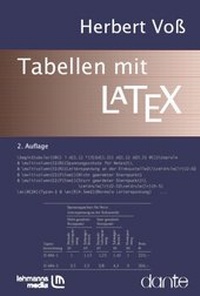
Tabellen mit LaTex
2nd Edition
Published in January 2010
240 pages
978-3-86541-780-0 (ISBN)
Description

Mit LaTeX lassen sich Tabellen jeder noch so komplizierten Anordnung erstellen. Dieses Buch soll das Suchen nach Paketen für die Erstellung von Tabellen erleichtern. Dabei wird detailiert gezeigt, welche Möglichkeiten sich dadurch ergeben.
Um bei der Vielzahl der vorhandenen Pakete den Überblick zu haben, welches Paket mit welchen Befehlen für die eigenen Bedürfnisse sinnvoll erscheint, ist diese Zusammenstellung sehr hilfreich.
More details
Other editions
Additional editions
Herbert Voß
Tabellen mit LaTex
Book
01/2010
2nd Edition
Lehmanns Media
€14.95
Article exhausted; check for reprint
Person
Content
1 - Titel [Seite Titel]
- 2 [Seite 2]
2 - Inhaltsverzeichnis [Seite 4]
3 - Vorwort [Seite 6]
4 - 1. Einführung [Seite 8]
4.1 - 1.1 Die tabular-Umgebung [Seite 8]
4.1.1 - 1.1.1 Linien [Seite 11]
4.1.2 - 1.1.2 Spaltenübergreifende Zellen [Seite 13]
4.1.3 - 1.1.3 Verschachtelte Tabellen [Seite 14]
4.1.4 - 1.1.4 Fußnoten [Seite 16]
4.2 - 1.2 Die tabbing-Umgebung [Seite 17]
4.3 - 1.3 Zusammenfassung [Seite 21]
5 - 2. Pakete [Seite 22]
5.1 - 2.1 array [Seite 24]
5.1.1 - 2.1.1 \newcolumntype [Seite 27]
5.2 - 2.2 arydshln [Seite 31]
5.3 - 2.3 bigdelim, bigstrut und multirow [Seite 33]
5.3.1 - 2.3.1 multirow [Seite 33]
5.3.2 - 2.3.2 bigstrut [Seite 37]
5.3.3 - 2.3.3 bigdelim [Seite 39]
5.3.4 - 2.3.4 Farbige Tabellenzeilen [Seite 40]
5.4 - 2.4 blkarray [Seite 41]
5.4.1 - 2.4.1 Fußnoten [Seite 45]
5.4.2 - 2.4.2 Linien [Seite 46]
5.5 - 2.5 booktabs [Seite 49]
5.6 - 2.6 cellspace [Seite 55]
5.7 - 2.7 ctable [Seite 56]
5.8 - 2.8 datatool [Seite 61]
5.9 - 2.9 easytable [Seite 65]
5.10 - 2.10 hhline [Seite 67]
5.11 - 2.11 makecell [Seite 68]
5.11.1 - 2.11.1 Zellengröße [Seite 71]
5.11.2 - 2.11.2 Mehrzeilige Zellen [Seite 73]
5.11.3 - 2.11.3 Spaltennummerierung [Seite 75]
5.12 - 2.12 mdwtab [Seite 75]
5.13 - 2.13 slashbox [Seite 78]
5.14 - 2.14 spreadtab [Seite 79]
5.14.1 - 2.14.1 Relative Referenzen auf Tabellenzellen [Seite 80]
5.14.2 - 2.14.2 Textspalten [Seite 81]
5.14.3 - 2.14.3 Gemischte Zellen [Seite 81]
5.14.4 - 2.14.4 Unterdrücken von Zeilen und/oder Spalten [Seite 82]
5.14.5 - 2.14.5 Speichern von Zelleninhalten [Seite 82]
5.14.6 - 2.14.6 Makrofunktionen [Seite 83]
5.15 - 2.15 tabls [Seite 86]
5.16 - 2.16 tabularht [Seite 88]
5.17 - 2.17 tabularkv [Seite 90]
5.18 - 2.18 tabularx [Seite 91]
5.19 - 2.19 tabulary [Seite 93]
5.20 - 2.20 threeparttable [Seite 94]
5.21 - 2.21 threeparttablex [Seite 97]
5.22 - 2.22 warpcol [Seite 99]
5.23 - 2.23 widetable [Seite 101]
5.24 - 2.24 dcolumn [Seite 102]
5.25 - 2.25 rccol [Seite 104]
5.26 - 2.26 siunitx [Seite 106]
5.26.1 - 2.26.1 Zahlenkolonnen [Seite 107]
5.26.2 - 2.26.2 Zahlenkolonnen mit Einheiten [Seite 110]
5.27 - 2.27 polytable [Seite 111]
5.28 - 2.28 tabto [Seite 112]
5.29 - 2.29 Tabbing [Seite 114]
6 - 3. Farbe in Tabellen [Seite 116]
6.1 - 3.1 colortbl [Seite 116]
6.1.1 - 3.1.1 Spalten [Seite 116]
6.1.2 - 3.1.2 Zeilen [Seite 118]
6.1.3 - 3.1.3 Zellen [Seite 119]
6.1.4 - 3.1.4 Linien [Seite 120]
6.2 - 3.2 xcolor [Seite 121]
6.3 - 3.3 TEXnisches [Seite 127]
7 - 4. [Seite 4.]
Mehrseitige Tabellen - 130 [Seite 130]
7.1 - 4.1 longtable [Seite 130]
7.1.1 - 4.1.1 Seitenumbruch [Seite 131]
7.1.2 - 4.1.2 Horizontale und vertikale Abstände [Seite 134]
7.1.3 - 4.1.3 Kopf- und Fußzeilen [Seite 136]
7.1.4 - 4.1.4 Tabellenüber- und Tabellenunterschriften [Seite 137]
7.1.5 - 4.1.5 Fußnoten [Seite 141]
7.1.6 - 4.1.6 TEXnisches . . . [Seite 142]
7.2 - 4.2 ltablex [Seite 144]
7.3 - 4.3 ltxtable [Seite 146]
7.4 - 4.4 stabular [Seite 150]
7.5 - 4.5 supertabular [Seite 154]
7.5.1 - 4.5.1 Seitenumbruch [Seite 157]
7.5.2 - 4.5.2 Kopf- und Fußzeilen [Seite 158]
7.5.3 - 4.5.3 Tabellenüber- und Tabellenunterschriften [Seite 159]
7.5.4 - 4.5.4 Fußnoten [Seite 160]
7.6 - 4.6 xtab [Seite 162]
7.6.1 - 4.6.1 Seitenumbruch [Seite 165]
7.6.2 - 4.6.2 Kopf- und Fußzeilen [Seite 166]
7.6.3 - 4.6.3 Tabellenüber- und Tabellenunterschriften [Seite 167]
7.6.4 - 4.6.4 Fußnoten [Seite 168]
7.6.5 - 4.6.5 TEXnisches [Seite 170]
8 - 5. [Seite 5.]
Tipps und Tricks - 172 [Seite 172]
8.1 - 5.1 Tabelle - Allgemein [Seite 172]
8.2 - 5.2 tabbing-Umgebung [Seite 175]
8.3 - 5.3 Zweispaltenmodus [Seite 175]
8.4 - 5.4 Tabellenüberschriften [Seite 176]
8.5 - 5.5 Mathematischer Modus [Seite 178]
8.6 - 5.6 Excel- und OpenOffice-Dateien [Seite 179]
9 - 6. [Seite 6.]
Beispiele - 182 [Seite 182]
10 - 7. Fragen und Antworten [Seite 218]
10.1 - 7.1 DANTE e. V. [Seite 218]
10.2 - 7.2 Dokumentationen [Seite 218]
10.3 - 7.3 Tabellen als Gleitobjekte [Seite 220]
11 - Literaturverzeichnis [Seite 222]
12 - Index der Befehle und Begriffe [Seite 226]
13 - Personen [Seite 236]
- 2 [Seite 2]
2 - Inhaltsverzeichnis [Seite 4]
3 - Vorwort [Seite 6]
4 - 1. Einführung [Seite 8]
4.1 - 1.1 Die tabular-Umgebung [Seite 8]
4.1.1 - 1.1.1 Linien [Seite 11]
4.1.2 - 1.1.2 Spaltenübergreifende Zellen [Seite 13]
4.1.3 - 1.1.3 Verschachtelte Tabellen [Seite 14]
4.1.4 - 1.1.4 Fußnoten [Seite 16]
4.2 - 1.2 Die tabbing-Umgebung [Seite 17]
4.3 - 1.3 Zusammenfassung [Seite 21]
5 - 2. Pakete [Seite 22]
5.1 - 2.1 array [Seite 24]
5.1.1 - 2.1.1 \newcolumntype [Seite 27]
5.2 - 2.2 arydshln [Seite 31]
5.3 - 2.3 bigdelim, bigstrut und multirow [Seite 33]
5.3.1 - 2.3.1 multirow [Seite 33]
5.3.2 - 2.3.2 bigstrut [Seite 37]
5.3.3 - 2.3.3 bigdelim [Seite 39]
5.3.4 - 2.3.4 Farbige Tabellenzeilen [Seite 40]
5.4 - 2.4 blkarray [Seite 41]
5.4.1 - 2.4.1 Fußnoten [Seite 45]
5.4.2 - 2.4.2 Linien [Seite 46]
5.5 - 2.5 booktabs [Seite 49]
5.6 - 2.6 cellspace [Seite 55]
5.7 - 2.7 ctable [Seite 56]
5.8 - 2.8 datatool [Seite 61]
5.9 - 2.9 easytable [Seite 65]
5.10 - 2.10 hhline [Seite 67]
5.11 - 2.11 makecell [Seite 68]
5.11.1 - 2.11.1 Zellengröße [Seite 71]
5.11.2 - 2.11.2 Mehrzeilige Zellen [Seite 73]
5.11.3 - 2.11.3 Spaltennummerierung [Seite 75]
5.12 - 2.12 mdwtab [Seite 75]
5.13 - 2.13 slashbox [Seite 78]
5.14 - 2.14 spreadtab [Seite 79]
5.14.1 - 2.14.1 Relative Referenzen auf Tabellenzellen [Seite 80]
5.14.2 - 2.14.2 Textspalten [Seite 81]
5.14.3 - 2.14.3 Gemischte Zellen [Seite 81]
5.14.4 - 2.14.4 Unterdrücken von Zeilen und/oder Spalten [Seite 82]
5.14.5 - 2.14.5 Speichern von Zelleninhalten [Seite 82]
5.14.6 - 2.14.6 Makrofunktionen [Seite 83]
5.15 - 2.15 tabls [Seite 86]
5.16 - 2.16 tabularht [Seite 88]
5.17 - 2.17 tabularkv [Seite 90]
5.18 - 2.18 tabularx [Seite 91]
5.19 - 2.19 tabulary [Seite 93]
5.20 - 2.20 threeparttable [Seite 94]
5.21 - 2.21 threeparttablex [Seite 97]
5.22 - 2.22 warpcol [Seite 99]
5.23 - 2.23 widetable [Seite 101]
5.24 - 2.24 dcolumn [Seite 102]
5.25 - 2.25 rccol [Seite 104]
5.26 - 2.26 siunitx [Seite 106]
5.26.1 - 2.26.1 Zahlenkolonnen [Seite 107]
5.26.2 - 2.26.2 Zahlenkolonnen mit Einheiten [Seite 110]
5.27 - 2.27 polytable [Seite 111]
5.28 - 2.28 tabto [Seite 112]
5.29 - 2.29 Tabbing [Seite 114]
6 - 3. Farbe in Tabellen [Seite 116]
6.1 - 3.1 colortbl [Seite 116]
6.1.1 - 3.1.1 Spalten [Seite 116]
6.1.2 - 3.1.2 Zeilen [Seite 118]
6.1.3 - 3.1.3 Zellen [Seite 119]
6.1.4 - 3.1.4 Linien [Seite 120]
6.2 - 3.2 xcolor [Seite 121]
6.3 - 3.3 TEXnisches [Seite 127]
7 - 4. [Seite 4.]
Mehrseitige Tabellen - 130 [Seite 130]
7.1 - 4.1 longtable [Seite 130]
7.1.1 - 4.1.1 Seitenumbruch [Seite 131]
7.1.2 - 4.1.2 Horizontale und vertikale Abstände [Seite 134]
7.1.3 - 4.1.3 Kopf- und Fußzeilen [Seite 136]
7.1.4 - 4.1.4 Tabellenüber- und Tabellenunterschriften [Seite 137]
7.1.5 - 4.1.5 Fußnoten [Seite 141]
7.1.6 - 4.1.6 TEXnisches . . . [Seite 142]
7.2 - 4.2 ltablex [Seite 144]
7.3 - 4.3 ltxtable [Seite 146]
7.4 - 4.4 stabular [Seite 150]
7.5 - 4.5 supertabular [Seite 154]
7.5.1 - 4.5.1 Seitenumbruch [Seite 157]
7.5.2 - 4.5.2 Kopf- und Fußzeilen [Seite 158]
7.5.3 - 4.5.3 Tabellenüber- und Tabellenunterschriften [Seite 159]
7.5.4 - 4.5.4 Fußnoten [Seite 160]
7.6 - 4.6 xtab [Seite 162]
7.6.1 - 4.6.1 Seitenumbruch [Seite 165]
7.6.2 - 4.6.2 Kopf- und Fußzeilen [Seite 166]
7.6.3 - 4.6.3 Tabellenüber- und Tabellenunterschriften [Seite 167]
7.6.4 - 4.6.4 Fußnoten [Seite 168]
7.6.5 - 4.6.5 TEXnisches [Seite 170]
8 - 5. [Seite 5.]
Tipps und Tricks - 172 [Seite 172]
8.1 - 5.1 Tabelle - Allgemein [Seite 172]
8.2 - 5.2 tabbing-Umgebung [Seite 175]
8.3 - 5.3 Zweispaltenmodus [Seite 175]
8.4 - 5.4 Tabellenüberschriften [Seite 176]
8.5 - 5.5 Mathematischer Modus [Seite 178]
8.6 - 5.6 Excel- und OpenOffice-Dateien [Seite 179]
9 - 6. [Seite 6.]
Beispiele - 182 [Seite 182]
10 - 7. Fragen und Antworten [Seite 218]
10.1 - 7.1 DANTE e. V. [Seite 218]
10.2 - 7.2 Dokumentationen [Seite 218]
10.3 - 7.3 Tabellen als Gleitobjekte [Seite 220]
11 - Literaturverzeichnis [Seite 222]
12 - Index der Befehle und Begriffe [Seite 226]
13 - Personen [Seite 236]
