

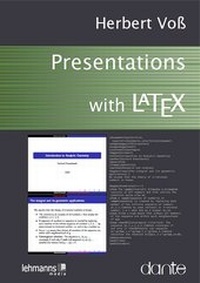
Presentations with LaTeX
Which package, which command, which syntax?
1st Edition
Published on 12. July 2012
VI, 206 pages
978-3-86541-781-7 (ISBN)
Description

Which package, which command, which syntax?
LATEX can be used to create high-quality presentations. Further more, the typesetting system TEX can be used to easily create an imatedslides. This books how show to create presentations with the two most important classes, powerdot and beamer. In addition to the basic functionality, examples illustrate how to realise a custom corporate design to create a custom document class or package.
More details
Other editions
Additional editions
Book
07/2012
1st Edition
Lehmanns Media
€19.95
Shipment within 7-9 days
Person
1949 Born near Hanover, Germany 1966 Finished school 1969 Training as an electrician 1973 Ing. grad. in Berlin 1975 Dipl.-Ing. 1978 Dr.-Ing. 1982 Teacher for computerscience 1986 Head of the science department 2002 Lecturer at the Free University of Berlin
Content
1 - Title [Seite 2]
2 - Contents [Seite 4]
3 - Preface [Seite 6]
4 - 1. [Seite 1.]
Introduction - 8 [Seite 8]
4.1 - 1.1 Some history. . . [Seite 8]
4.2 - 1.2 Typography and layout [Seite 14]
4.3 - 1.3 Text placement and colours [Seite 15]
5 - 2. [Seite 2.]
powerdot - 20 [Seite 20]
5.1 - 2.1 Document structure [Seite 21]
5.2 - 2.2 Parameters [Seite 25]
5.3 - 2.3 Slides [Seite 28]
5.4 - 2.4 Overlays [Seite 30]
5.4.1 - 2.4.1 \pause [Seite 31]
5.4.2 - 2.4.2 \item [Seite 33]
5.5 - 2.5 Navigation [Seite 36]
5.6 - 2.6 Two-column mode [Seite 37]
5.7 - 2.7 Verbatim mode [Seite 39]
5.8 - 2.8 Videos and animations [Seite 41]
5.9 - 2.9 Available space [Seite 42]
5.10 - 2.10 Style file [Seite 43]
5.10.1 - 2.10.1 The title slide [Seite 45]
5.10.2 - 2.10.2 The navigation bar [Seite 46]
5.11 - 2.11 Background picture [Seite 48]
5.11.1 - 2.11.1 Colour palettes [Seite 49]
5.12 - 2.12 Bibliography [Seite 49]
5.13 - 2.13 Notes [Seite 51]
5.14 - 2.14 Default layouts for powerdot [Seite 52]
5.14.1 - 2.14.1 Style aggie - dark red and light grey colour scheme [Seite 53]
5.14.2 - 2.14.2 Style bframe - blue text frames [Seite 53]
5.14.3 - 2.14.3 Style ciment - lines as background [Seite 53]
5.14.4 - 2.14.4 Style default - standard colours [Seite 53]
5.14.5 - 2.14.5 Style elcolors - red, blue and yellow background colours [Seite 54]
5.14.6 - 2.14.6 Style fyma - gradient as background [Seite 54]
5.14.7 - 2.14.7 Style horatio - coloured header and footer [Seite 54]
5.14.8 - 2.14.8 Style husky - sun rays as background [Seite 54]
5.14.9 - 2.14.9 Style ikeda - dark background with light text [Seite 55]
5.14.10 - 2.14.10 Style jefka - four colour palettes to choose from [Seite 55]
5.14.11 - 2.14.11 Style klope - horizontal table of contents [Seite 55]
5.14.12 - 2.14.12 Style paintings - no table of contents [Seite 55]
5.14.13 - 2.14.13 Style pazik - red or brown colour scheme [Seite 56]
5.14.14 - 2.14.14 Style sailor - several colour palettes to choose from [Seite 56]
5.14.15 - 2.14.15 Style simple - black and white scheme [Seite 56]
5.14.16 - 2.14.16 Style tycja - blue and yellow colour shadows [Seite 56]
5.14.17 - 2.14.17 Style upen - yellow text on blue background [Seite 57]
5.14.18 - 2.14.18 Style BerlinFU - Free University Berlin [Seite 57]
5.14.19 - 2.14.19 Style clemson - Clemson University [Seite 57]
6 - 3. Creating custom layouts with [Seite 3. Creating custom layouts with]
powerdot - 58 [Seite 58]
6.1 - 3.1 Definition of a custom document class [Seite 58]
6.2 - 3.2 Definition of a custom style file [Seite 62]
6.3 - 3.3 Custom navigation and square logo [Seite 64]
6.4 - 3.4 Further examples [Seite 67]
7 - 4. [Seite 4.]
beamer - 70 [Seite 70]
7.1 - 4.1 Document structure [Seite 71]
7.2 - 4.2 The structure of a presentation [Seite 76]
7.3 - 4.3 Setting parameters [Seite 78]
7.4 - 4.4 The title page [Seite 81]
7.5 - 4.5 Multiple use of slides [Seite 82]
7.6 - 4.6 Overlays [Seite 83]
7.6.1 - 4.6.1 Overlay commands [Seite 83]
7.6.2 - 4.6.2 Opaqueness [Seite 87]
7.6.3 - 4.6.3 Overlay environments [Seite 89]
7.6.4 - 4.6.4 Overlay regions [Seite 91]
7.6.5 - 4.6.5 Actions for overlays [Seite 92]
7.7 - 4.7 Environments from standard LATEX [Seite 93]
7.8 - 4.8 Navigation elements [Seite 95]
7.9 - 4.9 Animations, sound and films [Seite 96]
7.10 - 4.10 Slide transitions [Seite 98]
7.11 - 4.11 Text boxes [Seite 100]
7.12 - 4.12 Inserting a logo [Seite 103]
7.13 - 4.13 Navigation structure [Seite 105]
7.14 - 4.14 Multi-column mode [Seite 108]
7.15 - 4.15 Hyperlinks [Seite 109]
7.16 - 4.16 Lists [Seite 112]
7.17 - 4.17 Text styles [Seite 114]
7.18 - 4.18 Verbatim mode [Seite 115]
7.19 - 4.19 Including figures [Seite 117]
7.20 - 4.20 Templates - the heart of beamer [Seite 119]
7.20.1 - 4.20.1 Templates for fonts [Seite 123]
7.20.2 - 4.20.2 Templates for colours [Seite 125]
7.20.3 - 4.20.3 Backgrounds and background colours [Seite 128]
7.21 - 4.21 Commands to insert material [Seite 129]
7.22 - 4.22 Notes [Seite 130]
7.23 - 4.23 Bibliography [Seite 135]
7.24 - 4.24 Using two screens [Seite 137]
7.25 - 4.25 Output mode [Seite 139]
7.26 - 4.26 Tips and tricks [Seite 141]
7.27 - 4.27 Default layouts for beamer [Seite 144]
7.27.1 - 4.27.1 Theme AnnArbor [Seite 144]
7.27.2 - 4.27.2 Theme Antibes [Seite 145]
7.27.3 - 4.27.3 Theme Bergen [Seite 145]
7.27.4 - 4.27.4 Theme Berkeley [Seite 145]
7.27.5 - 4.27.5 Theme Berlin [Seite 145]
7.27.6 - 4.27.6 Theme Boadilla [Seite 146]
7.27.7 - 4.27.7 Theme boxes [Seite 146]
7.27.8 - 4.27.8 Theme CambridgeUS [Seite 146]
7.27.9 - 4.27.9 Theme Copenhagen [Seite 146]
7.27.10 - 4.27.10 Theme Darmstadt [Seite 147]
7.27.11 - 4.27.11 Theme default [Seite 147]
7.27.12 - 4.27.12 Theme Dresden [Seite 147]
7.27.13 - 4.27.13 Theme Frankfurt [Seite 147]
7.27.14 - 4.27.14 Theme Goettingen [Seite 148]
7.27.15 - 4.27.15 Theme Hannover [Seite 148]
7.27.16 - 4.27.16 Theme Ilmenau [Seite 148]
7.27.17 - 4.27.17 Theme JuanLesPins [Seite 148]
7.27.18 - 4.27.18 Theme Luebeck [Seite 149]
7.27.19 - 4.27.19 Theme Madrid [Seite 149]
7.27.20 - 4.27.20 Theme Malmoe [Seite 149]
7.27.21 - 4.27.21 Theme Marburg [Seite 149]
7.27.22 - 4.27.22 Theme Montpellier [Seite 150]
7.27.23 - 4.27.23 Theme PaloAlto [Seite 150]
7.27.24 - 4.27.24 Theme Pittsburgh [Seite 150]
7.27.25 - 4.27.25 Theme Rochester [Seite 150]
7.27.26 - 4.27.26 Theme Singapore [Seite 151]
7.27.27 - 4.27.27 Theme Szeged [Seite 151]
7.27.28 - 4.27.28 Theme Warsaw [Seite 151]
7.27.29 - 4.27.29 Theme JLTree [Seite 151]
7.27.30 - 4.27.30 Outer theme default [Seite 152]
7.27.31 - 4.27.31 Outer theme infolines [Seite 152]
7.27.32 - 4.27.32 Outer theme miniframes [Seite 152]
7.27.33 - 4.27.33 Outer theme shadow [Seite 152]
7.27.34 - 4.27.34 Outer theme sidebar [Seite 153]
7.27.35 - 4.27.35 Outer theme smoothbars [Seite 153]
7.27.36 - 4.27.36 Outer theme smoothtree [Seite 153]
7.27.37 - 4.27.37 Outer theme split [Seite 153]
7.27.38 - 4.27.38 Outer theme tree [Seite 154]
7.27.39 - 4.27.39 Inner theme circles [Seite 154]
7.27.40 - 4.27.40 Inner theme default [Seite 154]
7.27.41 - 4.27.41 Inner theme inmargin [Seite 154]
7.27.42 - 4.27.42 Inner theme rectangles [Seite 155]
7.27.43 - 4.27.43 Inner theme rounded [Seite 155]
7.27.44 - 4.27.44 Font theme default [Seite 155]
7.27.45 - 4.27.45 Font theme professionalfonts [Seite 155]
7.27.46 - 4.27.46 Font theme serif [Seite 156]
7.27.47 - 4.27.47 Font theme structurebold [Seite 156]
7.27.48 - 4.27.48 Font theme structureitalicserif [Seite 156]
7.27.49 - 4.27.49 Font theme structuresmallcapsserif [Seite 156]
7.27.50 - 4.27.50 Colour theme albatross [Seite 157]
7.27.51 - 4.27.51 Colour theme beaver [Seite 157]
7.27.52 - 4.27.52 Colour theme beetle [Seite 157]
7.27.53 - 4.27.53 Colour theme crane [Seite 157]
7.27.54 - 4.27.54 Colour theme default [Seite 158]
7.27.55 - 4.27.55 Colour theme dolphin [Seite 158]
7.27.56 - 4.27.56 Colour theme dove [Seite 158]
7.27.57 - 4.27.57 Colour theme fly [Seite 158]
7.27.58 - 4.27.58 Colour theme lily [Seite 159]
7.27.59 - 4.27.59 Colour theme orchid [Seite 159]
7.27.60 - 4.27.60 Colour theme rose [Seite 159]
7.27.61 - 4.27.61 Colour theme seagull [Seite 159]
7.27.62 - 4.27.62 Colour theme seahorse [Seite 160]
7.27.63 - 4.27.63 Colour theme sidebartab [Seite 160]
7.27.64 - 4.27.64 Colour theme whale [Seite 160]
7.27.65 - 4.27.65 Colour theme wolverine [Seite 160]
8 - 5. [Seite 5.]
Creating custom layouts with beamer - 162 [Seite 162]
8.1 - 5.1 Defining a custom document class [Seite 163]
8.2 - 5.2 Definition of a custom theme [Seite 167]
8.3 - 5.3 Additional examples [Seite 170]
9 - 6. [Seite 6.]
Colours - 174 [Seite 174]
9.1 - 6.1 Colour definition [Seite 176]
9.2 - 6.2 Colour specification [Seite 179]
9.3 - 6.3 Use of predefined colours - named colours [Seite 180]
9.4 - 6.4 The background colour and colours in boxes [Seite 184]
9.5 - 6.5 Determining colour values [Seite 185]
10 - 7. Questions and answers [Seite 186]
10.1 - 7.1 beamer [Seite 186]
10.1.1 - 7.1.1 pgfpages package [Seite 186]
10.1.2 - 7.1.2 Number of overlays [Seite 186]
10.1.3 - 7.1.3 DVI output [Seite 186]
10.2 - 7.2 powerdot [Seite 187]
10.2.1 - 7.2.1 Title page [Seite 187]
10.3 - 7.3 LATEX - General [Seite 187]
10.3.1 - 7.3.1 Figures [Seite 187]
10.3.2 - 7.3.2 Loading packages - option clash [Seite 187]
10.3.3 - 7.3.3 Spaces are "swallowed" after a command [Seite 187]
10.3.4 - 7.3.4 Paragraph breaks - ragged margin [Seite 188]
10.4 - 7.4 Output format [Seite 189]
10.4.1 - 7.4.1 dvips [Seite 190]
10.4.2 - 7.4.2 ps2pdf [Seite 190]
10.4.3 - 7.4.3 LATEX editors TEXmaker - Mac OSX/Linux/Windows [Seite 191]
10.5 - 7.5 PSTricks [Seite 193]
11 - Bibliography [Seite 196]
12 - Index of commands and [Seite Index of commands and]
concepts - 198 [Seite 198]
13 - People [Seite 211]
2 - Contents [Seite 4]
3 - Preface [Seite 6]
4 - 1. [Seite 1.]
Introduction - 8 [Seite 8]
4.1 - 1.1 Some history. . . [Seite 8]
4.2 - 1.2 Typography and layout [Seite 14]
4.3 - 1.3 Text placement and colours [Seite 15]
5 - 2. [Seite 2.]
powerdot - 20 [Seite 20]
5.1 - 2.1 Document structure [Seite 21]
5.2 - 2.2 Parameters [Seite 25]
5.3 - 2.3 Slides [Seite 28]
5.4 - 2.4 Overlays [Seite 30]
5.4.1 - 2.4.1 \pause [Seite 31]
5.4.2 - 2.4.2 \item [Seite 33]
5.5 - 2.5 Navigation [Seite 36]
5.6 - 2.6 Two-column mode [Seite 37]
5.7 - 2.7 Verbatim mode [Seite 39]
5.8 - 2.8 Videos and animations [Seite 41]
5.9 - 2.9 Available space [Seite 42]
5.10 - 2.10 Style file [Seite 43]
5.10.1 - 2.10.1 The title slide [Seite 45]
5.10.2 - 2.10.2 The navigation bar [Seite 46]
5.11 - 2.11 Background picture [Seite 48]
5.11.1 - 2.11.1 Colour palettes [Seite 49]
5.12 - 2.12 Bibliography [Seite 49]
5.13 - 2.13 Notes [Seite 51]
5.14 - 2.14 Default layouts for powerdot [Seite 52]
5.14.1 - 2.14.1 Style aggie - dark red and light grey colour scheme [Seite 53]
5.14.2 - 2.14.2 Style bframe - blue text frames [Seite 53]
5.14.3 - 2.14.3 Style ciment - lines as background [Seite 53]
5.14.4 - 2.14.4 Style default - standard colours [Seite 53]
5.14.5 - 2.14.5 Style elcolors - red, blue and yellow background colours [Seite 54]
5.14.6 - 2.14.6 Style fyma - gradient as background [Seite 54]
5.14.7 - 2.14.7 Style horatio - coloured header and footer [Seite 54]
5.14.8 - 2.14.8 Style husky - sun rays as background [Seite 54]
5.14.9 - 2.14.9 Style ikeda - dark background with light text [Seite 55]
5.14.10 - 2.14.10 Style jefka - four colour palettes to choose from [Seite 55]
5.14.11 - 2.14.11 Style klope - horizontal table of contents [Seite 55]
5.14.12 - 2.14.12 Style paintings - no table of contents [Seite 55]
5.14.13 - 2.14.13 Style pazik - red or brown colour scheme [Seite 56]
5.14.14 - 2.14.14 Style sailor - several colour palettes to choose from [Seite 56]
5.14.15 - 2.14.15 Style simple - black and white scheme [Seite 56]
5.14.16 - 2.14.16 Style tycja - blue and yellow colour shadows [Seite 56]
5.14.17 - 2.14.17 Style upen - yellow text on blue background [Seite 57]
5.14.18 - 2.14.18 Style BerlinFU - Free University Berlin [Seite 57]
5.14.19 - 2.14.19 Style clemson - Clemson University [Seite 57]
6 - 3. Creating custom layouts with [Seite 3. Creating custom layouts with]
powerdot - 58 [Seite 58]
6.1 - 3.1 Definition of a custom document class [Seite 58]
6.2 - 3.2 Definition of a custom style file [Seite 62]
6.3 - 3.3 Custom navigation and square logo [Seite 64]
6.4 - 3.4 Further examples [Seite 67]
7 - 4. [Seite 4.]
beamer - 70 [Seite 70]
7.1 - 4.1 Document structure [Seite 71]
7.2 - 4.2 The structure of a presentation [Seite 76]
7.3 - 4.3 Setting parameters [Seite 78]
7.4 - 4.4 The title page [Seite 81]
7.5 - 4.5 Multiple use of slides [Seite 82]
7.6 - 4.6 Overlays [Seite 83]
7.6.1 - 4.6.1 Overlay commands [Seite 83]
7.6.2 - 4.6.2 Opaqueness [Seite 87]
7.6.3 - 4.6.3 Overlay environments [Seite 89]
7.6.4 - 4.6.4 Overlay regions [Seite 91]
7.6.5 - 4.6.5 Actions for overlays [Seite 92]
7.7 - 4.7 Environments from standard LATEX [Seite 93]
7.8 - 4.8 Navigation elements [Seite 95]
7.9 - 4.9 Animations, sound and films [Seite 96]
7.10 - 4.10 Slide transitions [Seite 98]
7.11 - 4.11 Text boxes [Seite 100]
7.12 - 4.12 Inserting a logo [Seite 103]
7.13 - 4.13 Navigation structure [Seite 105]
7.14 - 4.14 Multi-column mode [Seite 108]
7.15 - 4.15 Hyperlinks [Seite 109]
7.16 - 4.16 Lists [Seite 112]
7.17 - 4.17 Text styles [Seite 114]
7.18 - 4.18 Verbatim mode [Seite 115]
7.19 - 4.19 Including figures [Seite 117]
7.20 - 4.20 Templates - the heart of beamer [Seite 119]
7.20.1 - 4.20.1 Templates for fonts [Seite 123]
7.20.2 - 4.20.2 Templates for colours [Seite 125]
7.20.3 - 4.20.3 Backgrounds and background colours [Seite 128]
7.21 - 4.21 Commands to insert material [Seite 129]
7.22 - 4.22 Notes [Seite 130]
7.23 - 4.23 Bibliography [Seite 135]
7.24 - 4.24 Using two screens [Seite 137]
7.25 - 4.25 Output mode [Seite 139]
7.26 - 4.26 Tips and tricks [Seite 141]
7.27 - 4.27 Default layouts for beamer [Seite 144]
7.27.1 - 4.27.1 Theme AnnArbor [Seite 144]
7.27.2 - 4.27.2 Theme Antibes [Seite 145]
7.27.3 - 4.27.3 Theme Bergen [Seite 145]
7.27.4 - 4.27.4 Theme Berkeley [Seite 145]
7.27.5 - 4.27.5 Theme Berlin [Seite 145]
7.27.6 - 4.27.6 Theme Boadilla [Seite 146]
7.27.7 - 4.27.7 Theme boxes [Seite 146]
7.27.8 - 4.27.8 Theme CambridgeUS [Seite 146]
7.27.9 - 4.27.9 Theme Copenhagen [Seite 146]
7.27.10 - 4.27.10 Theme Darmstadt [Seite 147]
7.27.11 - 4.27.11 Theme default [Seite 147]
7.27.12 - 4.27.12 Theme Dresden [Seite 147]
7.27.13 - 4.27.13 Theme Frankfurt [Seite 147]
7.27.14 - 4.27.14 Theme Goettingen [Seite 148]
7.27.15 - 4.27.15 Theme Hannover [Seite 148]
7.27.16 - 4.27.16 Theme Ilmenau [Seite 148]
7.27.17 - 4.27.17 Theme JuanLesPins [Seite 148]
7.27.18 - 4.27.18 Theme Luebeck [Seite 149]
7.27.19 - 4.27.19 Theme Madrid [Seite 149]
7.27.20 - 4.27.20 Theme Malmoe [Seite 149]
7.27.21 - 4.27.21 Theme Marburg [Seite 149]
7.27.22 - 4.27.22 Theme Montpellier [Seite 150]
7.27.23 - 4.27.23 Theme PaloAlto [Seite 150]
7.27.24 - 4.27.24 Theme Pittsburgh [Seite 150]
7.27.25 - 4.27.25 Theme Rochester [Seite 150]
7.27.26 - 4.27.26 Theme Singapore [Seite 151]
7.27.27 - 4.27.27 Theme Szeged [Seite 151]
7.27.28 - 4.27.28 Theme Warsaw [Seite 151]
7.27.29 - 4.27.29 Theme JLTree [Seite 151]
7.27.30 - 4.27.30 Outer theme default [Seite 152]
7.27.31 - 4.27.31 Outer theme infolines [Seite 152]
7.27.32 - 4.27.32 Outer theme miniframes [Seite 152]
7.27.33 - 4.27.33 Outer theme shadow [Seite 152]
7.27.34 - 4.27.34 Outer theme sidebar [Seite 153]
7.27.35 - 4.27.35 Outer theme smoothbars [Seite 153]
7.27.36 - 4.27.36 Outer theme smoothtree [Seite 153]
7.27.37 - 4.27.37 Outer theme split [Seite 153]
7.27.38 - 4.27.38 Outer theme tree [Seite 154]
7.27.39 - 4.27.39 Inner theme circles [Seite 154]
7.27.40 - 4.27.40 Inner theme default [Seite 154]
7.27.41 - 4.27.41 Inner theme inmargin [Seite 154]
7.27.42 - 4.27.42 Inner theme rectangles [Seite 155]
7.27.43 - 4.27.43 Inner theme rounded [Seite 155]
7.27.44 - 4.27.44 Font theme default [Seite 155]
7.27.45 - 4.27.45 Font theme professionalfonts [Seite 155]
7.27.46 - 4.27.46 Font theme serif [Seite 156]
7.27.47 - 4.27.47 Font theme structurebold [Seite 156]
7.27.48 - 4.27.48 Font theme structureitalicserif [Seite 156]
7.27.49 - 4.27.49 Font theme structuresmallcapsserif [Seite 156]
7.27.50 - 4.27.50 Colour theme albatross [Seite 157]
7.27.51 - 4.27.51 Colour theme beaver [Seite 157]
7.27.52 - 4.27.52 Colour theme beetle [Seite 157]
7.27.53 - 4.27.53 Colour theme crane [Seite 157]
7.27.54 - 4.27.54 Colour theme default [Seite 158]
7.27.55 - 4.27.55 Colour theme dolphin [Seite 158]
7.27.56 - 4.27.56 Colour theme dove [Seite 158]
7.27.57 - 4.27.57 Colour theme fly [Seite 158]
7.27.58 - 4.27.58 Colour theme lily [Seite 159]
7.27.59 - 4.27.59 Colour theme orchid [Seite 159]
7.27.60 - 4.27.60 Colour theme rose [Seite 159]
7.27.61 - 4.27.61 Colour theme seagull [Seite 159]
7.27.62 - 4.27.62 Colour theme seahorse [Seite 160]
7.27.63 - 4.27.63 Colour theme sidebartab [Seite 160]
7.27.64 - 4.27.64 Colour theme whale [Seite 160]
7.27.65 - 4.27.65 Colour theme wolverine [Seite 160]
8 - 5. [Seite 5.]
Creating custom layouts with beamer - 162 [Seite 162]
8.1 - 5.1 Defining a custom document class [Seite 163]
8.2 - 5.2 Definition of a custom theme [Seite 167]
8.3 - 5.3 Additional examples [Seite 170]
9 - 6. [Seite 6.]
Colours - 174 [Seite 174]
9.1 - 6.1 Colour definition [Seite 176]
9.2 - 6.2 Colour specification [Seite 179]
9.3 - 6.3 Use of predefined colours - named colours [Seite 180]
9.4 - 6.4 The background colour and colours in boxes [Seite 184]
9.5 - 6.5 Determining colour values [Seite 185]
10 - 7. Questions and answers [Seite 186]
10.1 - 7.1 beamer [Seite 186]
10.1.1 - 7.1.1 pgfpages package [Seite 186]
10.1.2 - 7.1.2 Number of overlays [Seite 186]
10.1.3 - 7.1.3 DVI output [Seite 186]
10.2 - 7.2 powerdot [Seite 187]
10.2.1 - 7.2.1 Title page [Seite 187]
10.3 - 7.3 LATEX - General [Seite 187]
10.3.1 - 7.3.1 Figures [Seite 187]
10.3.2 - 7.3.2 Loading packages - option clash [Seite 187]
10.3.3 - 7.3.3 Spaces are "swallowed" after a command [Seite 187]
10.3.4 - 7.3.4 Paragraph breaks - ragged margin [Seite 188]
10.4 - 7.4 Output format [Seite 189]
10.4.1 - 7.4.1 dvips [Seite 190]
10.4.2 - 7.4.2 ps2pdf [Seite 190]
10.4.3 - 7.4.3 LATEX editors TEXmaker - Mac OSX/Linux/Windows [Seite 191]
10.5 - 7.5 PSTricks [Seite 193]
11 - Bibliography [Seite 196]
12 - Index of commands and [Seite Index of commands and]
concepts - 198 [Seite 198]
13 - People [Seite 211]
