

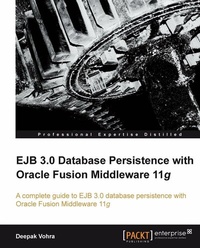
EJB 3.0 Database Persistence with Oracle Fusion Middleware 11g
This book walks you through the practical usage of EJB 3.0 database persistence with Oracle Fusion Middleware. Lots of examples and a step-by-step approach make it a great way for EJB application developers to acquire new skills.
Published on 13. January 2025
448 pages
978-1-84968-157-5 (ISBN)
Description

This book walks you through the practical usage of EJB 3.0 database persistence with Oracle Fusion Middleware. Lots of examples and a step-by-step approach make it a great way for EJB application developers to acquire new skills.
Key Features
Integrate EJB 3.0 database persistence with Oracle Fusion Middleware tools: WebLogic Server, JDeveloper, and Enterprise Pack for Eclipse
Automatically create EJB 3.0 entity beans from database tables
Learn to wrap entity beans with session beans and create EJB 3.0 relationships
Apply JSF and ADF Faces user interfaces (UIs) to EJB 3.0 database persistence
A practical guide illustrated with examples to integrate EJB 3.0 database persistence with Ajax and Web Services
Book DescriptionEJB (Enterprise JavaBeans) 3.0 is a commonly used database persistence technology in Java EE applications. EJB 3.0 has simplified the development of EJBs with an annotations-based API that eliminates the use of remote/local interfaces, home/local home interfaces, and deployment descriptors. A number of other books are available on EJB 3.0, but none covers EJB 3.0 support in Oracle Fusion Middleware 11g, which is one of the leaders in the application server market.This is the first book that covers all aspects of EJB 3.0 database persistence development using Oracle Fusion Middleware technology. It covers all the best practices for database persistence ensuring that your applications are easily maintainable. Leaving theory behind, this book uses real-world examples to guide you in building your own EJB 3.0 applications that are well integrated with commonly used Java EE frameworks.The book gets going by discussing the new features in the EJB 3.0 specification. As some readers may still be using EJB 2.0, the book explains how to convert your EJB 2.0 entity beans to EJB 3.0. It then goes on to discuss using EJB 3.0 database persistence with JDeveloper, WebLogic Server, and Enterprise Pack for Eclipse, the main Java EE components of Oracle Fusion Middleware 11g. The book also covers EJB 3.0 relationships and integrating EJB 3.0 relationships with JSF user interfaces. EJB 3.0 database persistence with some of the commonly used frameworks such as ADF Faces, AJAX, and Web Services is also discussed in the book. It uses the integrated WebLogic Server 11g in some of the chapters and the standalone WebLogic Server in other chapters. While JDeveloper is the primary Java IDE used in the book, one of the chapters is based on the Oracle Enterprise Pack for Eclipse.By the time you reach the end of this book, you will be well-versed with developing EJB 3.0 applications using the different Java EE components of Oracle Fusion Middleware 11g.What you will learn
Explore the new features in the EJB 3.0 specification
Convert an EJB 2.0 entity bean to EJB 3.0 in JDeveloper
Create EJB 3.0 entity beans from database tables automatically in JDeveloper
Implement EJB 3.0 database persistence with JDeveloper, WebLogic Server, and Enterprise Pack for Eclipse
Wrap an entity bean with a session bean
Build a client for an EJB 3.0 entity bean application
Develop an ADF Faces user interface (UI) for entity beans
Create EJB 3.0 entity relationships
Design JSF UIs for EJB 3.0 entity relationships
Integrate EJB 3.0 database persistence with an AJAX user interface (UI)
Build EJB 3.0 Web Services from entity beans
Who this book is forThis book is aimed at EJB 3.0 application developers who want to learn about the practical use of EJB 3.0 database persistence with Oracle Fusion Middleware. Those who are already using EJB 3.0 database persistence will learn about using EJB 3.0 database persistence with Oracle Fusion Middleware 11g. The target audience is expected to have some prior knowledge about Java EE, EJBs, EJB 3.0, JSF, AJAX, web services, and XML. This book is ideal for those developers who have working knowledge of JDeveloper and WebLogic server, and wish to learn about the practical use of EJB 3.0 with Oracle Fusion Middleware.
Key Features
Integrate EJB 3.0 database persistence with Oracle Fusion Middleware tools: WebLogic Server, JDeveloper, and Enterprise Pack for Eclipse
Automatically create EJB 3.0 entity beans from database tables
Learn to wrap entity beans with session beans and create EJB 3.0 relationships
Apply JSF and ADF Faces user interfaces (UIs) to EJB 3.0 database persistence
A practical guide illustrated with examples to integrate EJB 3.0 database persistence with Ajax and Web Services
Book DescriptionEJB (Enterprise JavaBeans) 3.0 is a commonly used database persistence technology in Java EE applications. EJB 3.0 has simplified the development of EJBs with an annotations-based API that eliminates the use of remote/local interfaces, home/local home interfaces, and deployment descriptors. A number of other books are available on EJB 3.0, but none covers EJB 3.0 support in Oracle Fusion Middleware 11g, which is one of the leaders in the application server market.This is the first book that covers all aspects of EJB 3.0 database persistence development using Oracle Fusion Middleware technology. It covers all the best practices for database persistence ensuring that your applications are easily maintainable. Leaving theory behind, this book uses real-world examples to guide you in building your own EJB 3.0 applications that are well integrated with commonly used Java EE frameworks.The book gets going by discussing the new features in the EJB 3.0 specification. As some readers may still be using EJB 2.0, the book explains how to convert your EJB 2.0 entity beans to EJB 3.0. It then goes on to discuss using EJB 3.0 database persistence with JDeveloper, WebLogic Server, and Enterprise Pack for Eclipse, the main Java EE components of Oracle Fusion Middleware 11g. The book also covers EJB 3.0 relationships and integrating EJB 3.0 relationships with JSF user interfaces. EJB 3.0 database persistence with some of the commonly used frameworks such as ADF Faces, AJAX, and Web Services is also discussed in the book. It uses the integrated WebLogic Server 11g in some of the chapters and the standalone WebLogic Server in other chapters. While JDeveloper is the primary Java IDE used in the book, one of the chapters is based on the Oracle Enterprise Pack for Eclipse.By the time you reach the end of this book, you will be well-versed with developing EJB 3.0 applications using the different Java EE components of Oracle Fusion Middleware 11g.What you will learn
Explore the new features in the EJB 3.0 specification
Convert an EJB 2.0 entity bean to EJB 3.0 in JDeveloper
Create EJB 3.0 entity beans from database tables automatically in JDeveloper
Implement EJB 3.0 database persistence with JDeveloper, WebLogic Server, and Enterprise Pack for Eclipse
Wrap an entity bean with a session bean
Build a client for an EJB 3.0 entity bean application
Develop an ADF Faces user interface (UI) for entity beans
Create EJB 3.0 entity relationships
Design JSF UIs for EJB 3.0 entity relationships
Integrate EJB 3.0 database persistence with an AJAX user interface (UI)
Build EJB 3.0 Web Services from entity beans
Who this book is forThis book is aimed at EJB 3.0 application developers who want to learn about the practical use of EJB 3.0 database persistence with Oracle Fusion Middleware. Those who are already using EJB 3.0 database persistence will learn about using EJB 3.0 database persistence with Oracle Fusion Middleware 11g. The target audience is expected to have some prior knowledge about Java EE, EJBs, EJB 3.0, JSF, AJAX, web services, and XML. This book is ideal for those developers who have working knowledge of JDeveloper and WebLogic server, and wish to learn about the practical use of EJB 3.0 with Oracle Fusion Middleware.
All prices
More details
Edition
Digital original
Language
English
Place of publication
Birmingham
United Kingdom
Edition type
Digital original
File size
33,87 MB
ISBN-13
978-1-84968-157-5 (9781849681575)
Copyright in bibliographic data and cover images is held by Nielsen Book Services Limited or by the publishers or by their respective licensors: all rights reserved.
Schweitzer Classification
Other editions
Additional editions
Book
08/2010
Packt Publishing
€70.20
Shipment within 3-4 weeks
Person
Deepak Vohra is consultant and principle a member of the NuBean software company. He is a Sun Certified Java Programmer (SCJP) and Sun Certified Web Component Developer (SCWCD) and has worked in the fields of XML, Java programming, and J2EE for over 10 years. He is the coauthor of the Apress book Pro XML Development with Java Technology. Deepak is the author of several Packt Publishing books, including Processing XML documents with Oracle JDeveloper 11g and Java EE Development with Eclipse. Deepak is also a Docker Mentor and has published four other Docker-related books.
Content
Table of Contents

